Free Shipping on Domestic Orders $75+

Lenovo Legion 5 Pro 16ACH6H Back Cover Replacement

Views: 16K

View statistics:

Past 24 Hours:
4
Past 7 Days:
78
Past 30 Days:
307
All Time:
16,239
Comments: 3

3 guide comments.

Go to guide comments
Completed: 9

9 people have marked this guide "completed." Will you be next?

Favorites: 1

1 person has favorited (and subscribed to) this guide. Will you be next?

Time Required: 5 - 10 minutes
Difficulty: Moderate
Lenovo Legion 5 Pro 16ACH6H Back Cover Replacement

Introduction

Go to step 1 ↓

Use this guide to remove or replace the back cover on a Lenovo Legion 5 Pro 16ACH6H laptop.

Before you perform this repair, be sure to completely power off and unplug your laptop. Make sure the laptop is not in standby, sleep, or hibernation mode.

What you need

Parts

Tools

    1. Lenovo Legion 5 Pro 16ACH6H Back Cover Replacement, Back cover removal: step 1, image 1 of 2 Lenovo Legion 5 Pro 16ACH6H Back Cover Replacement, Back cover removal: step 1, image 2 of 2
      • Use a Phillips screwdriver to remove the following ten screws securing the back cover to frame:

      • Six 12.7 mm PH00 screws

      • Four 4.2 mm PH00 screws

      Ask FixBot

      Add Comment

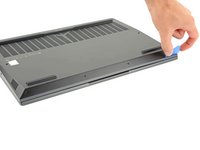
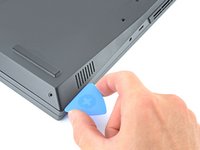
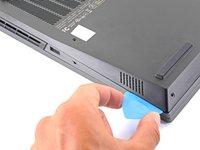
    2. Lenovo Legion 5 Pro 16ACH6H Back Cover Replacement, Release the front clips: step 2, image 1 of 3 Lenovo Legion 5 Pro 16ACH6H Back Cover Replacement, Release the front clips: step 2, image 2 of 3 Lenovo Legion 5 Pro 16ACH6H Back Cover Replacement, Release the front clips: step 2, image 3 of 3
      • Insert the rounded edge of an opening pick between the back cover and the frame in the lower right corner.

      Ask FixBot

      Add Comment

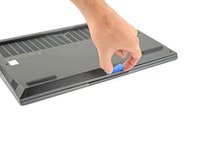
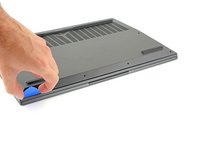
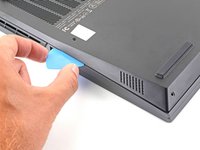
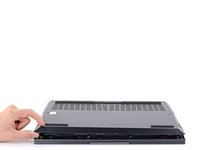
    3. Lenovo Legion 5 Pro 16ACH6H Back Cover Replacement: step 3, image 1 of 3 Lenovo Legion 5 Pro 16ACH6H Back Cover Replacement: step 3, image 2 of 3 Lenovo Legion 5 Pro 16ACH6H Back Cover Replacement: step 3, image 3 of 3
      • Angle the pick to about 45˚.

      • Slide the pick along the front edge to release the clips securing the back cover to the frame.

      Ask FixBot

      Add Comment

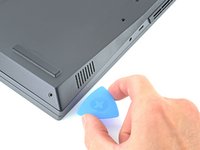
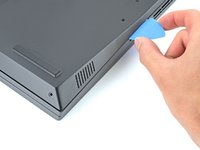
    4. Lenovo Legion 5 Pro 16ACH6H Back Cover Replacement, Release the right clips: step 4, image 1 of 3 Lenovo Legion 5 Pro 16ACH6H Back Cover Replacement, Release the right clips: step 4, image 2 of 3 Lenovo Legion 5 Pro 16ACH6H Back Cover Replacement, Release the right clips: step 4, image 3 of 3
      • Insert the rounded edge of an opening pick between the back cover and the frame on the right edge.

      • Angle the pick to about 30˚ and slide down the right edge until you reach the plastic vents on the side.

      Ask FixBot

      Add Comment

    5. Lenovo Legion 5 Pro 16ACH6H Back Cover Replacement, Release the left clips: step 5, image 1 of 3 Lenovo Legion 5 Pro 16ACH6H Back Cover Replacement, Release the left clips: step 5, image 2 of 3 Lenovo Legion 5 Pro 16ACH6H Back Cover Replacement, Release the left clips: step 5, image 3 of 3
      • Repeat the same procedure on the left edge to release the clips.

      Ask FixBot

      Add Comment

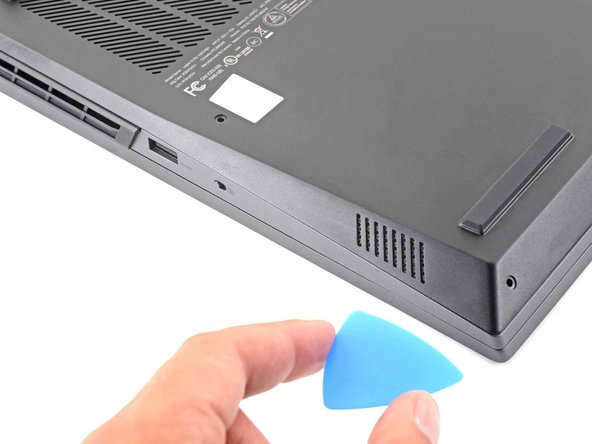
    6. Lenovo Legion 5 Pro 16ACH6H Back Cover Replacement, Release the right vent clips: step 6, image 1 of 3 Lenovo Legion 5 Pro 16ACH6H Back Cover Replacement, Release the right vent clips: step 6, image 2 of 3 Lenovo Legion 5 Pro 16ACH6H Back Cover Replacement, Release the right vent clips: step 6, image 3 of 3
      • Position the laptop vertically so you can easily access the plastic vents.

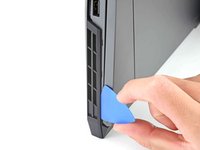
      • Slide the rounded edge of an opening pick between the frame and the plastic vents on the right side near the USB-A port.

      • Rotate the pick so that it is positioned on top of the plastic vents.

      Ask FixBot

      Add Comment

    7. Lenovo Legion 5 Pro 16ACH6H Back Cover Replacement: step 7, image 1 of 2 Lenovo Legion 5 Pro 16ACH6H Back Cover Replacement: step 7, image 2 of 2
      • Push the pick between the frame and plastic vents.

      • Slide the pick along the top edge of the plastic vents to release the clips.

      Ask FixBot

      Add Comment

    8. Lenovo Legion 5 Pro 16ACH6H Back Cover Replacement, Release the left vent clips: step 8, image 1 of 3 Lenovo Legion 5 Pro 16ACH6H Back Cover Replacement, Release the left vent clips: step 8, image 2 of 3 Lenovo Legion 5 Pro 16ACH6H Back Cover Replacement, Release the left vent clips: step 8, image 3 of 3
      • Slide the rounded edge of an opening pick between the frame and the plastic vents on the left side near the USB-C port.

      • Rotate the pick so that it is positioned on top of the plastic vents.

      Ask FixBot

      Add Comment

    9. Lenovo Legion 5 Pro 16ACH6H Back Cover Replacement: step 9, image 1 of 2 Lenovo Legion 5 Pro 16ACH6H Back Cover Replacement: step 9, image 2 of 2
      • Push the pick between the frame and plastic vents.

      • Slide the pick along the top edge of the plastic vents to release the clips.

      Ask FixBot

      Add Comment

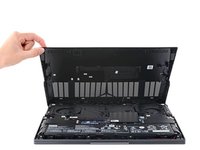
    10. Lenovo Legion 5 Pro 16ACH6H Back Cover Replacement, Remove the back cover: step 10, image 1 of 3 Lenovo Legion 5 Pro 16ACH6H Back Cover Replacement, Remove the back cover: step 10, image 2 of 3 Lenovo Legion 5 Pro 16ACH6H Back Cover Replacement, Remove the back cover: step 10, image 3 of 3
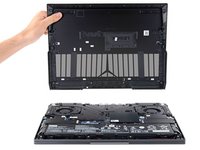
      • Lift the back cover up and remove it from the chassis.

      • During reassembly, this is a good point to power on your laptop and test all functions before sealing it up. Be sure to power your laptop back down before you continue working.

      Ask FixBot

      Add Comment

Conclusion

To reassemble your device, follow these instructions in reverse order.

Take your e-waste to an R2 or e-Stewards certified recycler.

Repair didn’t go as planned? Try some basic troubleshooting, or ask our Lenovo Legion answers community for help.

Cancel: I did not complete this guide.

9 other people completed this guide.

Chayton Ritter

Member since: 08/21/20

27,860 Reputation

105 Guides authored

3 Guide Comments

Great guide Chayton. I broke one of the clips when I took the legion 5 pro back panel off. I wish I had read your guide sooner!

Francis - Reply Share
do you know wher can i find the replacement parts? i saw on aliexpress but i dont know if they are trustable.

Emme Tti - Reply Share

Wish I read this guide before I did mine, got it done with a lot more hassle. Would love to see advice on what to use if you don't have an opening pick (a guy on YT had a guitar pick, I just used an old credit card and it was very difficult).

Martin Paluoja - Reply Share

Add Comment

View Statistics:

Past 24 Hours: 4

Past 7 Days: 78

Past 30 Days: 307

All Time: 16,239