
Whirlpool Dryer Control Panel Replacement

Bill Gilbert and one other contributor
Last updated on Jun 29, 2023
Views: 4.3K
View statistics:
- Past 24 Hours:
- 2
- Past 7 Days:
- 29
- Past 30 Days:
- 121
- All Time:
- 4,315
Comments: 1
1 comment on steps.
Completed: 0 1
No one has marked this guide "completed." Will you be the first?
1 person has marked this guide "completed." It's you — great job!
Favorites: 0 1
No one has favorited (and subscribed to) this guide. Will you be the first?
1 person has favorited (and subscribed to) this guide — and that's you!
Introduction
Go to step 1 ↓Use this guide to replace the control panel of your Whirlpool Dryer.
The control panel allows you to operate your dryer, select the cycles and monitor the drying time. It's also where the end-of-cycle speaker is located. If you can't set the machine to different cycles or get it to start, this unit may be the problem.
This is a straightforward repair, and there are no especially difficult steps.
This guide will work for most Whirlpool dryers. This guide is written with a model WED87HED dryer. If you have a different model, you may encounter some minor disassembly differences, but the overall repair process will be the same.
The control panel isn't the "brain" of the machine. The brain is called the Main Board, (a.k.a. Cycle Control Unit — CCU) and is located inside the machine cabinet. To replace the main board, follow this link.
What you need
Tools


-
-
-
Tool used on this step:FixMat$36.95
-
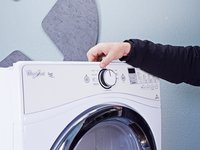
Use a nut driver to remove the screws securing the top panel to the rear panel bracket.
-
-
-
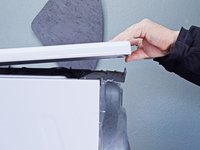
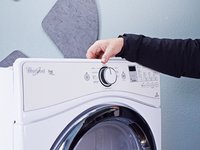
Grasp the top and slide it 1/2 to 1 inch toward the rear of the machine.
-
-
-
Lift the top panel upward to separate it from the chassis.
-
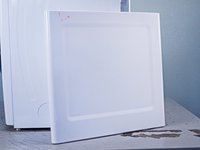
Remove the top panel from the machine.
-
-
-
-
-
Disconnect the control panel cable from the main board.
-
-
-
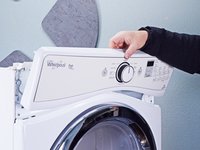
Lift the control panel up and tilt it away from the chassis to remove it.
-
-
-
-
-
-
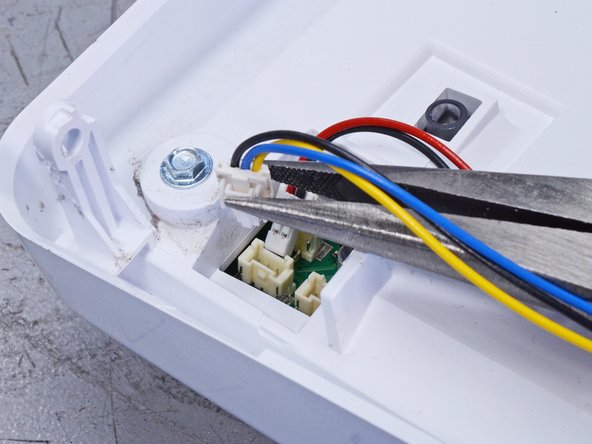
Disconnect the wiring harness connectors.
-
Lay the control panel down on a towel or other soft surface to perform the next few steps.
-
-
-
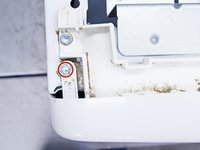
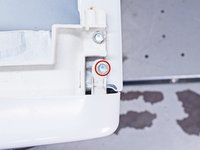
Remove the screws which secure the front control board to its housing.
-
-
-
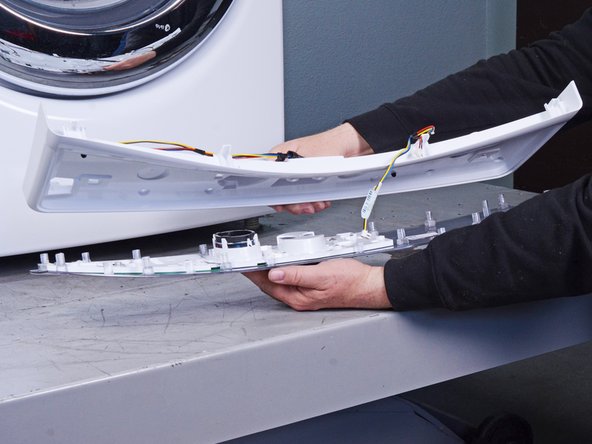
Lift up the back plate off the control panel and remove it.
-
-

 Ask FixBot












To reassemble your device, follow these instructions in reverse order.
Take your e-waste to an R2 or e-Stewards certified recycler.
Repair didn’t go as planned? Ask our Answers community for help.


