Free Shipping on Domestic Orders $75+

Swagtron T3 Gyroscope Replacement

What you need

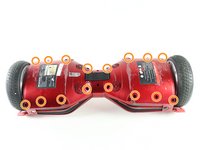
  1. Swagtron T3 Gyroscope Replacement, Cover: step 1, image 1 of 2 Swagtron T3 Gyroscope Replacement, Cover: step 1, image 2 of 2
    • Make sure the hoverboard is completely powered off and unplugged from any outlets.

    • Flip the Swagtron so that the footpads are facing the ground.

    • Unscrew the sixteen 9.4 mm Phillips #1 machine screws on the side of the Swagtron that is now facing upwards.

    Ask FixBot

    Add Comment

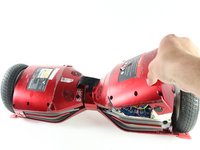
  2. Swagtron T3 Gyroscope Replacement: step 2, image 1 of 3 Swagtron T3 Gyroscope Replacement: step 2, image 2 of 3 Swagtron T3 Gyroscope Replacement: step 2, image 3 of 3
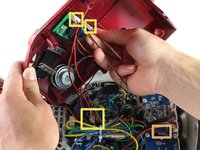
    • Be careful with the small blue capacitors indicated by the orange box. There are many of these capacitors in the device.

    • Slowly lift the backside cover.

    • Both sides lift up the same way, but the motherboard is under one side and the battery is under the other.

    • Detach the four cables connected to the cover by pinching the connector clips and pulling the cables out:

    • Three cables on the motherboard side.

    • Two red cables with white connectors and one white cable with a white connector.

    • One yellow cable with a black connector on the battery side.

    • After detachment, you should be able to completely remove the backside cover.

    Ask FixBot

    Add Comment

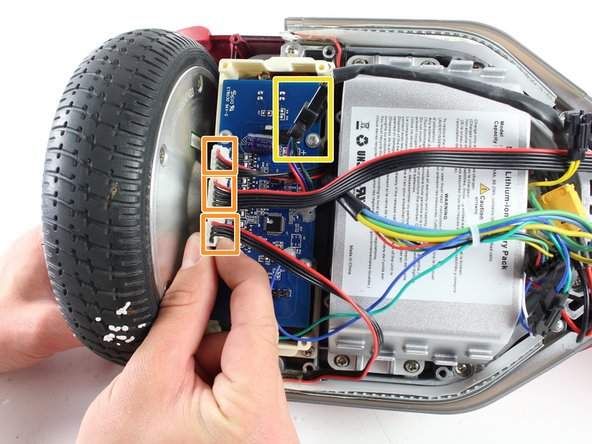
  3. Swagtron T3 Gyroscope Replacement, Gyroscope: step 3, image 1 of 1
    • The gyroscope is a blue rectangular circuit board on top of a white base and is closest to the wheel.

    • Detach the four cables connecting the gyroscope to the hoverboard by pinching the connector clips and pulling the cables out:

    • Three red and black cables with white connectors.

    • One multicolored cable with a black connector.

    Ask FixBot

    Add Comment

  4. Swagtron T3 Gyroscope Replacement: step 4, image 1 of 1
    • Uncrew the four 7.2 mm Phillips #1 self-drilling screws connecting the blue gyroscope to the white plastic holding piece.

    Ask FixBot

    Add Comment

  5. Swagtron T3 Gyroscope Replacement: step 5, image 1 of 2 Swagtron T3 Gyroscope Replacement: step 5, image 2 of 2
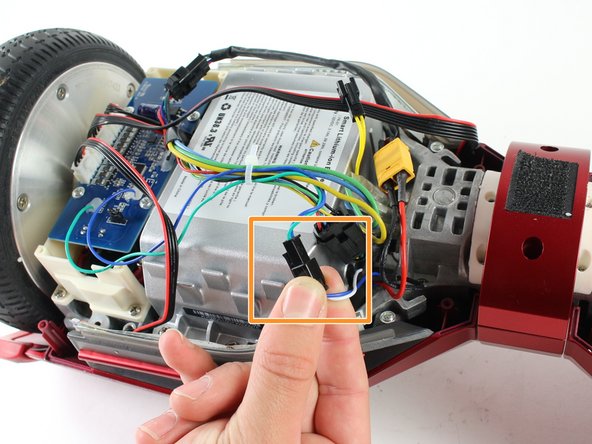
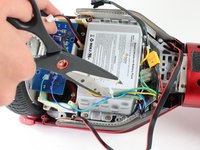
    • Cut the plastic cable tie holding the cables together with utility scissors.

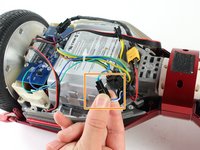
    • Disconnect the blue/green cable from the blue/white cable by pinching the connector clips and pulling the cables apart.

    Ask FixBot

    Add Comment

  6. Swagtron T3 Gyroscope Replacement: step 6, image 1 of 1
    • Gently lift the blue gyroscope off of the white plastic holder piece.

    • After reassembling the Swagtron with the new gyroscope, check to make sure your Swagtron is balancing properly.

    • If it is still unbalanced, repeat all steps in this guide with the gyroscope by the other wheel.

    Ask FixBot

    Add Comment

Conclusion

To reassemble your device, follow these instructions in reverse order.

Cancel: I did not complete this guide.

3 other people completed this guide.

Emily Richter

Member since: 04/10/17

351 Reputation

1 Guide authored

Team

Cal Poly, Team S13-G3, Forte Spring 2017 Member of Cal Poly, Team S13-G3, Forte Spring 2017

CPSU-FORTE-S17S13G3

4 Members

4 Guides authored

3 Guide Comments

Where can one buy the new gyroscope?

Mike - Reply Share

Where is the best place to buy the gyroscope for the T3?

I see Ebay sells complete kits with motherboards and all.

Are they compatible?

Mike - Reply Share

where can I buy new gyroscope

roccovalletta - Reply Share

Add Comment

View Statistics:

Past 24 Hours: 1

Past 7 Days: 12

Past 30 Days: 52

All Time: 5,481