Introduction
In this guide, you will be removing and replacing a faulty LED control panel located on the back of the speaker plate. If your LED lights aren't working on your SONY SRS-XB40 speaker, then more than likely the control panel is at fault.
What you need
-
-
-
Remove the speaker case from the outer casing by prying it from the base of the speaker using a metal spudger.
 Ask FixBot
-
-
-
Pry the two rubber end pieces loose enough to pry off two pieces of the long plastic casing from the speaker body using a metal spudger.
-
-
-
Pry the two remaining rubber pieces of the casing completely away from the body of the speaker with the same metal pry tool.
-
-
-
-
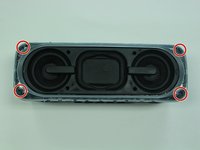
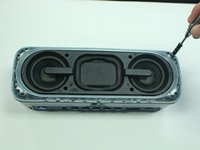
Once you have removed the outer blue casing, four T-8 screws (15 mm long) will be revealed on each corner. After removing these screws, simply pull the top part of the speaker way from the body to get the the inner part of the speaker.
-
-
-
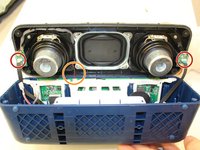
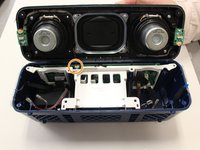
Once you have gotten to the internal parts of the speaker, there are seven wires connecting the speaker plate to the body of the speaker. Pinch the release tabs at the top of each of the four main wires to remove them.
-
-
-
Simply pull the thin wires on each side to remove them from their attachment points.
-
Remove the final red and black wire by gently pulling it apart.
-
This will ultimately detach the speaker plate from the base.
-
-
-
-
-
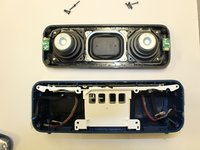
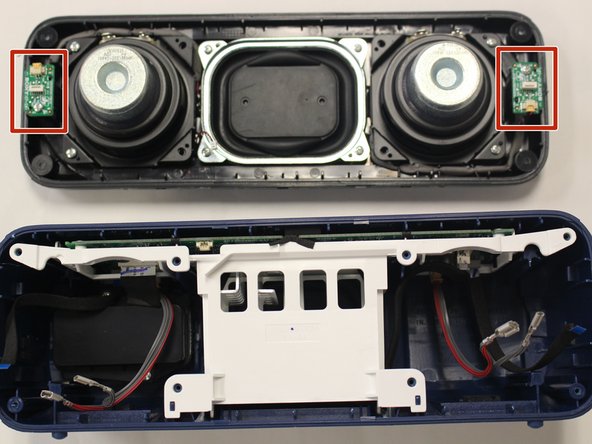
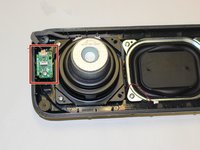
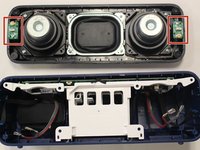
After you take the speaker plate off the body of the speaker, locate the LED control panels on each end of the speaker plate.
-
-
-
Unscrew the 10mm PH1 screw from each control panel.
-
The green panel should now be loose and connected only by the red and black plug in.
-
-
-
Carefully unplug the wire from the panel, releasing the panel from the speaker plate.
-
-







To reassemble your device, follow these instructions in reverse order.

Team

University of Alabama, Team S1-G1, Bedsole Spring 2018 Member of University of Alabama, Team S1-G1, Bedsole Spring 2018
UA-BEDSOLE-S18S1G1
4 Members
72 Guides authored
