
Power Mac G4 MDD Graphics Card Replacement

Chris Green and 3 other contributors
Last updated on Oct 21, 2015
Views: 19K
View statistics:
- Past 24 Hours:
- 3
- Past 7 Days:
- 22
- Past 30 Days:
- 103
- All Time:
- 19,389
Comments: 1
1 comment on steps.
Completed: 11 12
11 people have marked this guide "completed." Will you be next?
12 people have marked this guide "completed." Including you — great job!
Favorites: 1 2
1 person has favorited (and subscribed to) this guide. Will you be next?
2 people have favorited (and subscribed to) this guide — including you!
Introduction
Go to step 1 ↓The Power Mac G4 MDD Shipped with multiple graphics options, here were some of the available cards:
NVIDIA GeForce2 MX (32MB)
NVIDIA GeForce3 (64MB)
ATI Radeon 9000 (64MB)
NVIDIA GeForce4 Titanium (128MB)
What you need
Tools

-
-
-
The Power Mac G4 MDD: the last, and the fastest G4-based Mac. This computer boasted up to a Dual 1.42GHz PowerPC G4 CPU (though I have a single 1.25GHz).
-
Two USB 1.1 Ports
-
Assorted Audio
-
Video (ADC & DVI)
-
Networking (RJ-45 Ethernet/56k Modem)
-
Some later model MDD's (such as the dual 1.42GHz) Have a FireWire 800 Port Here:
 Ask FixBot
-
-
-
Unplug the computer.
-
Unplug the power supply and all external connections from the computer.
-
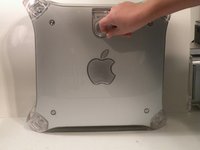
Pull on the side lever and lower the side of the case.
-
-
-
-
-
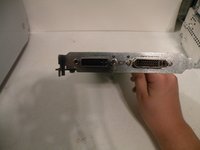
The Power Mac G4 MDD uses a Mac-Compatible AGP Graphics card with ADC, And DVI or VGA.
-
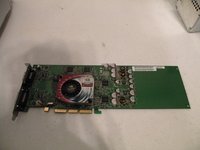
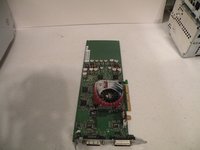
My mac has a NVIDIA GeForce4 Titanium with 128MB of video ram, this was an excessively large card, for some reason.
-
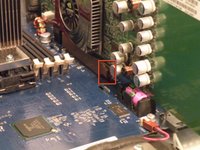
Start by removing this Phillips screw.
-
-
-
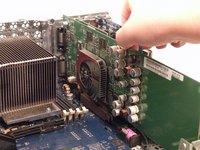
Using a flathead screwdriver, spudger, or your finger pull this tab towards you, and lift the card out.
-
The "excessively large" NVIDIA GeForce4 Titanium 128MB. This was one of the most powerful cards on the market when this computer was released, now, there are flashed cards such as the Radeon 9700 Mac, but this is the most powerful AGP ADC supporting card, great for gaming, Photoshop, and other 3D intensive applications.
-
-
-






To reassemble your device, follow these instructions in reverse order.
Cancel: I did not complete this guide.
11 other people completed this guide.


