Free Shipping on Domestic Orders $75+

Pixel 10 Front Camera Removal

Prerequisite Only
This is a prerequisite-only guide! This guide is part of another procedure and isn’t meant to be used alone.

What you need

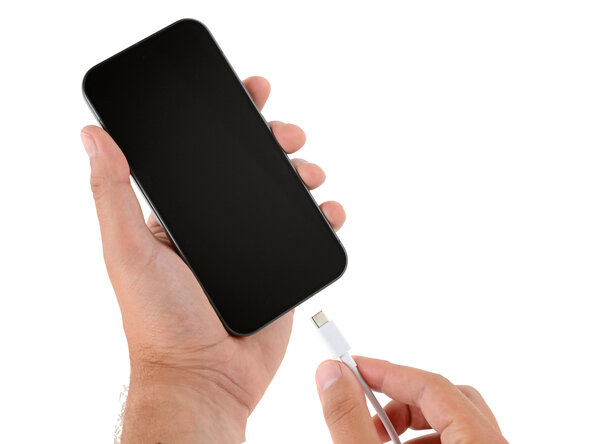
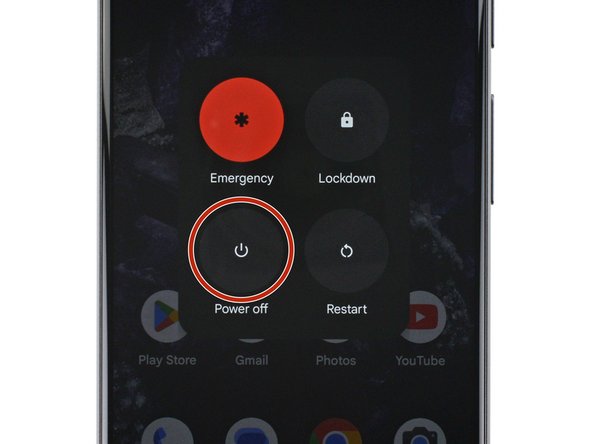
    1. Pixel 10 Front Camera Removal, Prepare your Pixel for disassembly: step 1, image 1 of 2 Pixel 10 Front Camera Removal, Prepare your Pixel for disassembly: step 1, image 2 of 2
      • Let your Pixel's battery drain below 25% before starting this repair. A charged lithium‑ion battery may catch fire if damaged.

      • Unplug all cables and completely power down your phone.

      Ask FixBot

      Add Comment

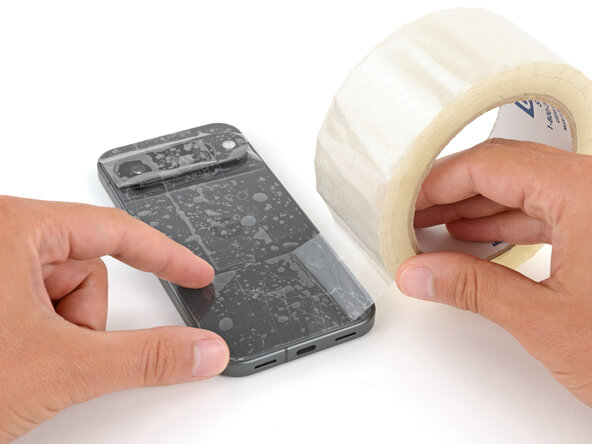
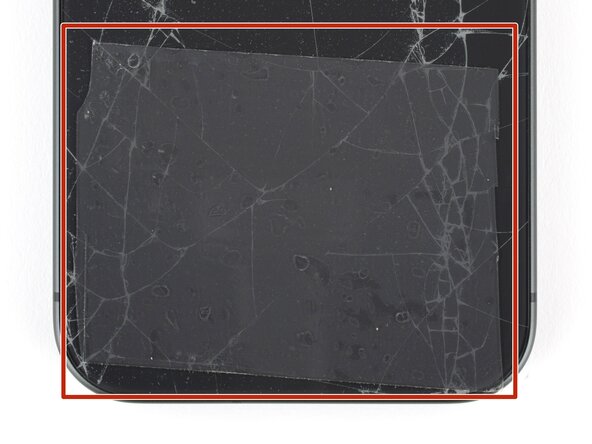
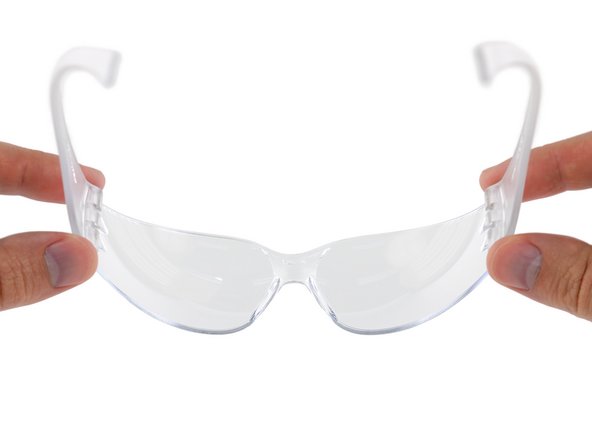
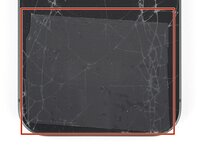
    1. Pixel 10 Front Camera Removal, Cracked glass preparation: step 2, image 1 of 3 Pixel 10 Front Camera Removal, Cracked glass preparation: step 2, image 2 of 3 Pixel 10 Front Camera Removal, Cracked glass preparation: step 2, image 3 of 3
      • Glass shards can complicate disassembly—or worse, cause injury. If your phone's back glass is cracked, follow this step.

      • Apply strips of packing tape to the cracked glass until it's completely covered—this will help keep the glass contained and allow the suction cup to stick.

      • Make sure there's a single strip (not overlapping) of tape across the bottom edge, big enough for a suction cup to fit on.

      • Only cover the glass itself—don't stick any tape to the frame.

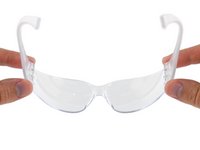
      • Consider wearing safety glasses to protect your eyes from any glass shaken free during the repair.

      Ask FixBot

      Add Comment

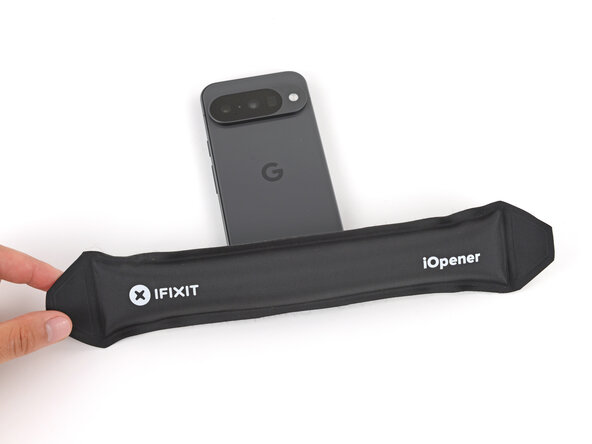
    2. Pixel 10 Front Camera Removal, Heat the bottom edge: step 3, image 1 of 1
      • Adhesive secures the back glass to the frame. Heating the glass softens the adhesive, making it easier to separate.

      • Heat an iOpener and lay it on the bottom edge of the back glass for two minutes.

      • Alternatively, you can use a hair dryer or heat gun to heat the back glass.

      • Improper use of a heat gun can destroy the display and/or battery—follow the linked instructions carefully.

      Ask FixBot

      Add Comment

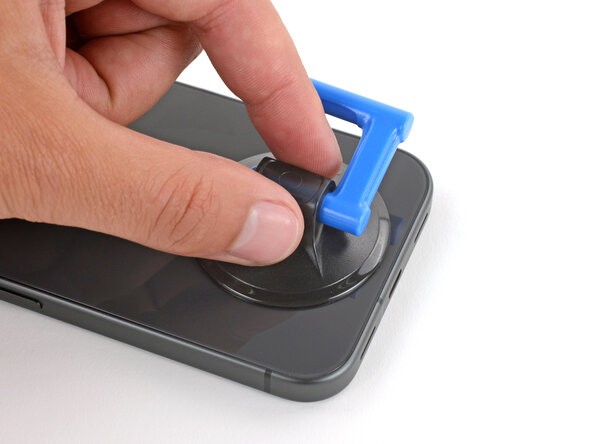
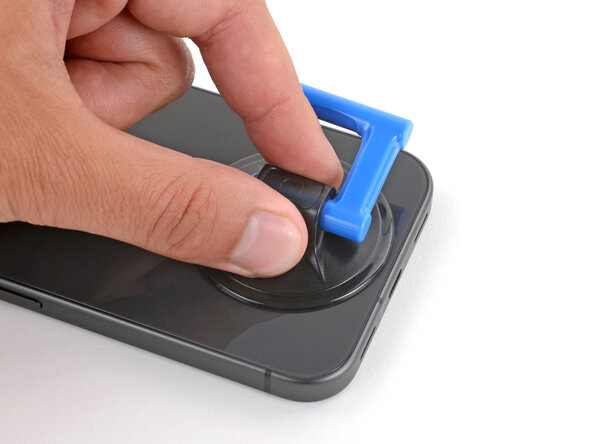
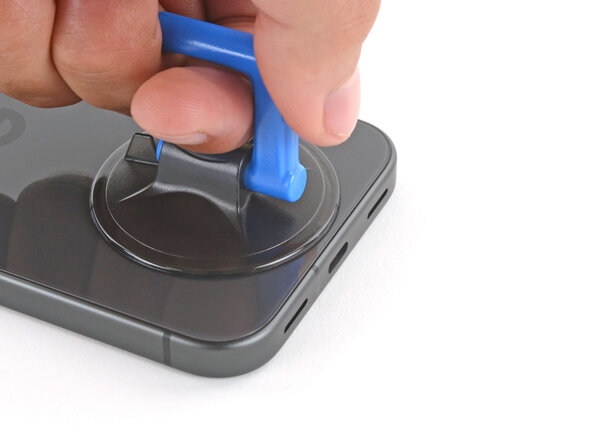
    3. Pixel 10 Front Camera Removal, Apply a suction handle: step 4, image 1 of 2 Pixel 10 Front Camera Removal, Apply a suction handle: step 4, image 2 of 2
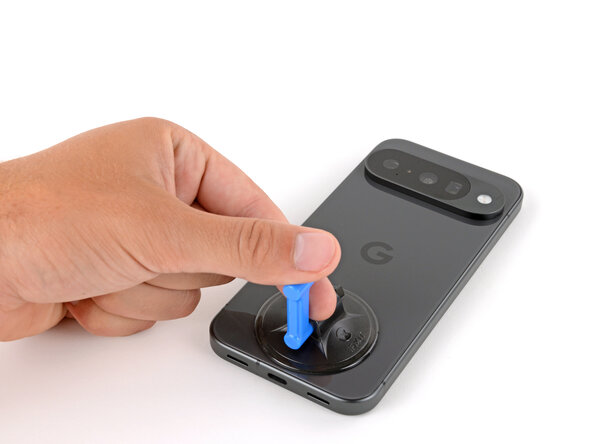
      • Apply a suction handle to the center of the back glass's bottom edge, as close to the edge as possible.

      Ask FixBot

      Add Comment

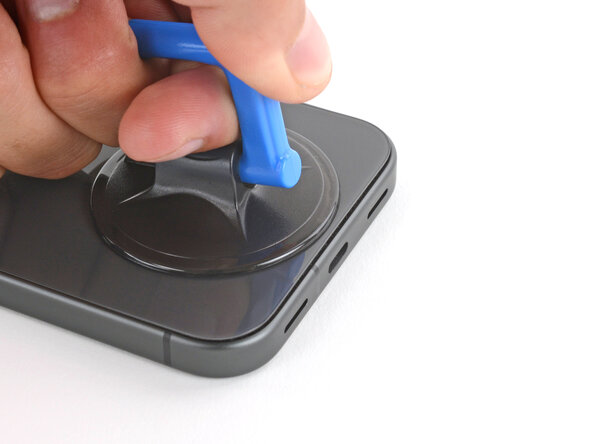
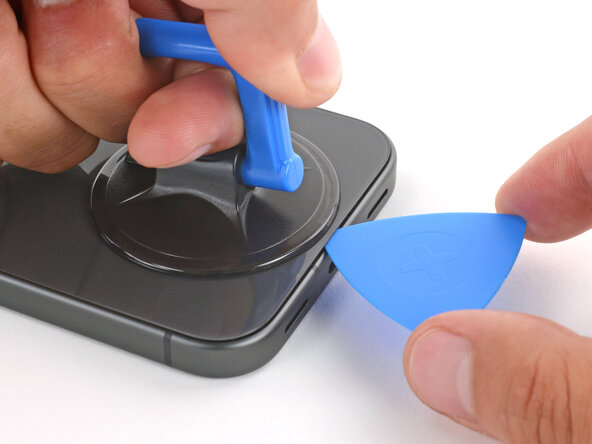
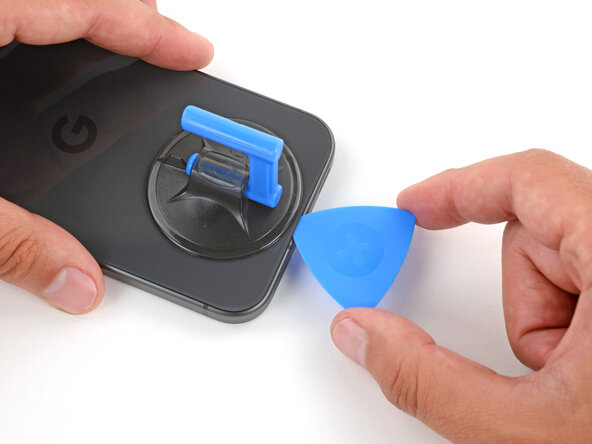
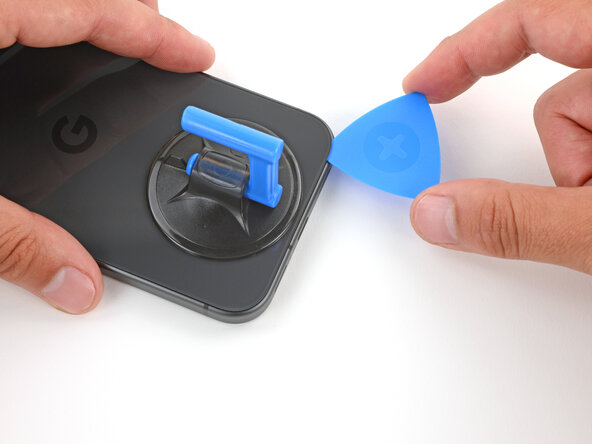
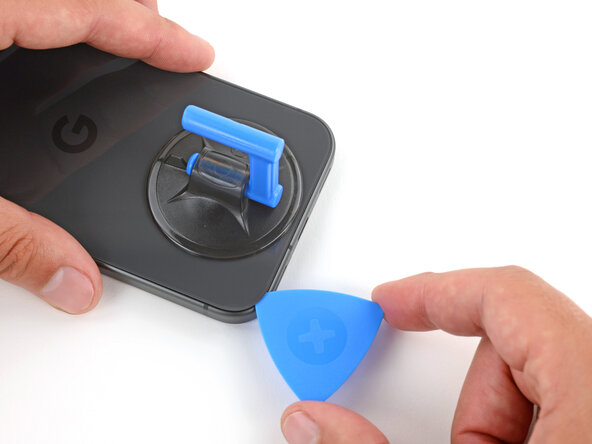
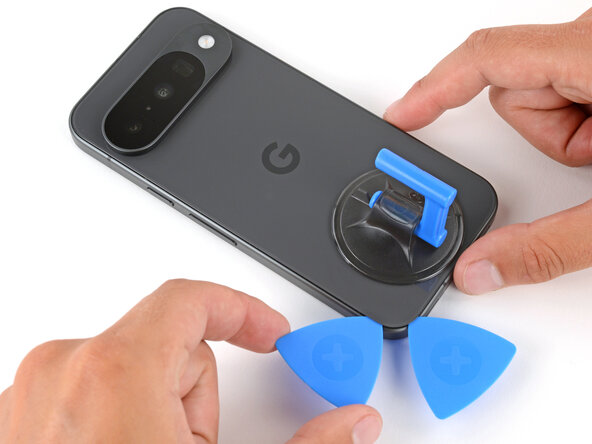
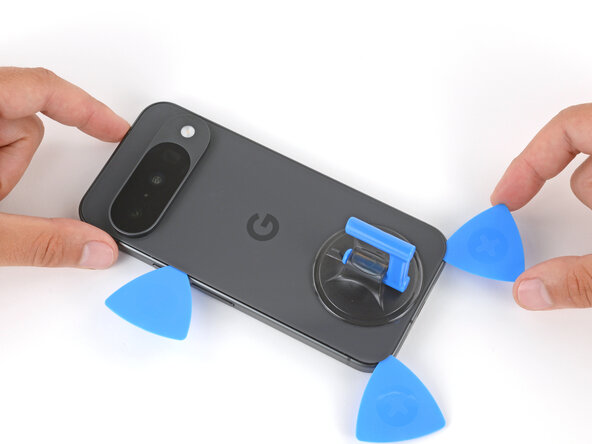
    4. Pixel 10 Front Camera Removal, Insert an opening pick: step 5, image 1 of 3 Pixel 10 Front Camera Removal, Insert an opening pick: step 5, image 2 of 3 Pixel 10 Front Camera Removal, Insert an opening pick: step 5, image 3 of 3
      • Pull up on the suction handle with strong, steady force until a gap forms between the back glass and frame.

      • Insert the tip of an opening pick into the gap.

      Ask FixBot

      Add Comment

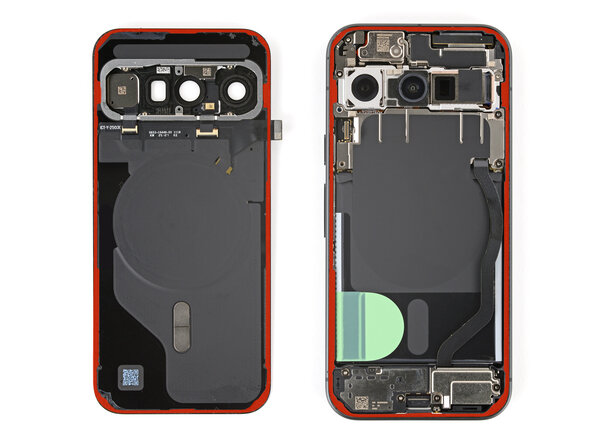
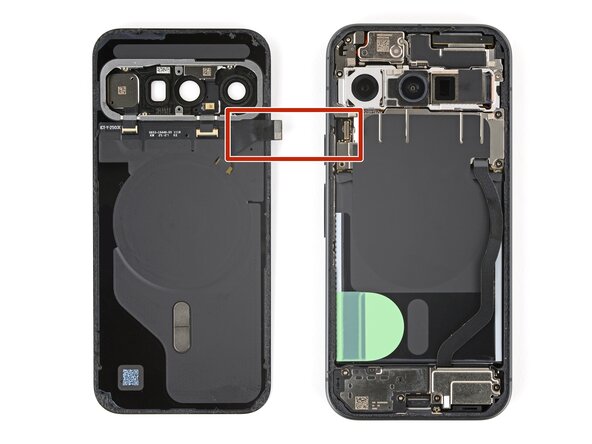
    5. Pixel 10 Front Camera Removal, Back glass adhesive information: step 6, image 1 of 3 Pixel 10 Front Camera Removal, Back glass adhesive information: step 6, image 2 of 3 Pixel 10 Front Camera Removal, Back glass adhesive information: step 6, image 3 of 3
      • The back glass is secured with adhesive around the perimeter of the frame. Use this picture as a reference while you separate the adhesive.

      • A cable connects the back glass near the power button. Don't insert your pick here to avoid damaging the cable.

      Ask FixBot

      Add Comment

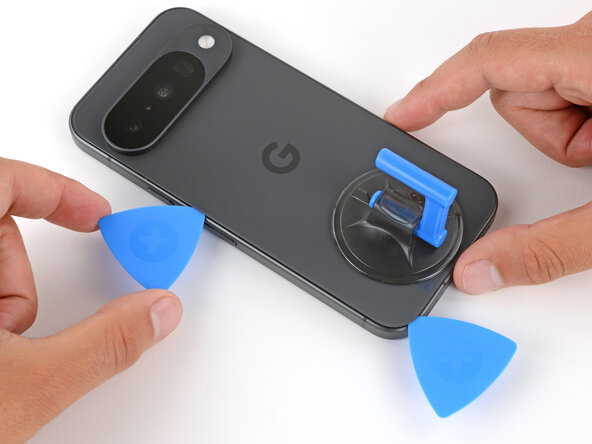
    6. Pixel 10 Front Camera Removal, Separate the bottom edge adhesive: step 7, image 1 of 3 Pixel 10 Front Camera Removal, Separate the bottom edge adhesive: step 7, image 2 of 3 Pixel 10 Front Camera Removal, Separate the bottom edge adhesive: step 7, image 3 of 3
      • If the back glass feels stuck at any point when separating the adhesive, apply heat to the area and try again.

      • Slide the opening pick along the bottom edge to separate the adhesive.

      • Leave the pick inserted under the bottom left corner to prevent the adhesive from re‑sealing.

      Ask FixBot

      Add Comment

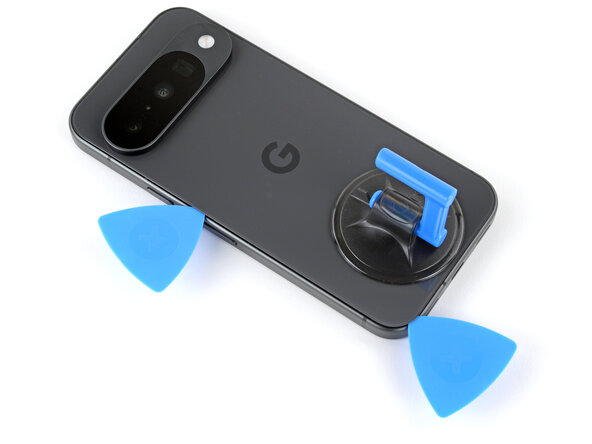
    7. Pixel 10 Front Camera Removal, Separate the bottom left adhesive: step 8, image 1 of 3 Pixel 10 Front Camera Removal, Separate the bottom left adhesive: step 8, image 2 of 3 Pixel 10 Front Camera Removal, Separate the bottom left adhesive: step 8, image 3 of 3
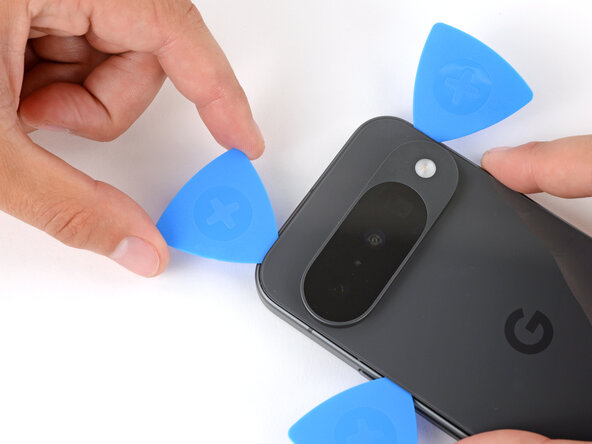
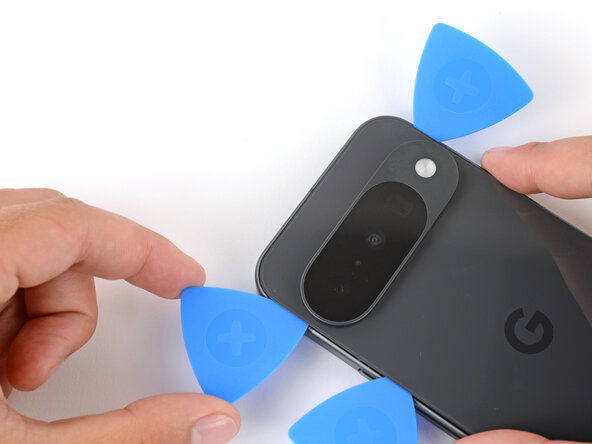
      • Insert a second pick under the bottom left corner and slide it up the left edge, stopping at the power button.

      • Leave the pick inserted to prevent the adhesive from re‑sealing.

      Ask FixBot

      Add Comment

    8. Pixel 10 Front Camera Removal, Separate the right edge adhesive: step 9, image 1 of 3 Pixel 10 Front Camera Removal, Separate the right edge adhesive: step 9, image 2 of 3 Pixel 10 Front Camera Removal, Separate the right edge adhesive: step 9, image 3 of 3
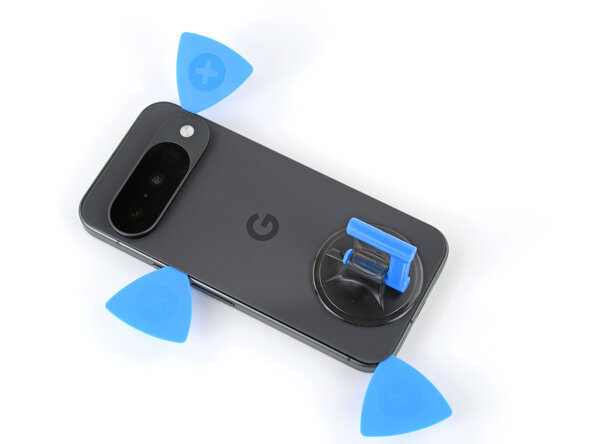
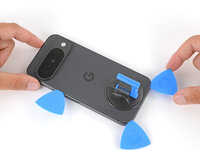
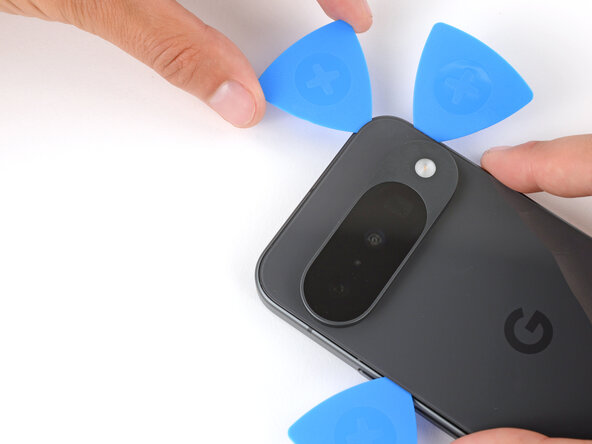
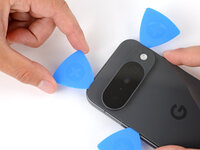
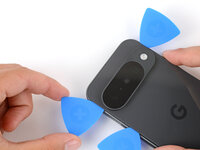
      • Insert a third pick under the bottom right corner of the back glass and slide it up the right edge.

      • Leave the pick inserted under the top right corner.

      Ask FixBot

      Add Comment

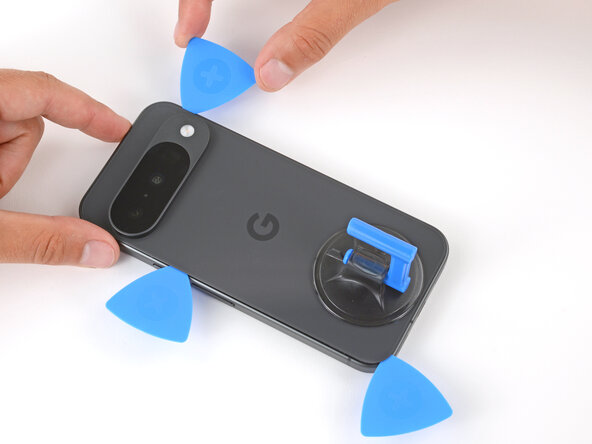
    9. Pixel 10 Front Camera Removal, Separate the top edge adhesive: step 10, image 1 of 3 Pixel 10 Front Camera Removal, Separate the top edge adhesive: step 10, image 2 of 3 Pixel 10 Front Camera Removal, Separate the top edge adhesive: step 10, image 3 of 3
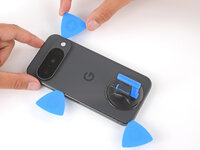
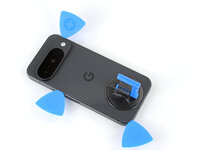
      • Insert a fourth pick under the top right corner.

      • Slide the pick along the top edge and slightly around the top left corner, stopping at the bottom of the camera bump.

      • Don't try to fully remove the back glass yet, as it's still connected by a ribbon cable.

      Ask FixBot

      Add Comment

    10. Pixel 10 Front Camera Removal, Prop up the back glass: step 11, image 1 of 3 Pixel 10 Front Camera Removal, Prop up the back glass: step 11, image 2 of 3 Pixel 10 Front Camera Removal, Prop up the back glass: step 11, image 3 of 3
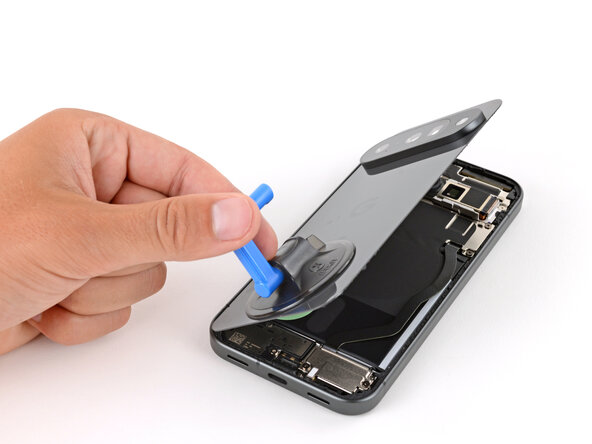
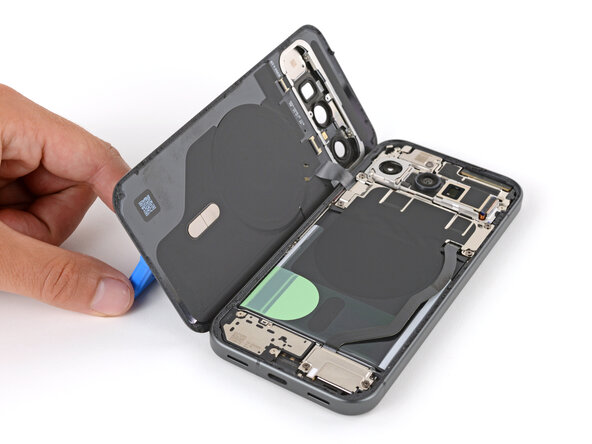
      • Flip the back glass over the left side of the phone and use the suction handle (or a sturdy object) to prop it up.

      • If the back glass still feels stuck, go back around the perimeter with an opening pick and separate any remaining adhesive.

      Ask FixBot

      Add Comment

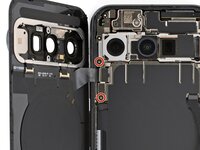
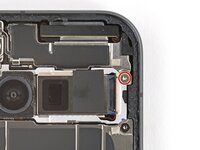
    11. Pixel 10 Front Camera Removal, Remove the bracket screws: step 12, image 1 of 2 Pixel 10 Front Camera Removal, Remove the bracket screws: step 12, image 2 of 2
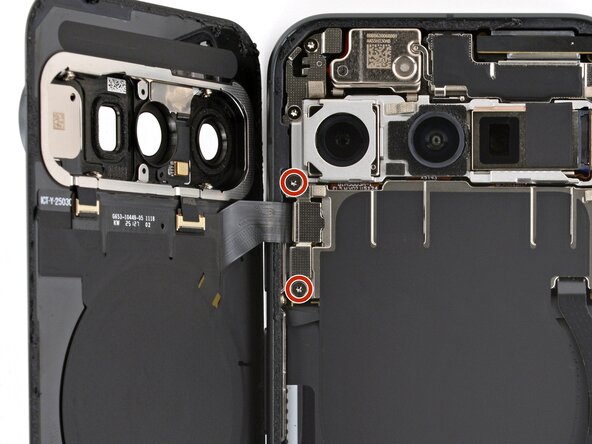
      • Use a Torx Plus 3IP screwdriver to remove the two 5.0 mm‑long screws securing the back glass connector bracket.

      Ask FixBot

      Add Comment

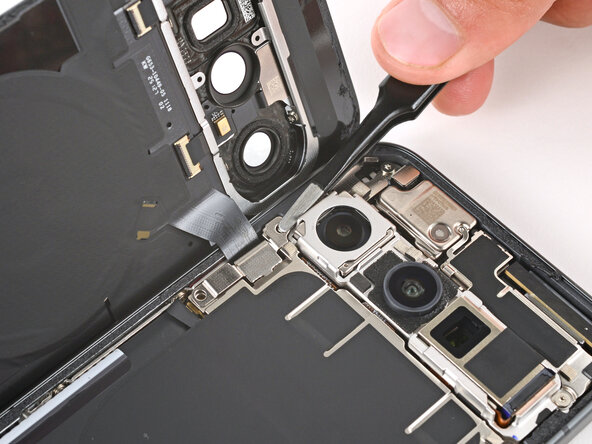
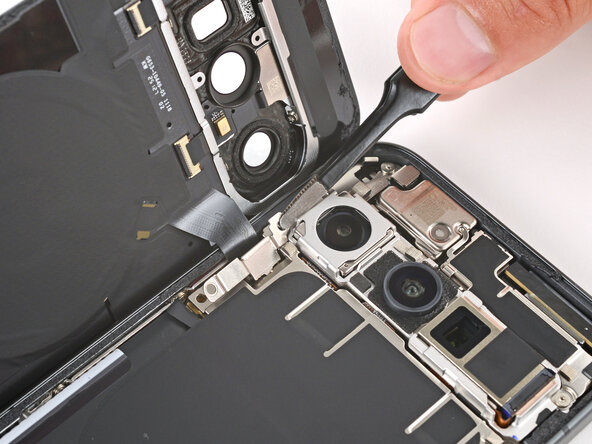
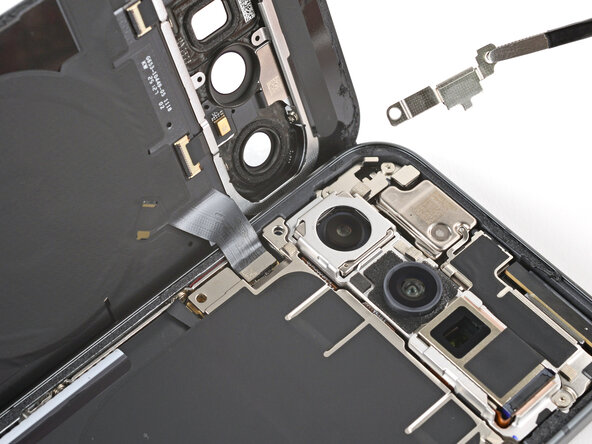
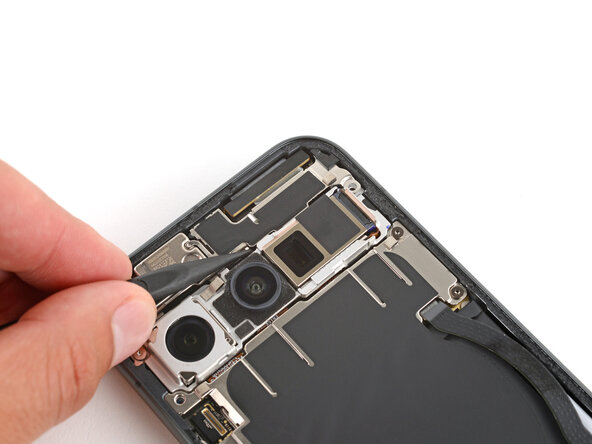
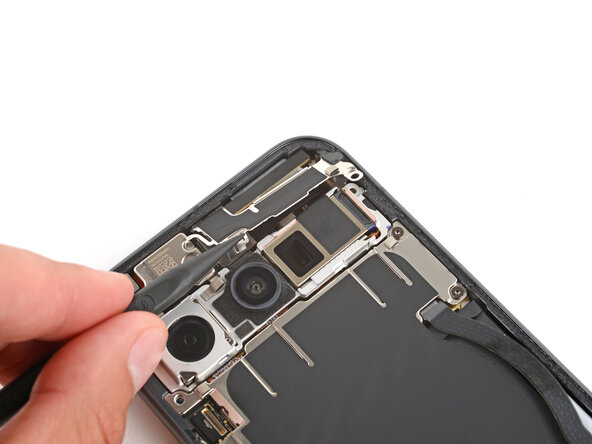
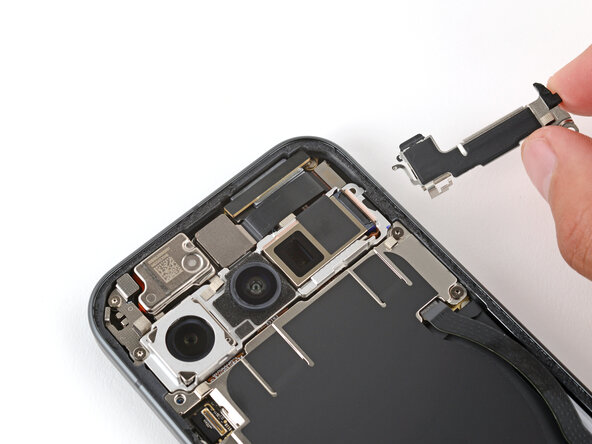
    12. Pixel 10 Front Camera Removal: step 13, image 1 of 3 Pixel 10 Front Camera Removal: step 13, image 2 of 3 Pixel 10 Front Camera Removal: step 13, image 3 of 3
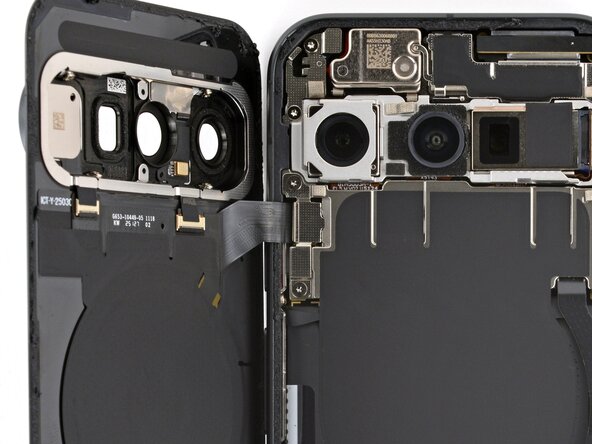
      • Use tweezers or your fingers to remove the bracket.

      • Be careful not to scratch or smudge the rear cameras.

      Ask FixBot

      Add Comment

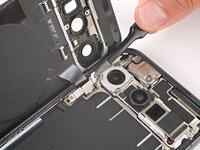
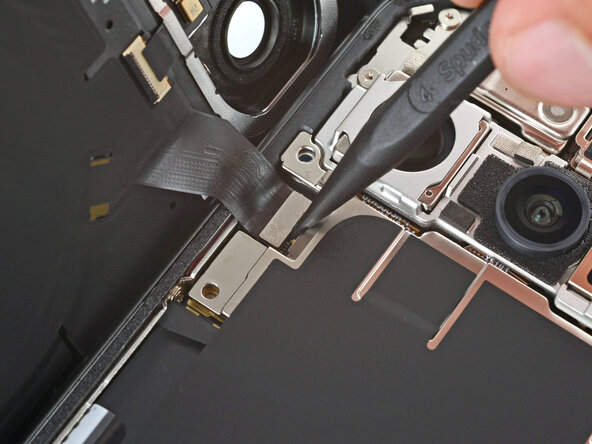
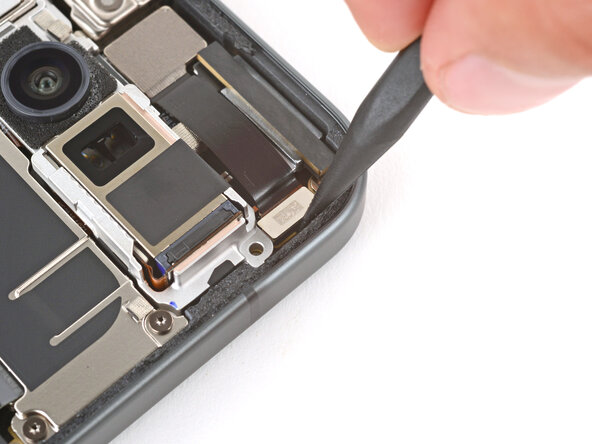
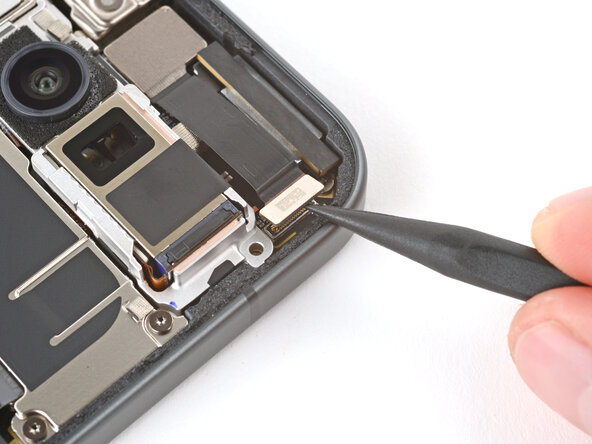
    13. Pixel 10 Front Camera Removal, Disconnect the back glass: step 14, image 1 of 2 Pixel 10 Front Camera Removal, Disconnect the back glass: step 14, image 2 of 2
      • Use the point of a spudger to pry up and disconnect the back glass press connector.

      Ask FixBot

      Add Comment

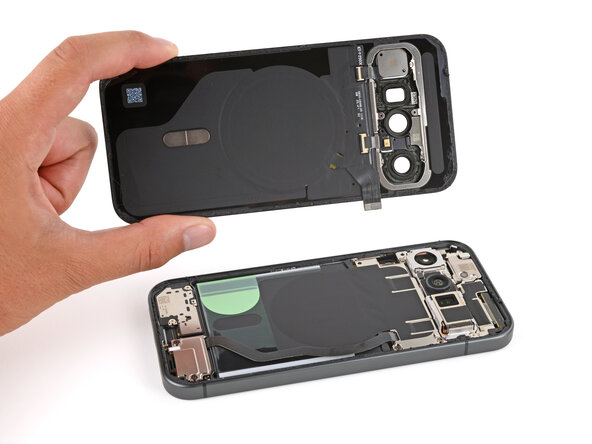
    14. Pixel 10 Front Camera Removal, Remove the back glass: step 15, image 1 of 1
      • Remove the back glass.

      Ask FixBot

      Add Comment

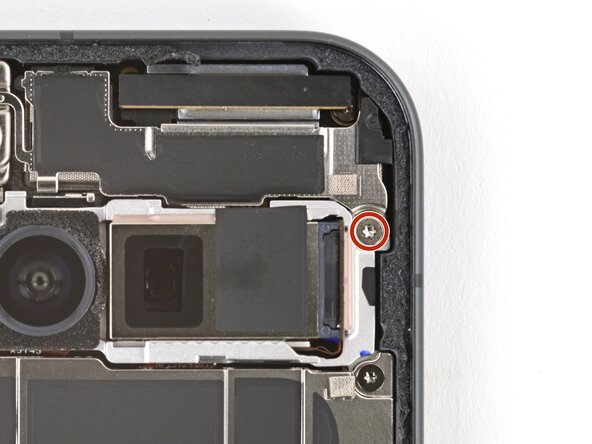
    1. Pixel 10 Front Camera Removal, Remove the bracket screw: step 16, image 1 of 2 Pixel 10 Front Camera Removal, Remove the bracket screw: step 16, image 2 of 2
      • Use a Torx Plus 3IP screwdriver to remove the 5.0 mm‑long screw securing the front camera bracket.

      Ask FixBot

      Add Comment

    2. Pixel 10 Front Camera Removal, Remove the bracket: step 17, image 1 of 3 Pixel 10 Front Camera Removal, Remove the bracket: step 17, image 2 of 3 Pixel 10 Front Camera Removal, Remove the bracket: step 17, image 3 of 3
      • Use the point of a spudger to push the front camera bracket's clip in and up to release it.

      • Remove the bracket.

      Ask FixBot

      Add Comment

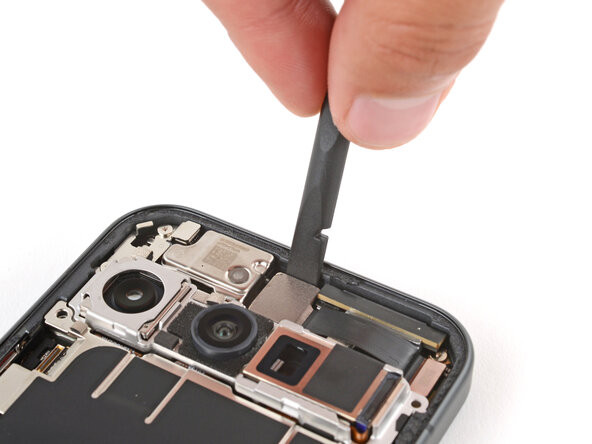
    3. Pixel 10 Front Camera Removal, Disconnect the front camera: step 18, image 1 of 2 Pixel 10 Front Camera Removal, Disconnect the front camera: step 18, image 2 of 2
      • Use the point of a spudger to pry up and disconnect the front camera press connector.

      Ask FixBot

      Add Comment

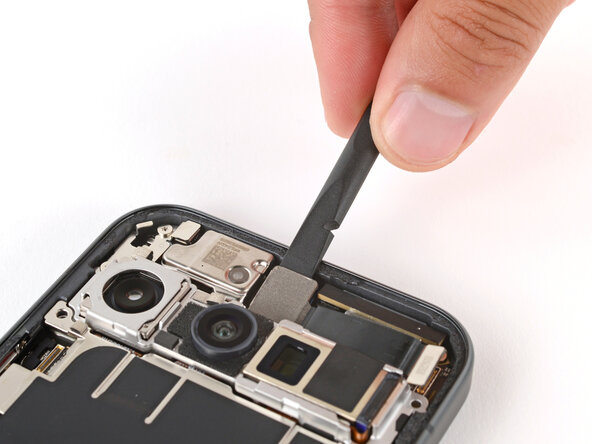
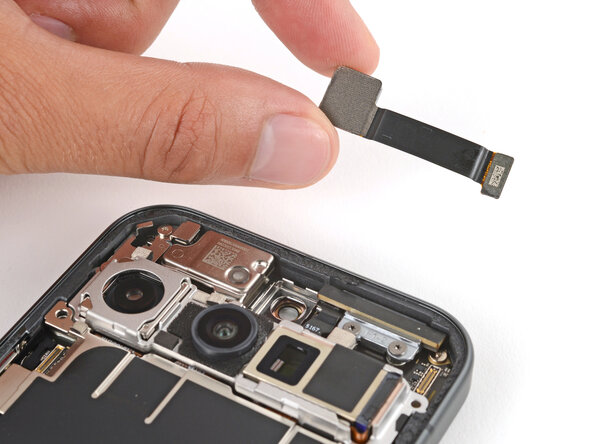
    4. Pixel 10 Front Camera Removal, Remove the front camera: step 19, image 1 of 3 Pixel 10 Front Camera Removal, Remove the front camera: step 19, image 2 of 3 Pixel 10 Front Camera Removal, Remove the front camera: step 19, image 3 of 3
      • Adhesive secures the front camera in its recess.

      • Use a spudger to gently pry the front camera up from the top edge and remove it.

      Ask FixBot

      Add Comment

Finish Line

Cancel: I did not complete this guide.

Spencer Day

Member since: 09/14/22

205,821 Reputation

1,267 Guides authored

0 Guide Comments

Add Comment

View Statistics:

Past 24 Hours: 0

Past 7 Days: 2

Past 30 Days: 10

All Time: 84