Introduction
If your Panasonic SL-MP73J screen is cracked or damaged, use this guide to replace it. When functional, the screen displays the number of tracks in the CD, the total playtime, the number of albums, and the number of tracks. Take care when replacing this part, as it is connected by a delicate ribbon cable. Before replacing this component, make sure the batteries are removed from the device.
What you need
-
-
-
Locate the open slider and push the sliding button to the right to open the CD player.
 Ask FixBot
-
-
-
-
Use a Phillips #00 screwdriver to remove the nine 3 mm-long screws from the top interior plate.
-
-
-
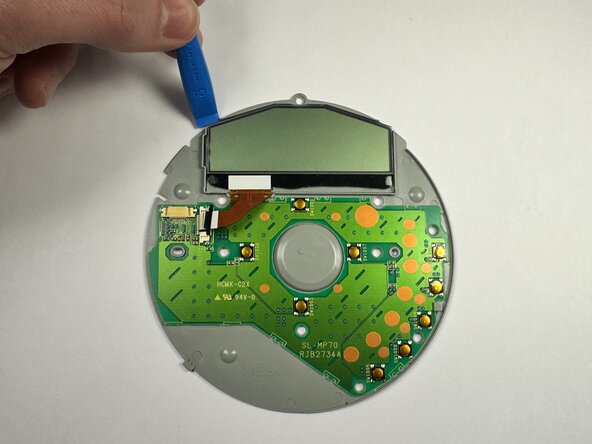
Slide your plastic prying tool under the top left of the screen and slide it along the edge to detach the screen from the adhesive.
-
-




To reassemble your device, follow the above steps in reverse order.
Take your e-waste to an R2 or e-Stewards certified recycler.
Repair didn’t go as planned? Try some basic troubleshooting or ask our Answers community for help.

Team

UMass Dartmouth, Team 1-8, Botvin Fall 2025 Member of UMass Dartmouth, Team 1-8, Botvin Fall 2025
UMASSD-BOTVIN-F25S1G8
3 Members
59 Guides authored
