Up to 20% off select tools
Free Shipping on Domestic Orders $75+

Motorola Droid Mini Camera Replacement

Views: 2.2K

View statistics:

Past 24 Hours:
2
Past 7 Days:
24
Past 30 Days:
87
All Time:
2,205
Comments: 3

1 comment on steps, 2 guide comments.

Go to guide comments
Completed: 3

3 people have marked this guide "completed." Will you be next?

Favorites: 0

No one has favorited (and subscribed to) this guide. Will you be the first?

Time Required: 15 - 30 minutes
Difficulty: Moderate
Needs Better Images

Better photos will improve this guide. Help out by taking, editing, or uploading new ones!

Motorola Droid Mini Camera Replacement

What you need

Tools

Introduction

Go to step 1 ↓

The camera or flash may stop functioning or require eventual replacement. Here is a guide that offers that.

    1. Motorola Droid Mini Camera Replacement, Back Case: step 1, image 1 of 2 Motorola Droid Mini Camera Replacement, Back Case: step 1, image 2 of 2
      • Pull out the volume keys using the iFixit opening tool.

      Ask FixBot

      Add Comment

    2. Motorola Droid Mini Camera Replacement: step 2, image 1 of 2 Motorola Droid Mini Camera Replacement: step 2, image 2 of 2
      • Pry off the back case gently using the iFixit opening tool.

      • Make sure to go around the entire perimeter of the case.

      Ask FixBot

      Add Comment

    1. Motorola Droid Mini Camera Replacement, Camera: step 3, image 1 of 1
      • Use a T5 Torx screwdriver to unscrew the nine silver screws from the housing frame.

      Ask FixBot

      Add Comment

    2. Motorola Droid Mini Camera Replacement: step 4, image 1 of 1
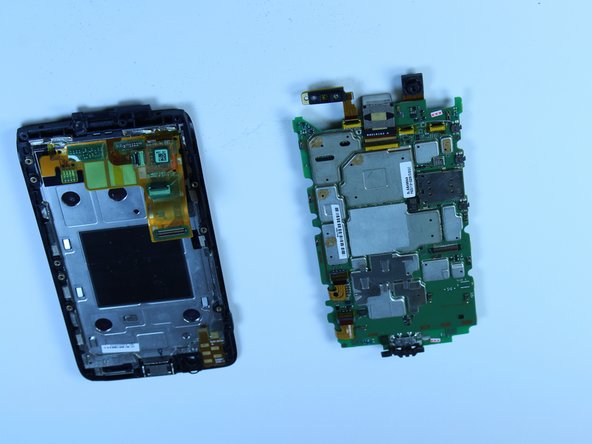
      • Carefully separate the housing frame from the motherboard.

      Ask FixBot

      Add Comment

    3. Motorola Droid Mini Camera Replacement: step 5, image 1 of 2 Motorola Droid Mini Camera Replacement: step 5, image 2 of 2
      Tool used on this step:
      Tweezers
      $4.99
      Buy
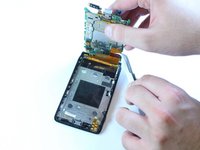
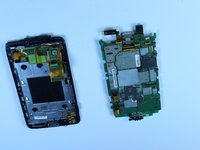
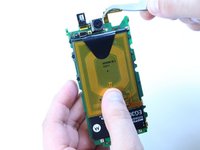
      • Carefully use the tweezers to separate the motherboard from the screen.

      Ask FixBot

      Add Comment

    4. Motorola Droid Mini Camera Replacement: step 6, image 1 of 2 Motorola Droid Mini Camera Replacement: step 6, image 2 of 2
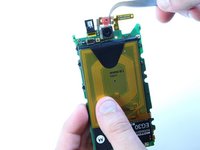
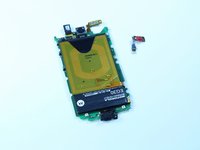
      • Carefully use the tweezers to remove the flash motherboard.

      Ask FixBot

      Add Comment

    5. Motorola Droid Mini Camera Replacement: step 7, image 1 of 2 Motorola Droid Mini Camera Replacement: step 7, image 2 of 2
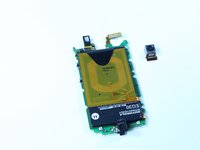
      • Use tweezers to remove the camera from the motherboard.

      Ask FixBot

      Add Comment

Conclusion

To reassemble your device, follow these instructions in reverse order.

Cancel: I did not complete this guide.

3 other people completed this guide.

Author

with

Alec Fales

Member since: 10/08/14

337 Reputation

2 Guides authored

Team

USF Tampa, Team 9-2, Leahy Fall 2014 Member of USF Tampa, Team 9-2, Leahy Fall 2014

USFT-LEAHY-F14S9G2

3 Members

60 Guides authored

2 Guide Comments

What’s the OEM number of the flash motherboard ‘coz my flash died and I want to buy a new one.

Any help is much appreciated!

creativeinventiondesign - Reply Share

Hey where can I buy a new camera for my motorola?

Shayna W - Reply Share

Add Comment

View Statistics:

Past 24 Hours: 2

Past 7 Days: 24

Past 30 Days: 87

All Time: 2,205