Free Shipping on Domestic Orders $75+

MacBook Pro 16" 2019 Trackpad Prereq

Prerequisite Only
This is a prerequisite-only guide! This guide is part of another procedure and isn’t meant to be used alone.

What you need

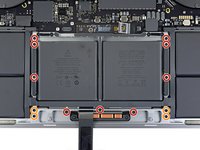
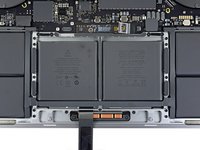
    1. MacBook Pro 16" 2019 Trackpad Prereq, Remove trackpad cable connector bracket: step 1, image 1 of 2 MacBook Pro 16" 2019 Trackpad Prereq, Remove trackpad cable connector bracket: step 1, image 2 of 2
      • Use a T3 Torx driver to remove the two 1.8 mm screws securing the cover bracket for the keyboard and trackpad cable connectors.

      • Remove the bracket.

      Ask FixBot

      Add Comment

    2. MacBook Pro 16" 2019 Trackpad Prereq, Disconnect trackpad cable: step 2, image 1 of 2 MacBook Pro 16" 2019 Trackpad Prereq, Disconnect trackpad cable: step 2, image 2 of 2
      • Use a spudger to disconnect the trackpad cable by prying its connector straight up from the logic board.

      Ask FixBot

      Add Comment

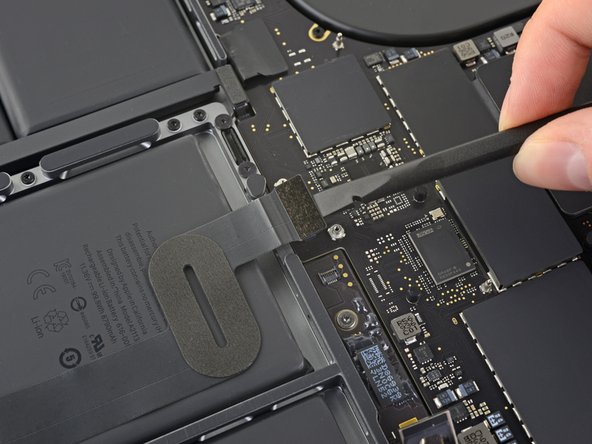
    3. MacBook Pro 16" 2019 Trackpad Prereq: step 3, image 1 of 1
      • Apply mild heat to the trackpad ribbon cable to soften the adhesive securing it to the battery.

      • You can use an iOpener, hair dryer, or heat gun, but be careful not to overheat the battery. The cable should be warm, but not too hot to touch.

      Ask FixBot

      Add Comment

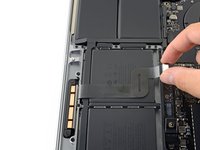
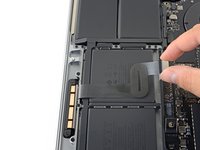
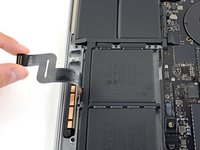
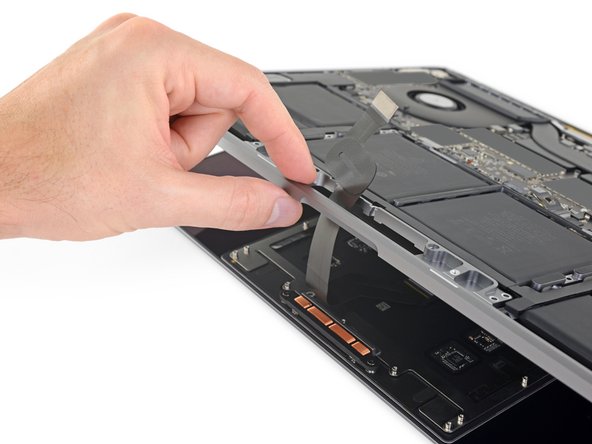
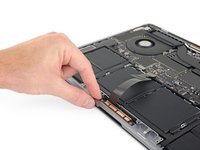
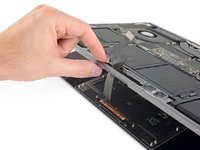
    4. MacBook Pro 16" 2019 Trackpad Prereq: step 4, image 1 of 3 MacBook Pro 16" 2019 Trackpad Prereq: step 4, image 2 of 3 MacBook Pro 16" 2019 Trackpad Prereq: step 4, image 3 of 3
      • Carefully peel the trackpad cable up off the battery, and push it out of the way.

      • Don't crease or tear the cable. If you have trouble, don't force it—apply more heat and try again.

      Ask FixBot

      Add Comment

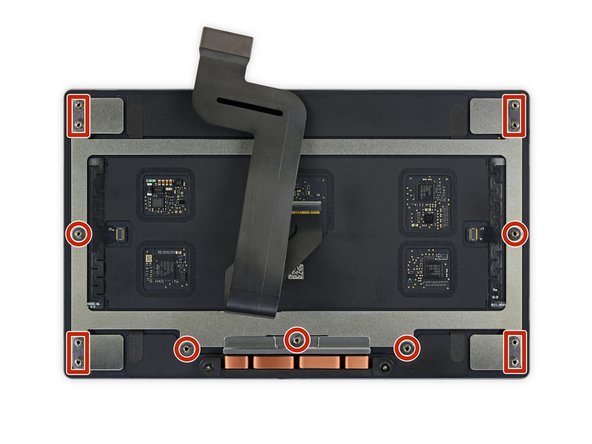
    5. MacBook Pro 16" 2019 Trackpad Prereq, Remove the trackpad assembly screws: step 5, image 1 of 2 MacBook Pro 16" 2019 Trackpad Prereq, Remove the trackpad assembly screws: step 5, image 2 of 2
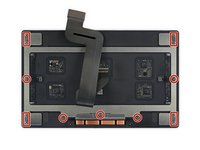
      • Use a T5 Torx driver to remove the 13 screws securing the trackpad assembly:

      • Nine 5.8 mm screws

      • Four 4.9 mm screws

      • These screws all look similar—be careful not to mix them up.

      • Adding a little blue threadlocker to the screw threads during reassembly can help prevent the screws from working themselves loose over time.

      • Install the screws loosely at first, and then check the trackpad alignment before tightening them down.

      Ask FixBot

      Add Comment

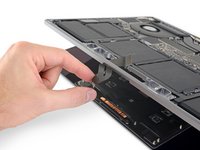
    6. MacBook Pro 16" 2019 Trackpad Prereq, Remove the trackpad: step 6, image 1 of 3 MacBook Pro 16" 2019 Trackpad Prereq, Remove the trackpad: step 6, image 2 of 3 MacBook Pro 16" 2019 Trackpad Prereq, Remove the trackpad: step 6, image 3 of 3
      • Swing the display open slightly, but keep the MacBook upside-down. The trackpad assembly should separate and lay flat on the display.

      • Carefully feed the trackpad's ribbon cable through its slot in the chassis.

      Ask FixBot

      Add Comment

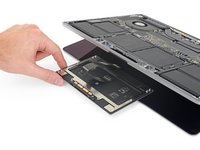
    7. MacBook Pro 16" 2019 Trackpad Prereq: step 7, image 1 of 3 MacBook Pro 16" 2019 Trackpad Prereq: step 7, image 2 of 3 MacBook Pro 16" 2019 Trackpad Prereq: step 7, image 3 of 3
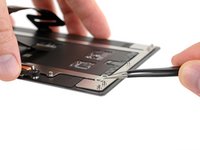
      • As you remove the trackpad assembly, be very careful not to lose the nine small metal washers resting on the screw posts. (They will fly off and get lost with very little provocation.)

      • Remove the trackpad assembly.

      Ask FixBot

      Add Comment

Conclusion

Compare your new replacement part to the original part—you may need to transfer remaining components or remove adhesive backings from the new part before installing.

To reassemble your device, follow the above steps in reverse order.

Take your e-waste to an R2 or e-Stewards certified recycler.

Repair didn’t go as planned? Check out our Answers community for troubleshooting help.

Cancel: I did not complete this guide.

Carsten Frauenheim

Member since: 03/10/20

171,434 Reputation

442 Guides authored

Team

iFixit Member of iFixit

Staff

122 Members

72,401 Guides authored

0 Guide Comments

Add Comment

View Statistics:

Past 24 Hours: 2

Past 7 Days: 5

Past 30 Days: 22

All Time: 256