Free Shipping on Domestic Orders $75+

Mac mini Late 2018 Logic Board Assembly Replacement

Prerequisite Only
This is a prerequisite-only guide! This guide is part of another procedure and isn’t meant to be used alone.

What you need

    1. Mac mini Late 2018 Logic Board Assembly Replacement, Logic Board Assembly: step 1, image 1 of 1
      • Grasp the power supply cable and lift to disconnect it from the logic board, wiggling as needed to loosen it up.

      Ask FixBot

      Add Comment

    2. Mac mini Late 2018 Logic Board Assembly Replacement: step 2, image 1 of 2 Mac mini Late 2018 Logic Board Assembly Replacement: step 2, image 2 of 2
      • Carefully lift the connector for the LED indicator light straight up to disconnect it from its socket on the logic board.

      • Take care not to pry under the socket, or you may break it off the board.

      Ask FixBot

      Add Comment

    3. Mac mini Late 2018 Logic Board Assembly Replacement: step 3, image 1 of 2 Mac mini Late 2018 Logic Board Assembly Replacement: step 3, image 2 of 2
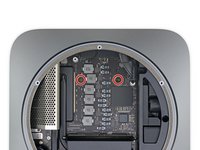
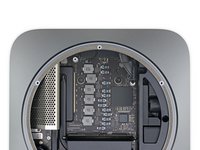
      • Use a T10 Torx driver to remove the two 7.5 mm screws securing the logic board.

      Ask FixBot

      Add Comment

    4. Mac mini Late 2018 Logic Board Assembly Replacement: step 4, image 1 of 3 Mac mini Late 2018 Logic Board Assembly Replacement: step 4, image 2 of 3 Mac mini Late 2018 Logic Board Assembly Replacement: step 4, image 3 of 3
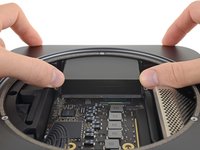
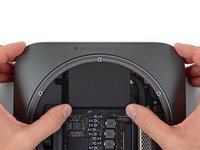
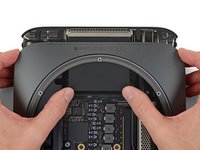
      • In this step, you'll push the logic board free from the clips holding it to the frame. Push only where directed or you may damage the fragile cooling fins.

      • Place a thumb at each end of the exhaust vent, over the fan screw holes.

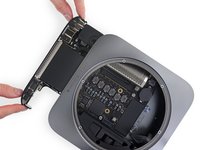
      • Push firmly in the direction of the ports until the logic board unclips and begins to slide out of the Mac mini.

      Ask FixBot

      Add Comment

    5. Mac mini Late 2018 Logic Board Assembly Replacement: step 5, image 1 of 2 Mac mini Late 2018 Logic Board Assembly Replacement: step 5, image 2 of 2
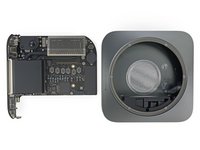
      • Slide the logic board out of the case.

      • When reinstalling the logic board, make sure to hold the thin LED indicator light cable out of the way so it doesn't get damaged.

      Ask FixBot

      Add Comment

Conclusion

To reassemble your device, follow these instructions in reverse order.

Cancel: I did not complete this guide.

Jeff Suovanen

Member since: 08/06/13

454,994 Reputation

259 Guides authored

Team

iFixit Member of iFixit

Staff

122 Members

72,401 Guides authored

0 Guide Comments

Add Comment

View Statistics:

Past 24 Hours: 1

Past 7 Days: 3

Past 30 Days: 28

All Time: 580