
Logitech MX Master 4 Feet Replacement

Spencer Day and one other contributor
Last updated on Dec 18, 2025
Views: 2.7K
View statistics:
- Past 24 Hours:
- 10
- Past 7 Days:
- 75
- Past 30 Days:
- 330
- All Time:
- 2,713
Comments: 0
No one has left comments on this guide. Will you be first?
Go to guide commentsCompleted: 0 1
No one has marked this guide "completed." Will you be the first?
1 person has marked this guide "completed." It's you — great job!
Favorites: 0 1
No one has favorited (and subscribed to) this guide. Will you be the first?
1 person has favorited (and subscribed to) this guide — and that's you!
Introduction
Go to step 1 ↓Follow this guide to replace worn‑out or damaged feet (also known as skates, glides, slides, or pads) on your Logitech MX Master 4.
What you need
Tools


-
-
-
Flip the mouse's power switch down into the OFF position and unplug any cables.
 Ask FixBot
-
-
-
-
-
Heat an iOpener and lay it on each of the mouse feet for one minute.
-
-
-
Slowly slide the tip of an opening pick under one of the feet.
-
Slide the pick farther under the foot and lift until you can grip the foot with your fingers.
-
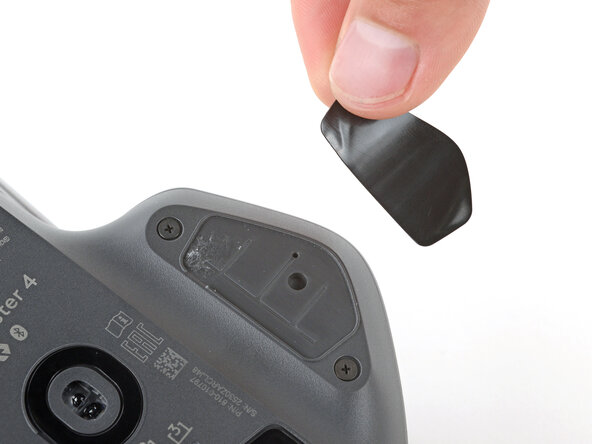
Use your fingers to peel up and remove the foot.
-
-
-
-
Thoroughly clean all the foot recesses with isopropyl alcohol and a lint‑free or microfiber cloth. Allow the surface to dry completely.
-
Peel your new mouse feet off their adhesive liners and press them firmly into place.
-
-




Congratulations on completing your repair!
Repair didn’t go as planned? Try some basic troubleshooting, or ask our Answers community for help.

