
Valve Index Headset Tether and Trident Cable Replacement

Sam Omiotek and one other contributor
Last updated on May 23, 2022
Views: 45K
View statistics:
- Past 24 Hours:
- 20
- Past 7 Days:
- 93
- Past 30 Days:
- 555
- All Time:
- 45,037
Comments: 7
3 comments on steps, 4 guide comments.
Go to guide commentsCompleted: 15 16
15 people have marked this guide "completed." Will you be next?
16 people have marked this guide "completed." Including you — great job!
Favorites: 1 2
1 person has favorited (and subscribed to) this guide. Will you be next?
2 people have favorited (and subscribed to) this guide — including you!
Introduction
Go to step 1 ↓Follow this guide to replace the tether and trident cable on a Valve Index VR headset.
Power off and unplug your Index before you begin your repair.
What you need


-
-
-
Use your hand to gently pull the face gasket straight off of the headset.
 Ask FixBot
-
-
-
-
-
Insert the flat end of a spudger in between the bottom of the head strap clip and the head strap padding.
-
Pry up on the head strap clip until it is unclipped from the head strap.
-
-
-
-
-
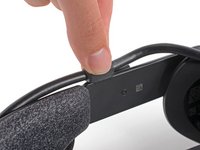
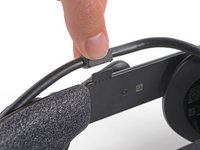
Use your fingers to pull the tether cable straight up off of the head strap cable guide.
-
-
-
-
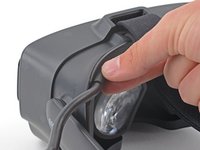
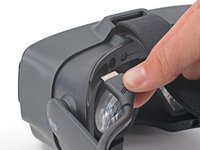
Pull the tether cable straight back out of the headset.
-
-




To reassemble your device, follow the above steps in reverse order.
Take your e-waste to an R2 or e-Stewards certified recycler.
Repair didn’t go as planned? Try some basic troubleshooting, or ask our Valve Index Answers community for help.
Cancel: I did not complete this guide.
15 other people completed this guide.

4 Guide Comments
Thanks, the clip was giving me problems and this gave me the confidence that I was on the right path. :D
Again this autor doesn't understand the meaning of replacing, he just shows us how to dismantle the headset, not how to reinstall it correctly. Useless guide...
@jasonbouchard Install by following the steps in reverse....it's not rocket science
