
Logitech G305 Feet Replacement

Spencer Day and 2 other contributors
Last updated on Dec 3, 2025
Views: 4K
View statistics:
- Past 24 Hours:
- 7
- Past 7 Days:
- 34
- Past 30 Days:
- 196
- All Time:
- 3,973
Comments: 1
1 comment on steps.
Completed: 1 2
1 person has marked this guide "completed." Will you be next?
2 people have marked this guide "completed." Including you — great job!
Favorites: 0 1
No one has favorited (and subscribed to) this guide. Will you be the first?
1 person has favorited (and subscribed to) this guide — and that's you!
OEM Guide
iFixit collaborated with the manufacturer to make this guide.
Logitech
Logitech and iFixit are working together to help people repair their Logitech devices.
Introduction
Go to step 1 ↓Use this guide to replace worn-out or damaged feet (also known as skates, glides, slides, or pads) on your Logitech G305 wireless gaming mouse.
What you need
Fix Kit
This kit contains all the parts and tools needed to complete this guide.

Parts

Tools
-
-
-
Spudger4.9
-
-


-
-
-
Slide your mouse's power switch to the left so it's in the OFF position.
 Ask FixBot
-
-
-
-
-
Heat an iOpener and lay it on the mouse feet for one minute to heat the adhesive.
-
-
-
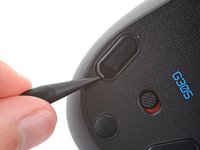
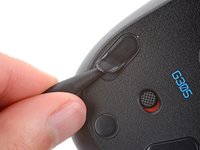
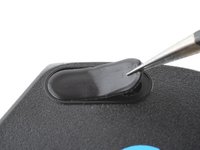
Carefully slide the point of a spudger under one of the feet, making sure it goes under both the foot and its adhesive pad.
-
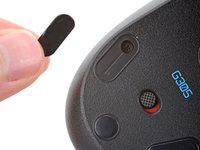
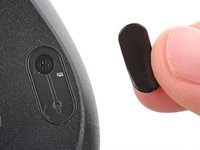
Gently slide the spudger farther under the foot and lift to remove it.
-
If the rubber layer separates from its adhesive pad, use the same process to remove the pad.
-
-
-
-
Use a spudger to carefully scrape up and remove any remaining adhesive bits.
-
If there's any adhesive residue left, use isopropyl alcohol and a microfiber cloth to remove it. Allow the surface to completely dry.
-
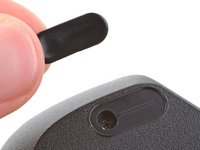
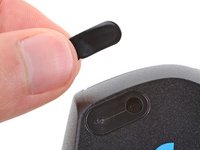
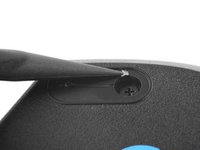
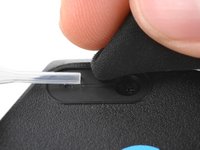
Remove the feet from their backing and firmly press them into place.
-
-






Repair didn’t go as planned? Try some basic troubleshooting, or ask our Answers community for help.
Cancel: I did not complete this guide.
One other person completed this guide.


