15% Off Selected iFixit Tools — Limited Time
Free Shipping on Domestic Orders $75+

LG WM3050CW Pressure Sensor Replacement

What you need

  1. LG WM3050CW Pressure Sensor Replacement, Safety Precautions: step 1, image 1 of 2 LG WM3050CW Pressure Sensor Replacement, Safety Precautions: step 1, image 2 of 2
    • Before you begin your repair, perform the following:

    • Turn off the main water supply

    • Unplug your washer

    • Disconnect all water connections at the rear of your washer

    Ask FixBot

    Add Comment

  2. LG WM3050CW Pressure Sensor Replacement, Unfasten the top panel: step 2, image 1 of 3 LG WM3050CW Pressure Sensor Replacement, Unfasten the top panel: step 2, image 2 of 3 LG WM3050CW Pressure Sensor Replacement, Unfasten the top panel: step 2, image 3 of 3
    • Use a Phillips driver to remove the two bottom 16.5 mm-long screws securing the top panel brackets.

    Ask FixBot

    Add Comment

  3. LG WM3050CW Pressure Sensor Replacement, Remove the top panel: step 3, image 1 of 2 LG WM3050CW Pressure Sensor Replacement, Remove the top panel: step 3, image 2 of 2
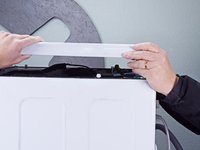
    • Slide the top panel 1-2 inches towards the rear of the device to disconnect its clips.

    Ask FixBot

    Add Comment

  4. LG WM3050CW Pressure Sensor Replacement: step 4, image 1 of 2 LG WM3050CW Pressure Sensor Replacement: step 4, image 2 of 2
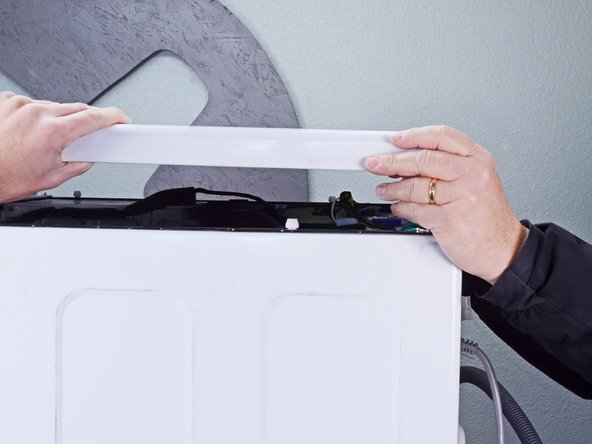
    • Tilt the top panel upward to completely disconnect it from the chassis.

    • Remove the top panel.

    Ask FixBot

    Add Comment

  5. LG WM3050CW Pressure Sensor Replacement, Disconnect the pressure sensor: step 5, image 1 of 2 LG WM3050CW Pressure Sensor Replacement, Disconnect the pressure sensor: step 5, image 2 of 2
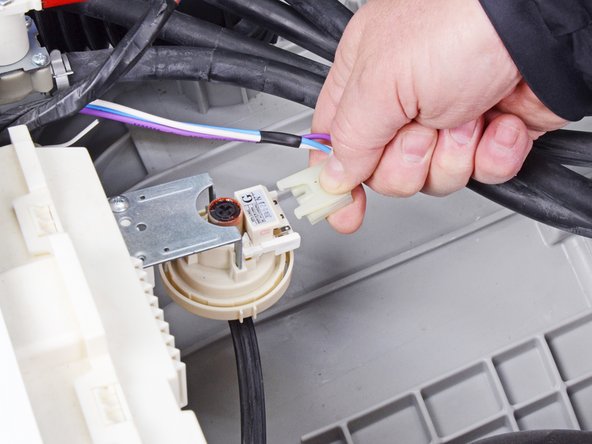
    • Disconnect the spade connector from the pressure sensor.

    • Always grip cables by their connectors and not the wires themselves.

    Ask FixBot

    Add Comment

  6. LG WM3050CW Pressure Sensor Replacement: step 6, image 1 of 2 LG WM3050CW Pressure Sensor Replacement: step 6, image 2 of 2
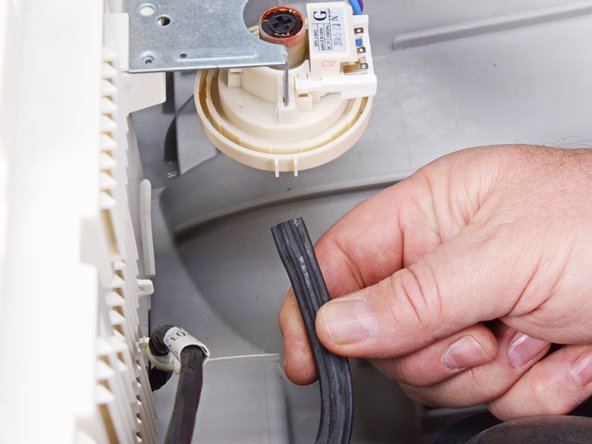
    • Disconnect the hose from the pressure sensor.

    Ask FixBot

    Add Comment

  7. LG WM3050CW Pressure Sensor Replacement, Unfasten the pressure sensor: step 7, image 1 of 1
    • Use a Phillips driver to remove the 16.5 mm-long screw securing the pressure sensor.

    Ask FixBot

    Add Comment

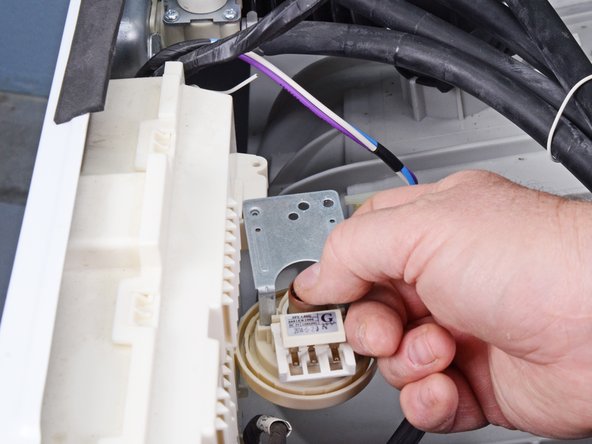
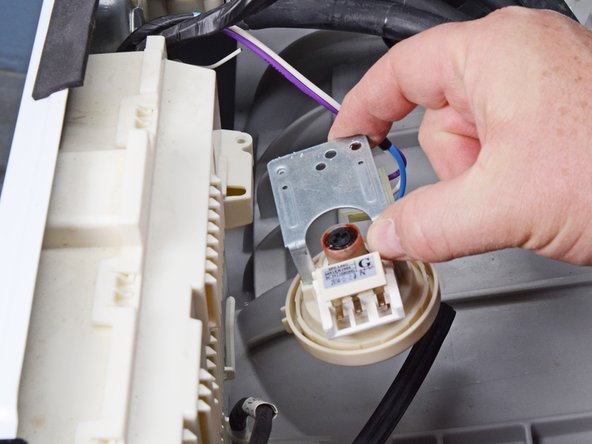
  8. LG WM3050CW Pressure Sensor Replacement, Remove the pressure sensor: step 8, image 1 of 3 LG WM3050CW Pressure Sensor Replacement, Remove the pressure sensor: step 8, image 2 of 3 LG WM3050CW Pressure Sensor Replacement, Remove the pressure sensor: step 8, image 3 of 3
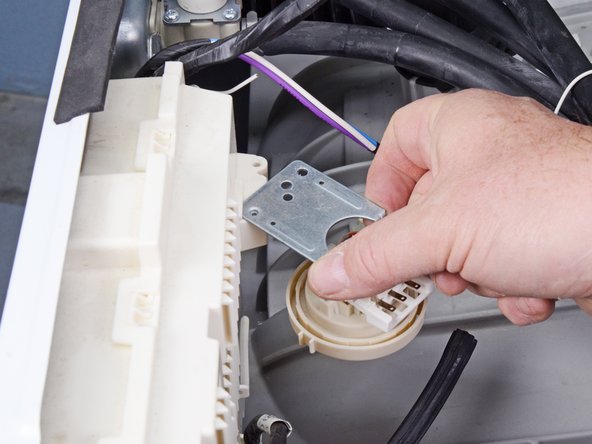
    • Rotate the pressure sensor toward the left edge of the washing machine to unclip it from the main board cover.

    Ask FixBot

    Add Comment

  9. LG WM3050CW Pressure Sensor Replacement: step 9, image 1 of 2 LG WM3050CW Pressure Sensor Replacement: step 9, image 2 of 2
    • Lift the pressure sensor away from its slot on the main board cover to remove it.

    • During reassembly, align the pressure sensor with the hole next to its slot before rotating it back into its original position.

    Ask FixBot

    Add Comment

Conclusion

To reassemble your device, follow these instructions in reverse order.

Take your e-waste to an R2 or e-Stewards certified recycler.

Repair didn’t go as planned? Ask our Answers community for help.

Cancel: I did not complete this guide.

Bill Gilbert

Member since: 06/30/22

39,887 Reputation

261 Guides authored

Team

iFixit Member of iFixit

Staff

122 Members

25,946 Guides authored

0 Guide Comments

Add Comment

View Statistics:

Past 24 Hours: 2

Past 7 Days: 7

Past 30 Days: 70

All Time: 1,013