
LG K20 PLUS Volume Buttons Replacement

Patrick and
Last updated on Jul 8, 2019
Views: 1.5K
View statistics:
- Past 24 Hours:
- 1
- Past 7 Days:
- 8
- Past 30 Days:
- 47
- All Time:
- 1,523
Comments: 2
2 comments on steps.
Completed: 2 3
2 people have marked this guide "completed." Will you be next?
3 people have marked this guide "completed." Including you — great job!
Favorites: 0 1
No one has favorited (and subscribed to) this guide. Will you be the first?
1 person has favorited (and subscribed to) this guide — and that's you!
Community-Contributed Guide
An awesome member of our community made this guide. It was not created by iFixit staff.
What you need
Tools
-
-
-
Spudger4.9


-
-
-
Remove the back cover by inserting a fingernail or opening pick here and disengaging the plastic clips.
-
Lift battery up here
 Ask FixBot
-
-
-
-
-
-
Use fingernails or insert an opening pick into the gap between the digitizer and the midframe and pull the midframe outwards to disengage the plastic clips.
-
Carefully disengage the clips on the bottom as the headphone jack goes through the midframe.
-
Once all the clips have been disengaged, move the midframe outwards and downwards to disengage it from the headphone jack.
-
-
-
Tool used on this step:Halberd Spudger$2.99
-
Use a Halberd spudger or an opening pick to disconnect the front camera flex from its connector on the motherboard.
-
-
-
-
-
Using the tip of a Halberd spudger or an opening pick, disconnect the display flex cable from its socket on the motherboard.
-
Starting from the bottom, insert an opening pick between the motherboard and frame and lever apart.
-
-
-
-
-
The volume button assembly is held onto the frame with fragile plastic tabs.
-
Use the tip of a spudger or similar tool to gently pry the plastic tabs upwards and outwards.
-
-


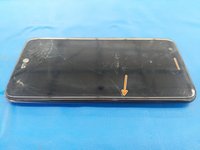
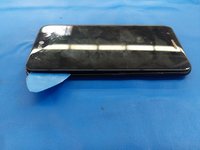


To reassemble your device, follow these instructions in reverse order.
Cancel: I did not complete this guide.
2 other people completed this guide.

