Free Shipping on Domestic Orders $75+

LG G3 Power & Volume Button Cable Replacement

What you need

    1. LG G3 Power & Volume Button Cable Replacement, Back Cover: step 1, image 1 of 2 LG G3 Power & Volume Button Cable Replacement, Back Cover: step 1, image 2 of 2
      • Power off your phone before beginning disassembly.

      • Insert a thumbnail, or a prying tool like a spudger, into the notch at the bottom left of the back cover.

      • Pry the back cover up to separate its plastic clips.

      Ask FixBot

      Add Comment

    2. LG G3 Power & Volume Button Cable Replacement: step 2, image 1 of 2 LG G3 Power & Volume Button Cable Replacement: step 2, image 2 of 2
      • Lift the back cover to release the rest of the plastic clips and remove it.

      • In case you can't lift the back cover completely, slide your fingernail or your prying tool around the midframe to release the remaining clips.

      • To reinstall the back cover, press it firmly into place until you hear a snap from the plastic clips to form a seamless connection with the rear side of the phone.

      Ask FixBot

      Add Comment

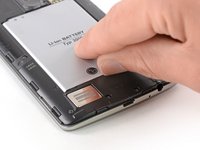
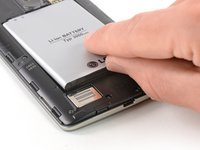
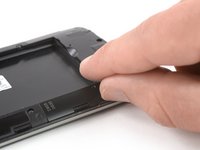
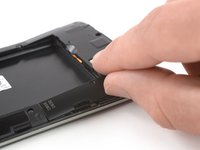
    1. LG G3 Power & Volume Button Cable Replacement, Battery: step 3, image 1 of 2 LG G3 Power & Volume Button Cable Replacement, Battery: step 3, image 2 of 2
      • Use a fingernail or a prying tool at the marked notch to lever the battery out of its recess.

      Ask FixBot

      Add Comment

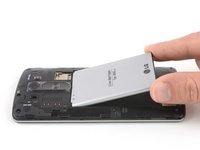
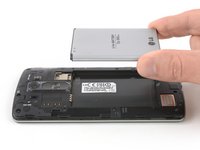
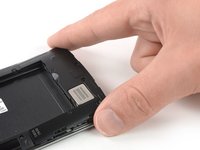
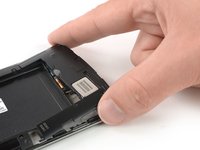
    2. LG G3 Power & Volume Button Cable Replacement: step 4, image 1 of 2 LG G3 Power & Volume Button Cable Replacement: step 4, image 2 of 2
      • Lift the battery out of its recess and remove it.

      Ask FixBot

      Add Comment

    1. LG G3 Power & Volume Button Cable Replacement, Loudspeaker: step 5, image 1 of 1
      • Remove the four Phillips #00 screws (4 mm length).

      Ask FixBot

      Add Comment

    2. LG G3 Power & Volume Button Cable Replacement: step 6, image 1 of 2 LG G3 Power & Volume Button Cable Replacement: step 6, image 2 of 2
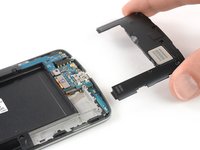
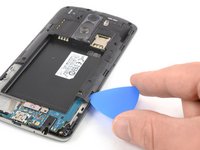
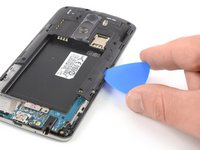
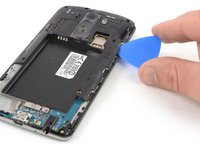
      • Insert a thumbnail, or a prying tool like a spudger, into the notch at the bottom left of the back cover you used earlier to remove the back cover.

      • Pry up the plastic panel, including the loudspeaker, until you can get a good grip.

      Ask FixBot

      Add Comment

    3. LG G3 Power & Volume Button Cable Replacement: step 7, image 1 of 3 LG G3 Power & Volume Button Cable Replacement: step 7, image 2 of 3 LG G3 Power & Volume Button Cable Replacement: step 7, image 3 of 3
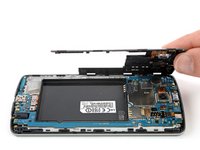
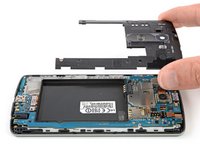
      • Carefully remove the plastic panel including the loudspeaker by gently pulling it away from the phone assembly.

      Ask FixBot

      Add Comment

    1. LG G3 Power & Volume Button Cable Replacement, Motherboard Cover Assembly: step 8, image 1 of 1
      • Remove the eight Phillips #00 screws (4 mm length).

      Ask FixBot

      Add Comment

    2. LG G3 Power & Volume Button Cable Replacement: step 9, image 1 of 3 LG G3 Power & Volume Button Cable Replacement: step 9, image 2 of 3 LG G3 Power & Volume Button Cable Replacement: step 9, image 3 of 3
      • Insert an opening pick between the bottom right corner of the motherboard cover and the motherboard.

      • Pry up the motherboard cover to open the plastic clips which hold the cover in its place.

      • The clips can be a bit resistive. If you're having trouble prying up the motherboard cover, slightly rotate the opening pick sideways to make the process easier.

      • Work your way along the right edge.

      Ask FixBot

      Add Comment

    3. LG G3 Power & Volume Button Cable Replacement: step 10, image 1 of 3 LG G3 Power & Volume Button Cable Replacement: step 10, image 2 of 3 LG G3 Power & Volume Button Cable Replacement: step 10, image 3 of 3
      • Carefully lift the right edge of the motherboard cover.

      • The remaining plastic clips should open during this process or can be unhinged easily by hand.

      • Remove the motherboard assembly.

      Ask FixBot

      Add Comment

    1. LG G3 Power & Volume Button Cable Replacement, Power & Volume Button Flex Cable: step 11, image 1 of 2 LG G3 Power & Volume Button Cable Replacement, Power & Volume Button Flex Cable: step 11, image 2 of 2
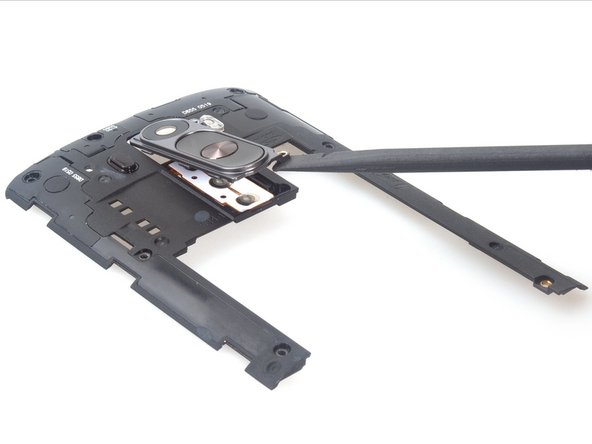
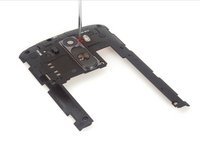
      • Remove the last screw attaching the rear camera lens to the frame.

      • Now use a plastic spudger to carefully remove the camera lens.

      Ask FixBot

      Add Comment

    2. LG G3 Power & Volume Button Cable Replacement: step 12, image 1 of 3 LG G3 Power & Volume Button Cable Replacement: step 12, image 2 of 3 LG G3 Power & Volume Button Cable Replacement: step 12, image 3 of 3
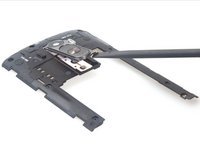
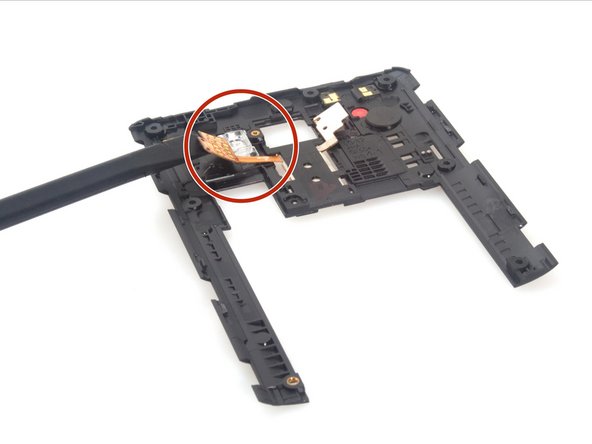
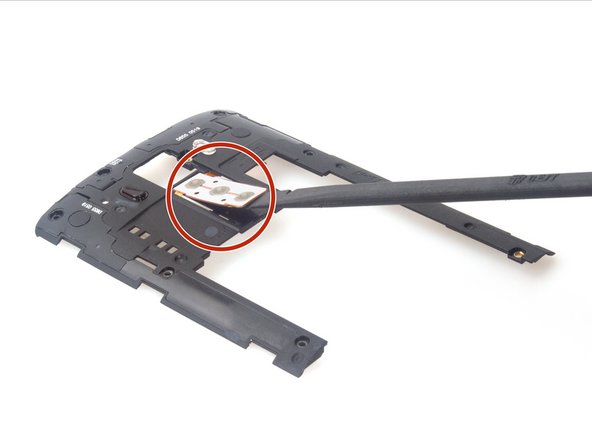
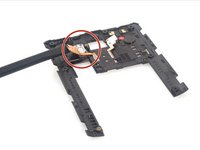
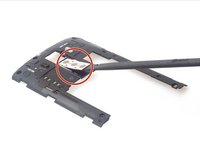
      • Using the spudger, release power & volume button flex from adhesive carefully.

      Ask FixBot

      Add Comment

    3. LG G3 Power & Volume Button Cable Replacement: step 13, image 1 of 1
      • Finally, remove the flex.

      Ask FixBot

      Add Comment

Conclusion

To reassemble your device, follow these instructions in reverse order.

Cancel: I did not complete this guide.

10 other people completed this guide.

Sophia

Member since: 03/25/14

43,911 Reputation

62 Guides authored

1 Guide Comment

I bought a more powerful battery. 6800 mah .instead of the 3000mah OEM . Ia there any problem using it?

mitoll - Reply Share
Add Comment

View Statistics:

Past 24 Hours: 0

Past 7 Days: 13

Past 30 Days: 46

All Time: 22,742