
LG Fortune Rear Camera Replacement

Cori Johnson and 4 other contributors
Last updated on Jul 7, 2026
Views: 654
View statistics:
- Past 24 Hours:
- 0
- Past 7 Days:
- 6
- Past 30 Days:
- 55
- All Time:
- 654
Comments: 1
1 comment on steps.
Completed: 0 1
No one has marked this guide "completed." Will you be the first?
1 person has marked this guide "completed." It's you — great job!
Favorites: 0 1
No one has favorited (and subscribed to) this guide. Will you be the first?
1 person has favorited (and subscribed to) this guide — and that's you!
Needs Better Images
Better photos will improve this guide. Help out by taking, editing, or uploading new ones!
Incorrect Tools
Help make this guide better by using the correct tools in images and/or text.
Needs More Images
A few more images would make this guide's procedures crystal clear.
Action Shots
Be an action hero! This guide needs images that better demonstrate how to perform specific actions.
Better Introduction
Improve this guide by completing or revising its introduction.
Introduction
Go to step 1 ↓If your LG Fortune’s camera has begun degrade a little bit and is not taking pictures as well as it should, or has, then use this guide to replace your camera
What you need
Tools
-
Spudger4.9
-


-
-
-
Use the slit on the bottom right side of the phone to open the back cover of your phone.
-
Slowly pry the back cover off the phone starting from the bottom up to the top.
 Ask FixBot
-
-
-
Use the slot in the middle of the bottom edge of the battery to pry it up and out of the case.
-
-
-
-
-
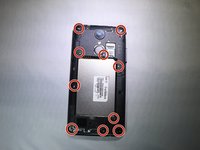
Using a PH000 screwdriver, remove the ten 4mm screws on the back panelling.
-
Remove the back panelling from the device with your fingers or a spudger.
-
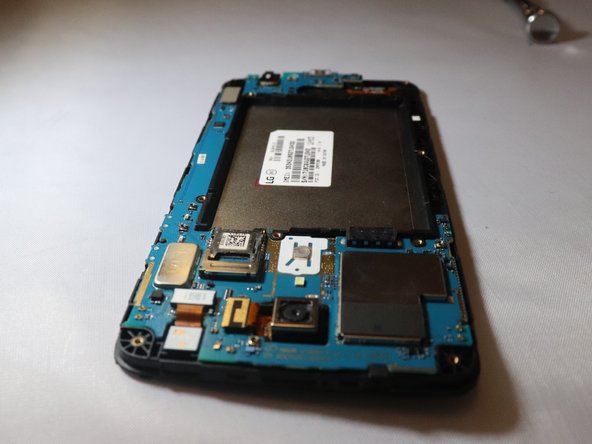
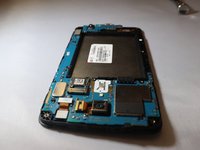
Work slowly side to side to release this back casing and expose the motherboard.
-
-
-
-
Place a spudger or an opening tool under the edge of the video card press connector and pry straight up to disconnect it from the motherboard.
-
-
-
Unplug the front facing camera press fit connector from the motherboard by prying upwards with a spudger or plastic opening tool.
-
-
-
Unplug the rear facing camera ribbon cable from the motherboard by prying up the press fit connector with a spudger.
-
-
-
Use the spudger to pry off the motherboard from the rest of the device on the top left corner down to the bottom right corner
-
-
-
-
-
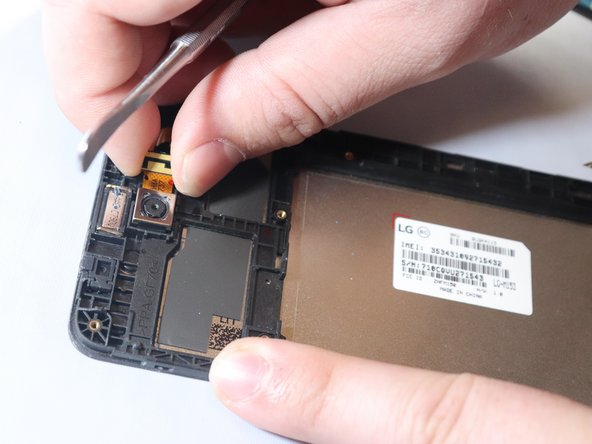
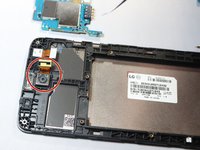
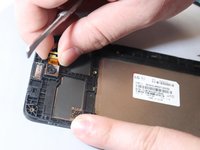
Unplug the camera from the phone using a metal spudger to get underneath the tape and remove the camera.
-
-





To reassemble your device, follow these instructions in reverse order. Take your e-waste to an R2 or e-Stewards certified recycler.

Team

Eastern Washington University, Team S1-G5, Rowley Spring 2019 Member of Eastern Washington University, Team S1-G5, Rowley Spring 2019
EWU-ROWLEY-S19S1G5
3 Members
60 Guides authored
