
Infinity v2 10.1 Battery Replacement

Nate Rice and 6 other contributors
Last updated on May 7, 2024
Views: 1K
View statistics:
- Past 24 Hours:
- 1
- Past 7 Days:
- 10
- Past 30 Days:
- 49
- All Time:
- 1,019
Comments: 0
No one has left comments on this guide. Will you be first?
Go to guide commentsCompleted: 1 2
1 person has marked this guide "completed." Will you be next?
2 people have marked this guide "completed." Including you — great job!
Favorites: 0 1
No one has favorited (and subscribed to) this guide. Will you be the first?
1 person has favorited (and subscribed to) this guide — and that's you!
Introduction
Go to step 1 ↓The Infinity v2 10.1 battery should be replaced when it no longer holds a charge. If the battery is not powering the device for as long as it did when the device was new, the battery could be worn and in need of replacing. Replacing the battery on this device can be dangerous due to the requirement of soldering, as well as the need to apply heat around a battery. Make sure to follow all the safety warnings and instructions in this guide and in the instructions of your soldering iron.
WARNING: When following this guide. Be sure to follow all the safety warnings and instructions related to soldering.
What you need
Tools
-
-
Spudger4.9


-
-
-
Slightly pry open one corner of the device by using your finger nail to separate the screen from the back case.
-
Use an opening tool to carefully detach the back case from the tablet. Start by inserting the tool where your fingernail opened a gap, and work around all four sides of the device.
-
Once the case is completely free, carefully lift it and place it face up on the workstation, being cautious not to damage the speaker wires connecting the two halves.
 Ask FixBot
-
-
-
Remove the speakers from the case by gently lifting them up and out of their slots.
-
-
-
-
-
Tool used on this step:Tweezers$4.99
-
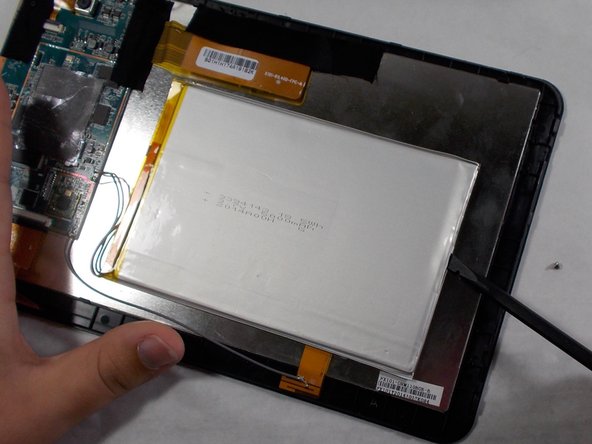
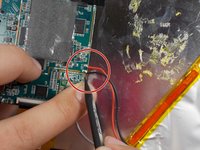
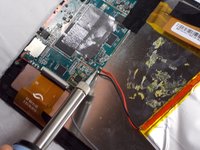
Desolder the red and black wires connecting the battery to the motherboard.
-
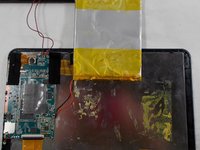
Once the solder is melted, use tweezers to remove both wires from the motherboard.
-






To reassemble your device, follow these instructions in reverse order.
Cancel: I did not complete this guide.
One other person completed this guide.

Team

UMass Dartmouth, Team S2-G4, Barthe Fall 2019 Member of UMass Dartmouth, Team S2-G4, Barthe Fall 2019
UMASSD-BARTHE-F19S2G4
3 Members
72 Guides authored
