Introduction
This guide shows how to repair a damaged Apple USB cable. The guide is based on a very simple technique of slipping in the wire through a scotch lock to re-establish the connection. This procedure doesn’t involve any kind of complicated equipment or parts. The main components are the 3M scotch locks that are very light and easy to use. This guide is economical and time-saving.
What you need
-
-
-
Identify the short in the wire and cut the damaged portion of the USB cable with the help of scissors.
 Ask FixBot
-
-
-
Using scissors, remove the outer insulation of wire, unwrap and separate the core wiring from the shielding.
-
-
-
-
Separate the red, green, black and white wires.
-
Repeat the same procedure on the other half of the USB cable.
-
-
-
Once the wires are separated, insert each set of wires deep into four different 3M scotchloks.
-
Thread them through the metal portion.
-
Lock the wires by popping the button.
-
-
-
Do a slide test to see if the wires are locked and if your guide is successful.
-
-


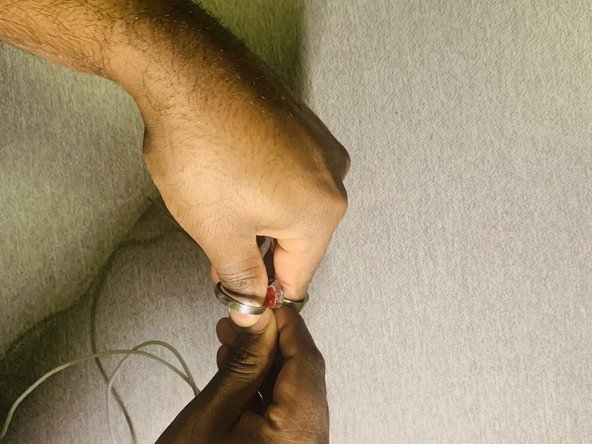
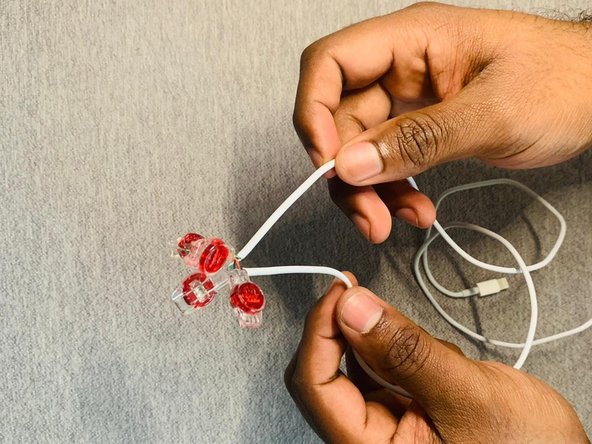
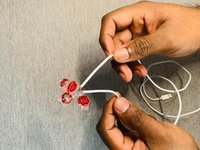
The best way to repair your USB cable, without any complicated soldering technique and this procedure is very economical.
Cancel: I did not complete this guide.
2 other people completed this guide.

Team

York University, Team S2-G21, O'Regan Winter 2021 Member of York University, Team S2-G21, O'Regan Winter 2021
YORK-O'REGAN-W21S2G21
1 Member
12 Guides authored
