Free Shipping on Domestic Orders $75+

How to Re-Solder a Wire in an Unresponsive XLR Cable

What you need

    1. How to Re-Solder a Wire in an Unresponsive XLR Cable, How to Re-Solder a Wire in an Unresponsive XLR Cable: step 1, image 1 of 2 How to Re-Solder a Wire in an Unresponsive XLR Cable, How to Re-Solder a Wire in an Unresponsive XLR Cable: step 1, image 2 of 2
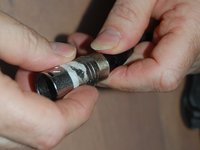
      • We need to first identify the connecting end that is causing the issue.

      • To do that, un-screw the black plastic bottom part of the base that connects to the connecting end.

      Ask FixBot

      Add Comment

    2. How to Re-Solder a Wire in an Unresponsive XLR Cable: step 2, image 1 of 2 How to Re-Solder a Wire in an Unresponsive XLR Cable: step 2, image 2 of 2
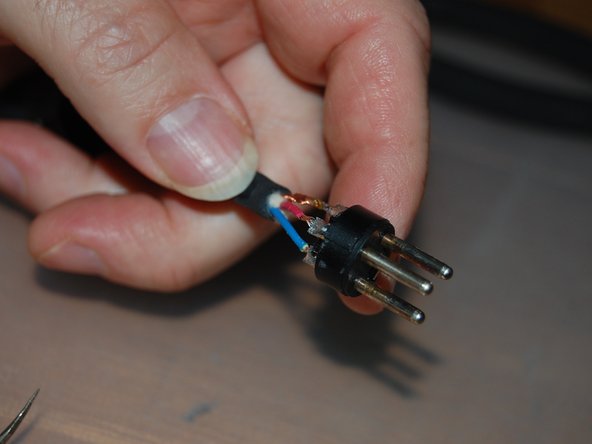
      • Remove the connecting end from its base.

      • Remove the sleeve protecting the soldered connectors, exposing them.

      Ask FixBot

      Add Comment

    3. How to Re-Solder a Wire in an Unresponsive XLR Cable: step 3, image 1 of 1
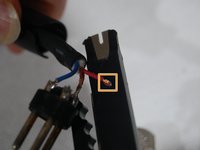
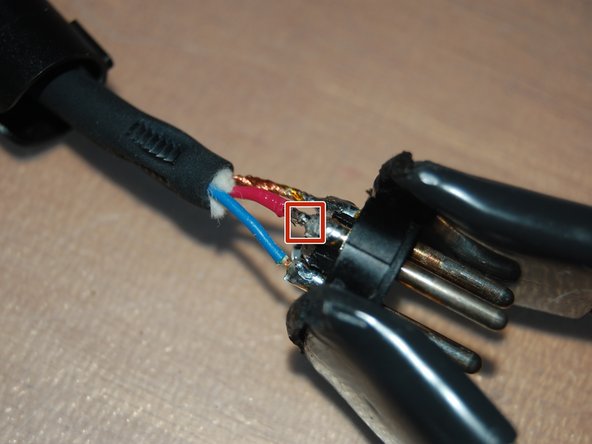
      • Identify the problem (check if the wire is severed or detached from the soldered connecting point).

      • In this case, the red wire is detached from the soldered connecting point.

      Ask FixBot

      Add Comment

    4. How to Re-Solder a Wire in an Unresponsive XLR Cable: step 4, image 1 of 3 How to Re-Solder a Wire in an Unresponsive XLR Cable: step 4, image 2 of 3 How to Re-Solder a Wire in an Unresponsive XLR Cable: step 4, image 3 of 3
      • Use a wire striper (any kind works as long as there is a hole that is small enough to strip the wire while holding it down) to cut and remove the plastic cover of the wire.

      • Make sure that you have a clean edge (only the wire) so that you can create brand new connections.

      Ask FixBot

      Add Comment

    5. How to Re-Solder a Wire in an Unresponsive XLR Cable: step 5, image 1 of 3 How to Re-Solder a Wire in an Unresponsive XLR Cable: step 5, image 2 of 3 How to Re-Solder a Wire in an Unresponsive XLR Cable: step 5, image 3 of 3
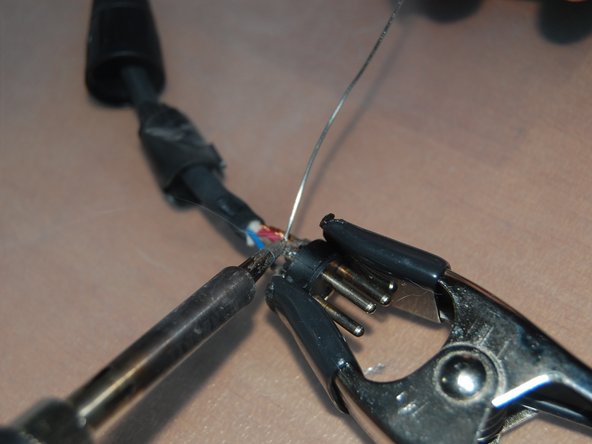
      • Pre-heat the soldering iron and leave it resting on an elevated surface (like the mount in the image).

      • Do not touch the tip of the iron. Once it pre-heats, it is extremely hot

      • Use a clamp to hold the connecting end in place since you are going to need both bands when using a soldering iron.

      Ask FixBot

      Add Comment

    6. How to Re-Solder a Wire in an Unresponsive XLR Cable: step 6, image 1 of 3 How to Re-Solder a Wire in an Unresponsive XLR Cable: step 6, image 2 of 3 How to Re-Solder a Wire in an Unresponsive XLR Cable: step 6, image 3 of 3
      • Use the soldering iron to melt solder and connect the wire to the connecting ends

      • Make sure that the soldered wire is positioned directly on top of the connector while essencially being glued down with the solder (it would be the most secure when thats the case).

      Ask FixBot

      Add Comment

    7. How to Re-Solder a Wire in an Unresponsive XLR Cable: step 7, image 1 of 3 How to Re-Solder a Wire in an Unresponsive XLR Cable: step 7, image 2 of 3 How to Re-Solder a Wire in an Unresponsive XLR Cable: step 7, image 3 of 3
      • Slip the sleeve protecting the connectors back in and screw the connecting end back to the cable.

      • If you hear a click when you screw the connecting end back, it's in the right position.

      Ask FixBot

      Add Comment

    8. How to Re-Solder a Wire in an Unresponsive XLR Cable: step 8, image 1 of 1
      • Screw the plastic bottom part of the base back in and test to make sure that it is working

      Ask FixBot

      Add Comment

Conclusion

If the connecting end you took apart doesnt not have any issues, take apart the other end.

Cancel: I did not complete this guide.

One other person completed this guide.

Anthony Romaniello

Member since: 09/13/23

185 Reputation

1 Guide authored

Team

0 Guide Comments

Add Comment

View Statistics:

Past 24 Hours: 4

Past 7 Days: 52

Past 30 Days: 174

All Time: 2,038