Free Shipping on Domestic Orders $75+

This guide has more recent changes. Switch to the latest unverified version.

How to Clean Dust Out of a Playstation 5 Without Opening It

Views: 230K

View statistics:

Past 24 Hours:
86
Past 7 Days:
726
Past 30 Days:
2,882
All Time:
230,107
Comments: 11

7 comments on steps, 4 guide comments.

Go to guide comments
Completed: 61

61 people have marked this guide "completed." Will you be next?

Favorites: 8

8 people have favorited (and subscribed to) this guide. Will you be next?

Time Required: 5 - 10 minutes
Difficulty: Easy
Featured Guide

This guide has been found to be exceptionally cool by the iFixit staff.

How to Clean Dust Out of a Playstation 5 Without Opening It

Introduction

Go to step 1 ↓

Follow this guide to clean the dust out of a PlayStation 5 with a vacuum.

These dust ports allow you to clean accumulated dust out of your PlayStation 5 without having to remove any screws or components. This simple maintenance can help improve the operating speed and increase the lifetime of your PlayStation 5.

Before you begin, completely power down and unplug all cables from your console. Remember to follow general electrostatic discharge (ESD) safety procedures while repairing the console.

What you need

Tools

    1. How to Clean Dust Out of a Playstation 5 Without Opening It, Remove the stand screw: step 1, image 1 of 1
      • If your PlayStation 5 is in its vertical orientation, flip it upside down so the stand is facing up.

      • If your PlayStation 5 is in its horizontal orientation, skip to Step 6.

      • Work on a flat surface to prevent your PlayStation from falling over.

      • Use a coin or a flathead screwdriver to remove the 26.5 mm-long stand screw.

      Ask FixBot

      Add Comment

    2. How to Clean Dust Out of a Playstation 5 Without Opening It, Remove the vertical stand: step 2, image 1 of 2 How to Clean Dust Out of a Playstation 5 Without Opening It, Remove the vertical stand: step 2, image 2 of 2
      • Lift straight up to remove the stand.

      Ask FixBot

      Add Comment

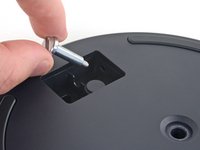
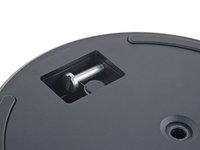
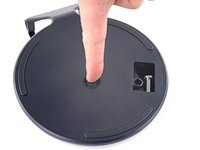
    3. How to Clean Dust Out of a Playstation 5 Without Opening It, Store the stand screw: step 3, image 1 of 2 How to Clean Dust Out of a Playstation 5 Without Opening It, Store the stand screw: step 3, image 2 of 2
      • Insert the screw into the cubby on the bottom of the stand.

      Ask FixBot

      Add Comment

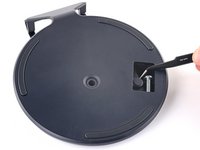
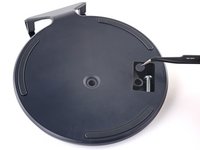
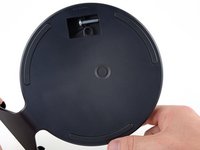
    4. How to Clean Dust Out of a Playstation 5 Without Opening It, Cap the screw hole: step 4, image 1 of 3 How to Clean Dust Out of a Playstation 5 Without Opening It, Cap the screw hole: step 4, image 2 of 3 How to Clean Dust Out of a Playstation 5 Without Opening It, Cap the screw hole: step 4, image 3 of 3
      Tool used on this step:
      Tweezers
      $4.99
      Buy
      • Use a pair of tweezers or your fingernail to remove the cap from the cubby.

      • Use your finger to press the cap into the screw hole.

      Ask FixBot

      Add Comment

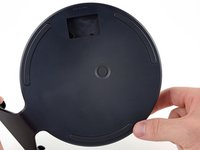
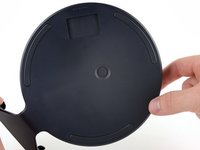
    5. How to Clean Dust Out of a Playstation 5 Without Opening It, Close the cubby: step 5, image 1 of 3 How to Clean Dust Out of a Playstation 5 Without Opening It, Close the cubby: step 5, image 2 of 3 How to Clean Dust Out of a Playstation 5 Without Opening It, Close the cubby: step 5, image 3 of 3
      • Twist the stand counterclockwise to close the cubby.

      Ask FixBot

      Add Comment

    6. How to Clean Dust Out of a Playstation 5 Without Opening It, Remove the horizontal stand: step 6, image 1 of 2 How to Clean Dust Out of a Playstation 5 Without Opening It, Remove the horizontal stand: step 6, image 2 of 2
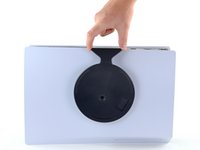
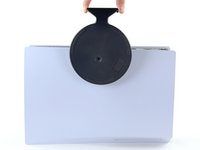
      • If your PlayStation 5 is in its horizontal orientation, rest it on its face with the charging port facing up.

      • Lift the stand straight up to remove it.

      Ask FixBot

      Add Comment

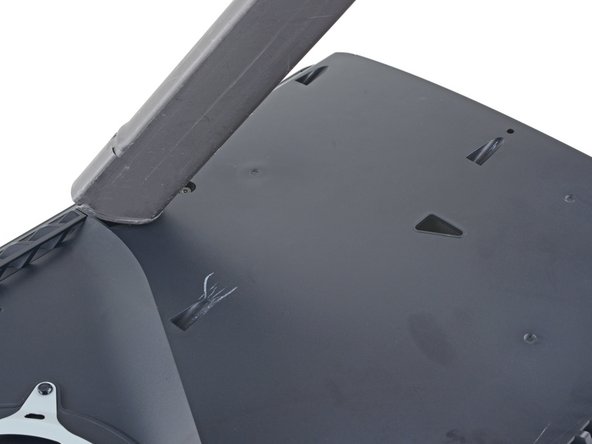
    1. How to Clean Dust Out of a Playstation 5 Without Opening It, Remove the left faceplate: step 7, image 1 of 3 How to Clean Dust Out of a Playstation 5 Without Opening It, Remove the left faceplate: step 7, image 2 of 3 How to Clean Dust Out of a Playstation 5 Without Opening It, Remove the left faceplate: step 7, image 3 of 3
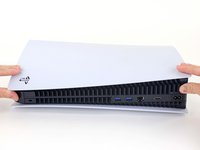
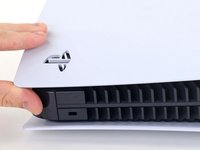
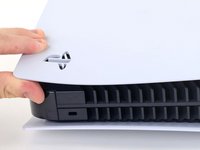
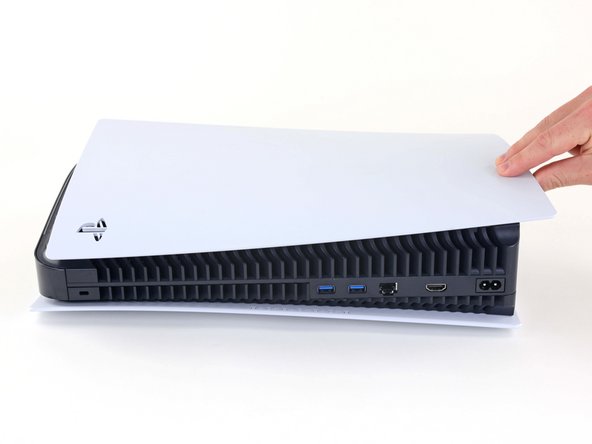
      • Lift up the corner of the faceplate with the PlayStation logo to unclip it from the case.

      Ask FixBot

      Add Comment

    2. How to Clean Dust Out of a Playstation 5 Without Opening It: step 8, image 1 of 2 How to Clean Dust Out of a Playstation 5 Without Opening It: step 8, image 2 of 2
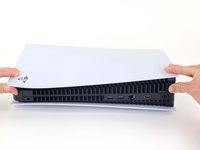
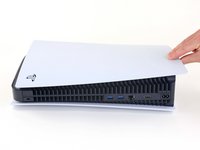
      • While lifting up the corner, slide the faceplate towards the bottom of the device.

      • Remove the left faceplate.

      Ask FixBot

      Add Comment

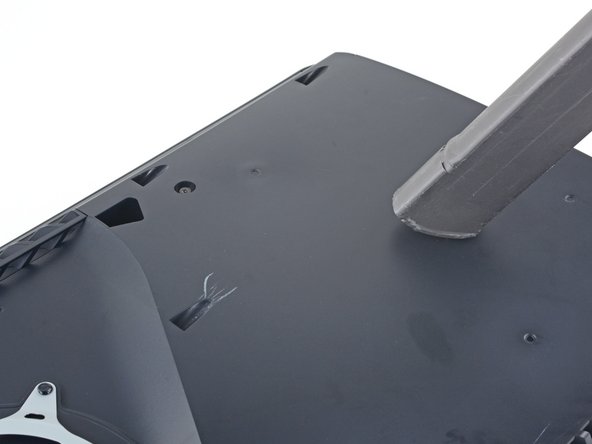
    3. How to Clean Dust Out of a Playstation 5 Without Opening It, Vacuum out the dust: step 9, image 1 of 3 How to Clean Dust Out of a Playstation 5 Without Opening It, Vacuum out the dust: step 9, image 2 of 3 How to Clean Dust Out of a Playstation 5 Without Opening It, Vacuum out the dust: step 9, image 3 of 3
      • Use a vacuum to clean out the two dust catchers.

      • A narrow vacuum attachment would be best.

      Ask FixBot

      Add Comment

Conclusion

To reassemble your device, follow these instructions in reverse order.

Take your e-waste to an R2 or e-Stewards certified recycler.
Repair didn’t go as planned? Try some basic troubleshooting, or ask our PlayStation 5 Answers community for help.

Cancel: I did not complete this guide.

61 other people completed this guide.

Robert Boyd

Member since: 02/01/21

33,798 Reputation

94 Guides authored

4 Guide Comments

Tank you. Good

askr chamani - Reply Share
muchas gracias!!! muy facil acabo de hacerle una limpieza a mi consola

J4s3ph - Reply Share

カバーが硬くてはずれない

大崎貴美代 - Reply Share

Thank you it was great assistance

Petrus Struwig - Reply Share

Add Comment

View Statistics:

Past 24 Hours: 86

Past 7 Days: 726

Past 30 Days: 2,882

All Time: 230,107