Free Shipping on Domestic Orders $75+

How to Check Your iPhone's Battery Health

    1. How to Check Your iPhone's Battery Health, How to Check Your iPhone's Battery Health: step 1, image 1 of 1
      • In order to proceed with this guide, your device must be running iOS 11.3 or higher.

      • Open the Settings app.

      Ask FixBot

      Add Comment

    2. How to Check Your iPhone's Battery Health: step 2, image 1 of 1
      • Scroll down and select Battery.

      Ask FixBot

      Add Comment

    3. How to Check Your iPhone's Battery Health: step 3, image 1 of 1
      • Select Battery Health.

      Ask FixBot

      Add Comment

    4. How to Check Your iPhone's Battery Health: step 4, image 1 of 1
      • Maximum Capacity displays the total charge capacity of the battery compared to when the device was brand new.

      • Over many charge and discharge cycles, this number will gradually drop.

      • Your iPhone should continue to work fine, albeit with shortened battery life. Apple typically recommends replacing the battery once it degrades to 80% or lower.

      Ask FixBot

      Add Comment

    5. How to Check Your iPhone's Battery Health: step 5, image 1 of 3 How to Check Your iPhone's Battery Health: step 5, image 2 of 3 How to Check Your iPhone's Battery Health: step 5, image 3 of 3
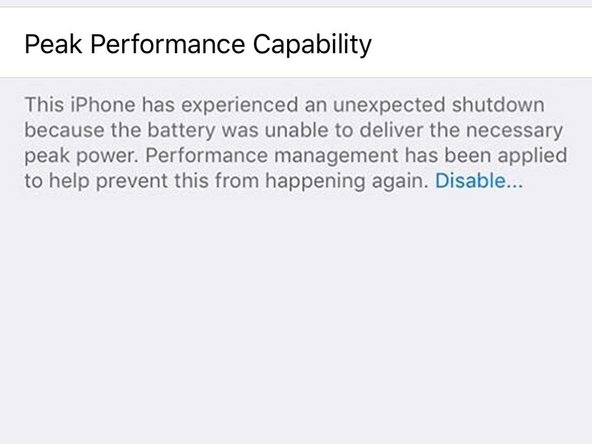
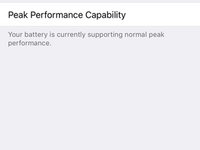
      • Peak Performance Capability tells you whether your battery can still supply sufficient power for the iPhone's most intense processing tasks. Normal peak performance is what you're aiming for.

      • If it says your iPhone has experienced an expected shutdown, that means your battery couldn't supply the needed power quickly enough, and the system shut down as a result.

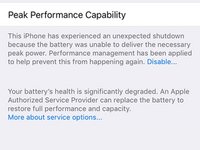
      • Your iPhone will throttle its own performance—slowing itself down—in order to prevent further unexpected shutdowns. This can be disabled to manually enable peak performance.

      • Once you disable performance management, you cannot enable it again. It is automatically enabled after an unexpected shutdown.

      • Once your battery falls below a specific threshold (typically 80%), you will be notified that your battery's health is significantly degraded.

      • Follow this guide to replace your iPhone X battery, or click here for other iPhone models.

      Ask FixBot

      Add Comment

Conclusion

That's all folks!

Cancel: I did not complete this guide.

29 other people completed this guide.

Josh M

Member since: 11/24/14

931 Reputation

1 Guide authored

Team

iTech West Palm Beach Member of iTech West Palm Beach

Business

5 Members

11 Guides authored

4 Guide Comments

Battery Health no funciona con las baterías iFixit.

Cambié la batería de mi iPhone 6 por una batería iFixit y no se puede ver el porcentaje de batería máximo. Aparece “reparar“.

Con alguna aplicación de análisis de batería muestra 98%.

Jairo Ochoa - Reply Share

Under “Battery Health,” my iPhone SE says only “Service” and gives none of the information listed here.

Jeremy Nichols - Reply Share

Most likely your battery is below the recommended threshold and should be replaced.

If you replaced your battery, it may continue to say “Service”. I would recommend using a computer app like coconutBattery to check.

Josh M - Reply Share

mine iphone 6 cannot watch battery health

gfght - Reply Share

Add Comment

View Statistics:

Past 24 Hours: 10

Past 7 Days: 71

Past 30 Days: 269

All Time: 15,832