Google Pixel Watch 2 Vibration Motor Replacement

What you need

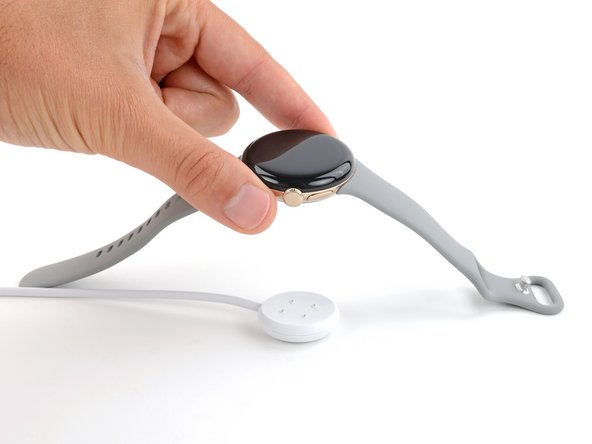
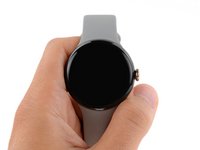
  1. Google Pixel Watch 2 Vibration Motor Replacement, Prepare your watch for disassembly: step 1, image 1 of 2 Google Pixel Watch 2 Vibration Motor Replacement, Prepare your watch for disassembly: step 1, image 2 of 2
    • Before starting this repair, remove your watch from the charger and let its battery drain completely—the watch should shut down from low battery. A charged lithium‑ion battery may catch fire if damaged.

    • Letting the battery drain completely also prevents accidentally turning your watch back on when gripping it during repair.

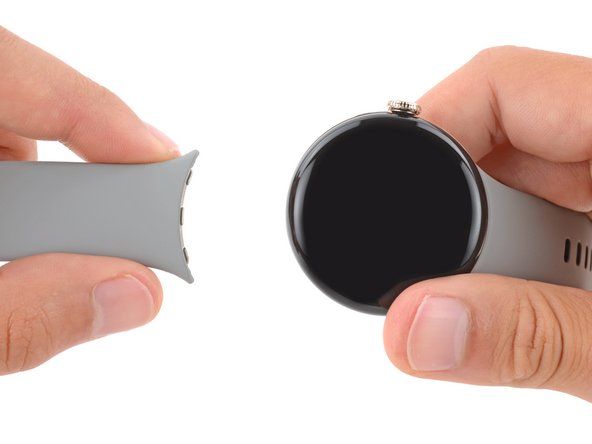
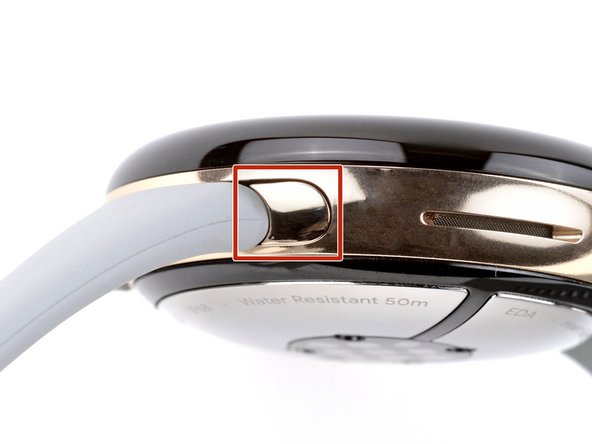
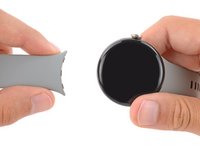
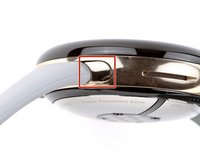
  2. Google Pixel Watch 2 Vibration Motor Replacement, Remove both watch bands: step 2, image 1 of 2 Google Pixel Watch 2 Vibration Motor Replacement, Remove both watch bands: step 2, image 2 of 2
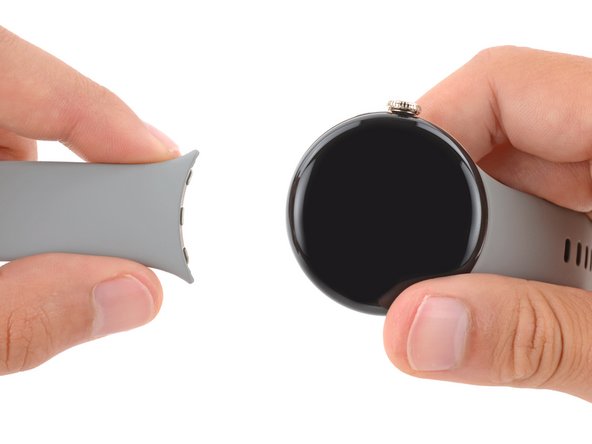
    • Remove both watch bands by pressing the release button and sliding the band out of its groove.

  3. Google Pixel Watch 2 Vibration Motor Replacement, Put your watch in the vise: step 3, image 1 of 1
    • Inserting a tool between the screen and frame is very difficult. Using a vise to secure the frame makes it significantly easier.

    • Secure your watch with a small vise so the jaws go into the watch band grooves on the frame.

    • If your vice has sharp or metal jaws, consider wrapping the frame in a thin cloth to prevent scratching or damaging the frame.

  4. Google Pixel Watch 2 Vibration Motor Replacement, Safety precautions: step 4, image 1 of 1
    Tool used on this step:
    iFlex Opening Tool
    $11.99
    Buy
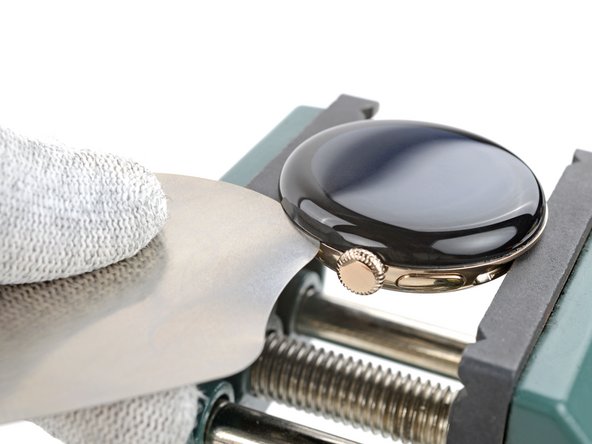
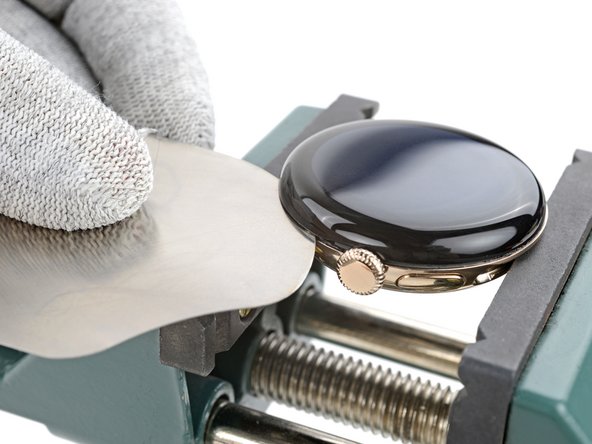
    • The gap between the screen and frame is extremely small. You'll need a thin tool such as an iFlex to create an initial gap.

    • Don't grip the iFlex or similar metal tools by the edges—they're very sharp. Wear gloves to protect yourself.

  5. Google Pixel Watch 2 Vibration Motor Replacement, Heat the screen adhesive: step 5, image 1 of 1
    • Very strong adhesive secures the screen to the frame. Heating the screen softens the adhesive, making it easier to separate.

    • Use a hair dryer or heat gun to heat the right edge of screen around the watch crown until it's slightly too hot to touch.

    • Be careful not to heat the screen more than this, as it may damage the screen and/or battery.

  6. Google Pixel Watch 2 Vibration Motor Replacement, Insert an iFlex: step 6, image 1 of 3 Google Pixel Watch 2 Vibration Motor Replacement, Insert an iFlex: step 6, image 2 of 3 Google Pixel Watch 2 Vibration Motor Replacement, Insert an iFlex: step 6, image 3 of 3
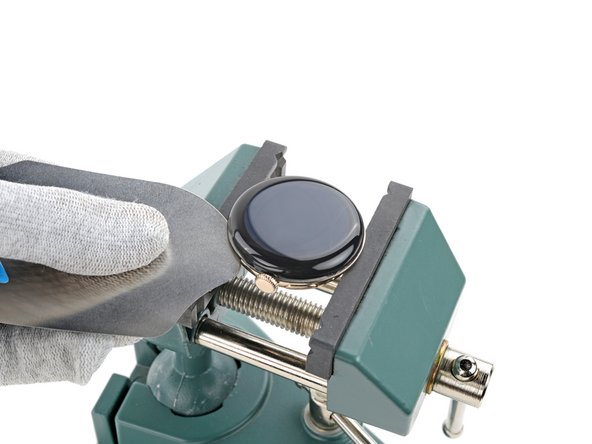
    • Insert the tip of an iFlex between the screen and frame just below the watch crown (opposite the side button).

    • This is very difficult and will take multiple attempts. If the screen cools down, apply more heat and try again.

    • Rotate the iFlex so its longer edge is between the screen and frame.

  7. Google Pixel Watch 2 Vibration Motor Replacement, Separate the screen adhesive: step 7, image 1 of 3 Google Pixel Watch 2 Vibration Motor Replacement, Separate the screen adhesive: step 7, image 2 of 3 Google Pixel Watch 2 Vibration Motor Replacement, Separate the screen adhesive: step 7, image 3 of 3
    • Hold the iFlex at a slight upward angle and slide it clockwise around the perimeter of the watch to separate the adhesive. Stop when you reach the side button.

    • Don't slide farther than this or you'll damage the screen cable.

  8. Google Pixel Watch 2 Vibration Motor Replacement, Remove your watch from the vise: step 8, image 1 of 1
    • Remove your watch from the vise.

  9. Google Pixel Watch 2 Vibration Motor Replacement, Disassembly information: step 9, image 1 of 2 Google Pixel Watch 2 Vibration Motor Replacement, Disassembly information: step 9, image 2 of 2
    • Throughout the rest of your repair:

    • Consider placing your watch on something soft like a clean cloth to help stabilize it and prevent damage.

    • Attach and remove the watch bands as needed to get a better grip or stabilize your watch.

  10. Google Pixel Watch 2 Vibration Motor Replacement, Swing open the screen: step 10, image 1 of 3 Google Pixel Watch 2 Vibration Motor Replacement, Swing open the screen: step 10, image 2 of 3 Google Pixel Watch 2 Vibration Motor Replacement, Swing open the screen: step 10, image 3 of 3
    Tool used on this step:
    E6000 Adhesive Glue
    $2.99
    Buy
    • Be careful not to strain the screen cable during the rest of your repair.

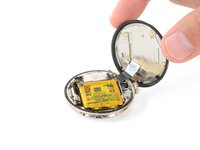
    • Swing open the screen and put it in an upright position next to the watch crown.

    • If the screen feels stuck, go back around the perimeter and carefully separate any remaining adhesive with the iFlex. Be very careful not to damage the screen cable near the crown.

    • During reassembly:

    • This is a good point to plug in and test your watch before sealing it up. Be sure to power it down completely before you continue working.

    • Use a spudger and tweezers to remove all the old screen adhesive from the frame and screen. Then, clean up any adhesive residue with high‑concentration (>90%) isopropyl alcohol and a cotton swab.

    • You'll need to seal your phone with strong adhesive glue. Apply the glue to the perimeter of the frame and firmly press the screen into place.

    • Most strong adhesive glues have a long curing time—read the instructions for proper use.

  11. Google Pixel Watch 2 Vibration Motor Replacement, Unfasten the vibration motor cover: step 11, image 1 of 2 Google Pixel Watch 2 Vibration Motor Replacement, Unfasten the vibration motor cover: step 11, image 2 of 2
    Tool used on this step:
    FixMat
    $31.41
    Buy
    • Throughout this repair, keep track of each screw and make sure it goes back exactly where it came from.

    • Use a 1IP Torx Plus screwdriver to remove the 2 mm‑long screw securing the vibration motor press connector cover.

    • While the Pixel Watch 2 uses Torx Plus screws, standard Torx bits will also work. Make sure to apply constant, downward force to prevent stripping.

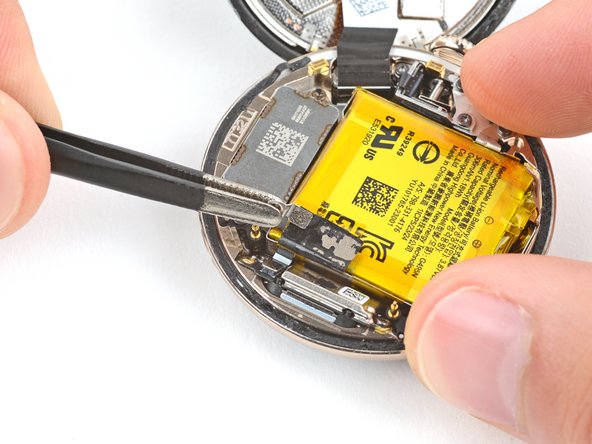
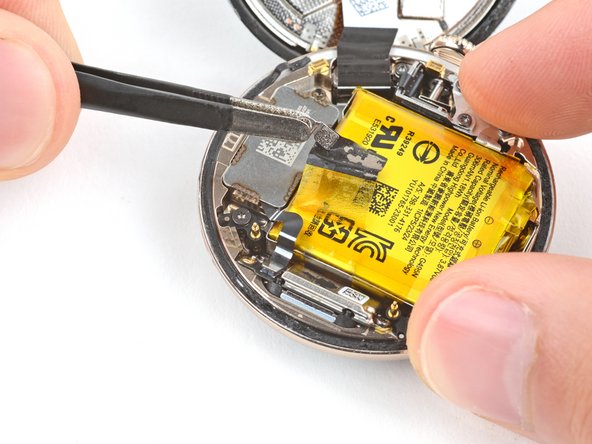
  12. Google Pixel Watch 2 Vibration Motor Replacement, Peel up the vibration motor cable tape: step 12, image 1 of 3 Google Pixel Watch 2 Vibration Motor Replacement, Peel up the vibration motor cable tape: step 12, image 2 of 3 Google Pixel Watch 2 Vibration Motor Replacement, Peel up the vibration motor cable tape: step 12, image 3 of 3
    • Tape secures the vibration motor cable and its cover to the battery.

    • Be careful not to puncture the battery—it can leak dangerous chemicals and catch fire.

    • Use a pair of blunt nose tweezers to grip the vibration motor press connector cover.

    • Gently peel up the tape until the vibration motor cable is uncovered.

    • During reassembly, use the flat end of a spudger to push the black cover tape back into place.

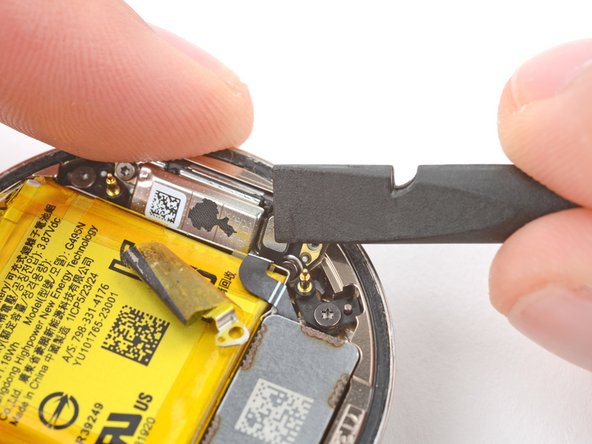
  13. Google Pixel Watch 2 Vibration Motor Replacement, Disconnect the vibration motor: step 13, image 1 of 3 Google Pixel Watch 2 Vibration Motor Replacement, Disconnect the vibration motor: step 13, image 2 of 3 Google Pixel Watch 2 Vibration Motor Replacement, Disconnect the vibration motor: step 13, image 3 of 3
    • Use the point of a spudger to pry up and disconnect the vibration motor press connector.

    • During reassembly, use the flat end of a spudger to reconnect the press connector.

  14. Google Pixel Watch 2 Vibration Motor Replacement, Unfasten the vibration motor: step 14, image 1 of 2 Google Pixel Watch 2 Vibration Motor Replacement, Unfasten the vibration motor: step 14, image 2 of 2
    • Use a 1IP Torx Plus screwdriver to remove the two screws securing the vibration motor:

    • One 2 mm‑long screw

    • One 3 mm‑long screw, also securing a grounding bracket

  15. Google Pixel Watch 2 Vibration Motor Replacement, Remove the grounding bracket: step 15, image 1 of 2 Google Pixel Watch 2 Vibration Motor Replacement, Remove the grounding bracket: step 15, image 2 of 2
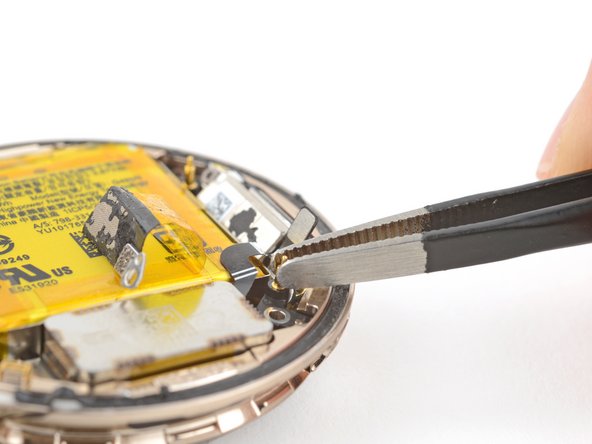
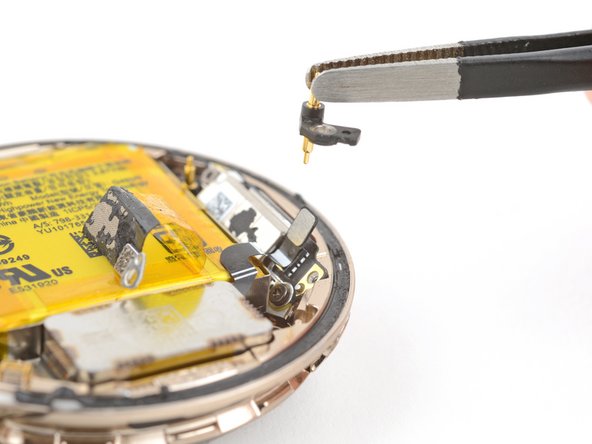
    • Use blunt nose tweezers to lift the grounding bracket out of its recess and remove it.

    • During reassembly, use the smaller alignment cutout to orient the bracket.

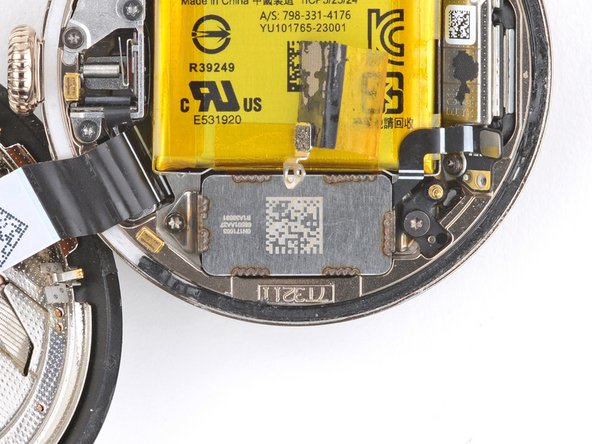
  16. Google Pixel Watch 2 Vibration Motor Replacement, Remove the vibration motor: step 16, image 1 of 2 Google Pixel Watch 2 Vibration Motor Replacement, Remove the vibration motor: step 16, image 2 of 2
    • Remove the vibration motor.

Conclusion

To reassemble your device, follow these instructions in reverse order.

Take your e-waste to an R2 or e-Stewards certified recycler.

Repair didn’t go as planned? Try some basic troubleshooting, or ask our Answers community for help.

Spencer Day

Member since: 09/14/22

148,862 Reputation

995 Guides authored

Team

iFixit Member of iFixit

Staff

123 Members

23,589 Guides authored

0 Guide Comments

Add Comment

View Statistics:

Past 24 Hours: 0

Past 7 Days: 3

Past 30 Days: 14

All Time: 147