Free Shipping on Domestic Orders $75+

Framework Laptop 16" SSD Installation

Prerequisite Only
This is a prerequisite-only guide! This guide is part of another procedure and isn’t meant to be used alone.

What you need

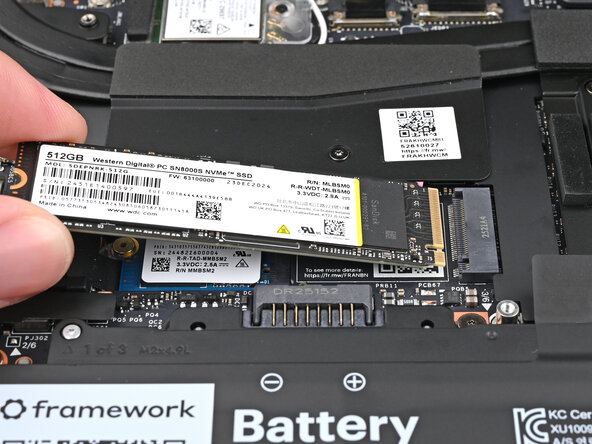
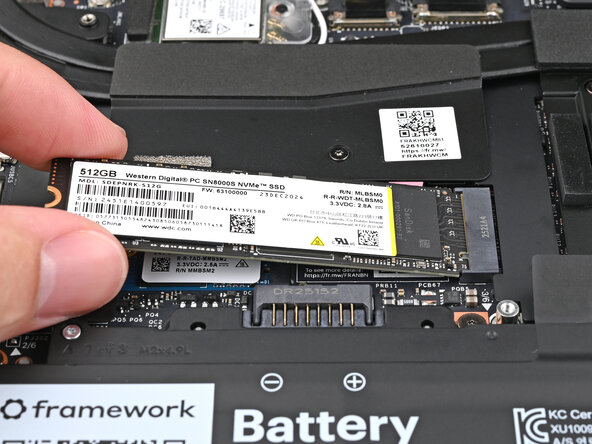
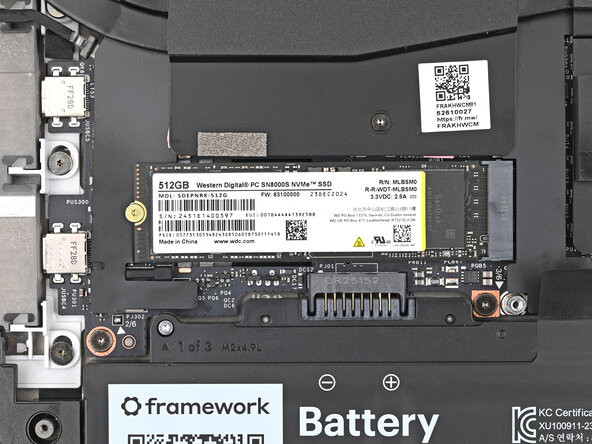
  1. Framework Laptop 16" SSD Installation, Install the primary SSD: step 1, image 1 of 2 Framework Laptop 16" SSD Installation, Install the primary SSD: step 1, image 2 of 2
    • Hold the SSD by its edges. Don't touch the gold contacts with your fingers. If you do, wipe the contacts with a clean, lint-free cloth to remove any finger oils.

    • Insert the SSD into the socket at a shallow angle. The gold contacts should mostly be covered by the socket.

    • The SSD fits into the socket in one orientation. If it doesn't feel like it fits, try flipping the module.

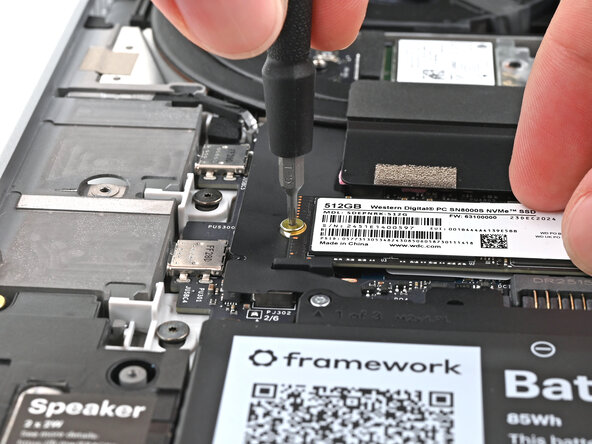
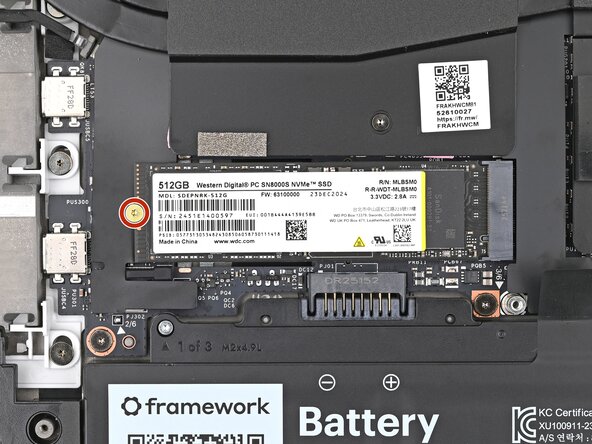
  2. Framework Laptop 16" SSD Installation: step 2, image 1 of 3 Framework Laptop 16" SSD Installation: step 2, image 2 of 3 Framework Laptop 16" SSD Installation: step 2, image 3 of 3
    • While holding the SSD flat to the Mainboard, use your Framework Screwdriver to install the 2 mm‑long T5 Torx screw securing the SSD.

Conclusion

To reassemble your device, follow these instructions in reverse order.

Take your e-waste to an R2 or e-Stewards certified recycler.

Repair didn’t go as planned? Try some basic troubleshooting, or ask our Answers Community for help.

Alex Diaz-Kokaisl

Member since: 01/16/22

229,706 Reputation

1,106 Guides authored

0 Guide Comments

Add Comment

View Statistics:

Past 24 Hours: 0

Past 7 Days: 0

Past 30 Days: 3

All Time: 16