Free Shipping on Domestic Orders $75+

Framework Laptop 16" Memory Installation

Prerequisite Only
This is a prerequisite-only guide! This guide is part of another procedure and isn’t meant to be used alone.

What you need

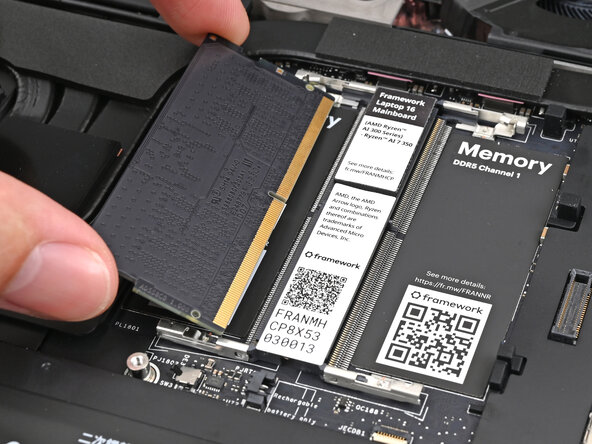
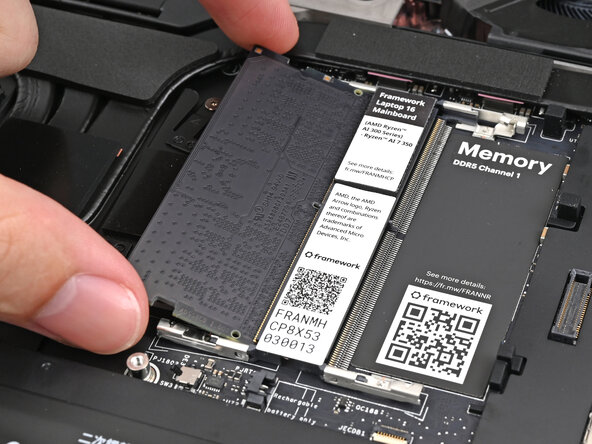
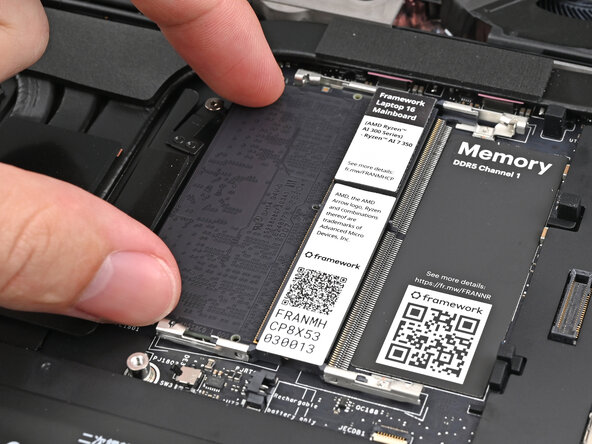
    1. Framework Laptop 16" Memory Installation, Install the memory: step 1, image 1 of 3 Framework Laptop 16" Memory Installation, Install the memory: step 1, image 2 of 3 Framework Laptop 16" Memory Installation, Install the memory: step 1, image 3 of 3
      • Hold the memory module by its edges. Don't touch the gold contacts with your fingers. If you do, wipe the contacts with a clean, lint-free cloth to remove any finger oils.

      • Orient the module with its label facing down and align the gold contacts with the left socket labeled DDR5 Channel 0.

      • Insert the contact edge into the socket at a shallow angle. The gold contacts should mostly be covered by the socket.

      • Press the edges of the module down until the side clips lock it in place.

      Ask FixBot

      Add Comment

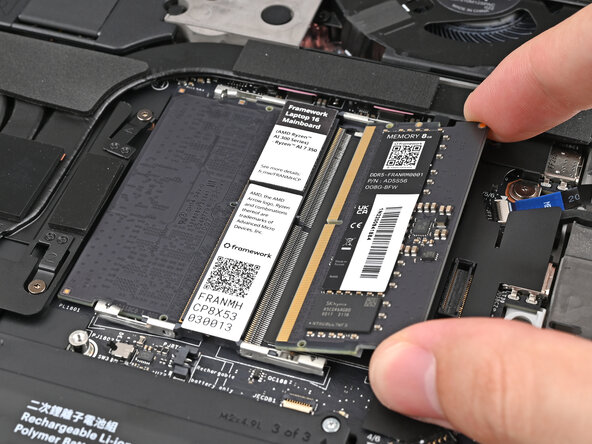
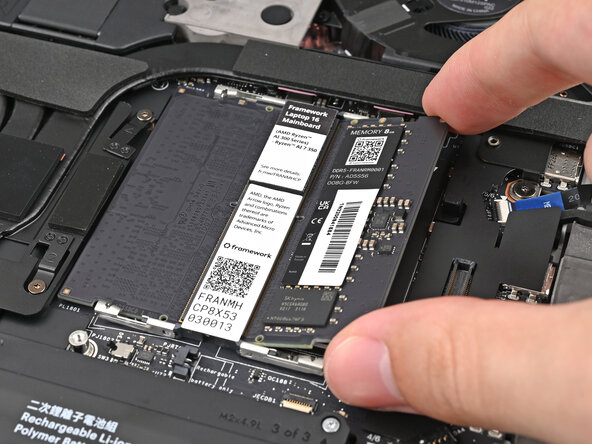
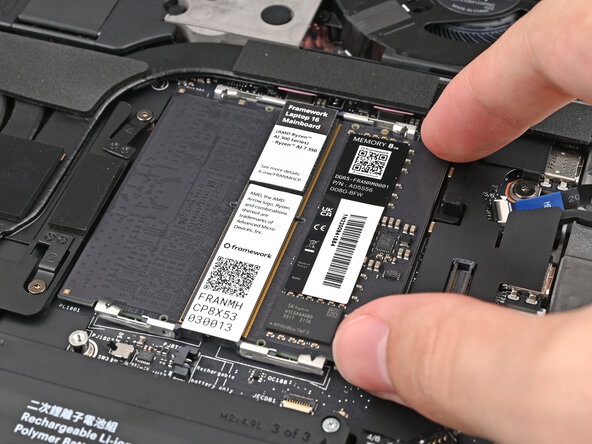
    2. Framework Laptop 16" Memory Installation: step 2, image 1 of 3 Framework Laptop 16" Memory Installation: step 2, image 2 of 3 Framework Laptop 16" Memory Installation: step 2, image 3 of 3
      • Repeat the previous step for the other socket labeled DDR5 Channel 1, except orient the module so its label is facing upward.

      Ask FixBot

      Add Comment

Conclusion

To reassemble your device, follow these instructions in reverse order.

Take your e-waste to an R2 or e-Stewards certified recycler.

Repair didn’t go as planned? Try some basic troubleshooting, or ask our Answers Community for help.

Cancel: I did not complete this guide.

Alex Diaz-Kokaisl

Member since: 01/16/22

249,973 Reputation

1,203 Guides authored

0 Guide Comments

Add Comment

View Statistics:

Past 24 Hours: 1

Past 7 Days: 4

Past 30 Days: 14

All Time: 64