
Framework Laptop 16" Mainboard Installation

Last updated on Feb 3, 2026
Views: 111
View statistics:
- Past 24 Hours:
- 0
- Past 7 Days:
- 5
- Past 30 Days:
- 9
- All Time:
- 111
Comments: 0
No one has left comments on this guide. Will you be first?
Go to guide commentsCompleted: 0 1
No one has marked this guide "completed." Will you be the first?
1 person has marked this guide "completed." It's you — great job!
Favorites: 0 1
No one has favorited (and subscribed to) this guide. Will you be the first?
1 person has favorited (and subscribed to) this guide — and that's you!
Prerequisite Only
This is a prerequisite-only guide! This guide is part of another procedure and isn’t meant to be used alone.
What you need
Tools
-
Spudger4.9
-


-
-
-
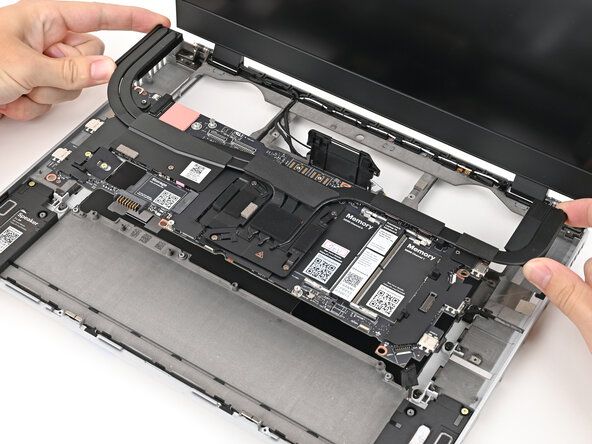
Grab the Mainboard by the curving pipes of its heatsink.
-
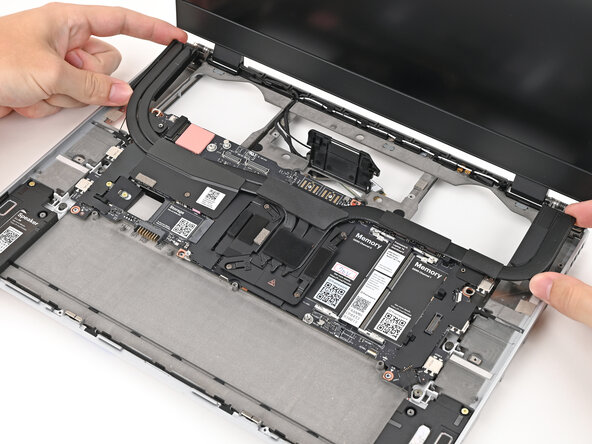
Place the Mainboard into the laptop and onto its alignment pegs.
 Ask FixBot
-
-
-
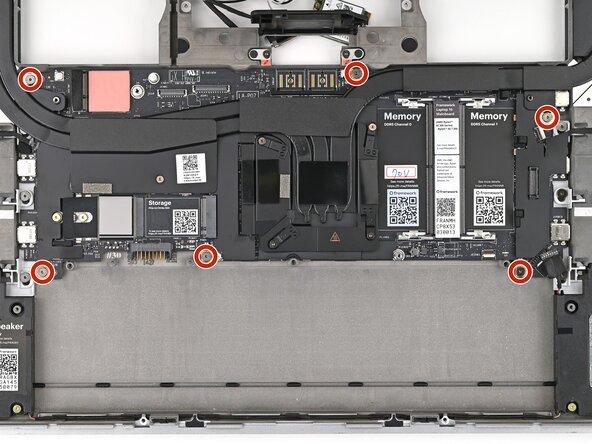
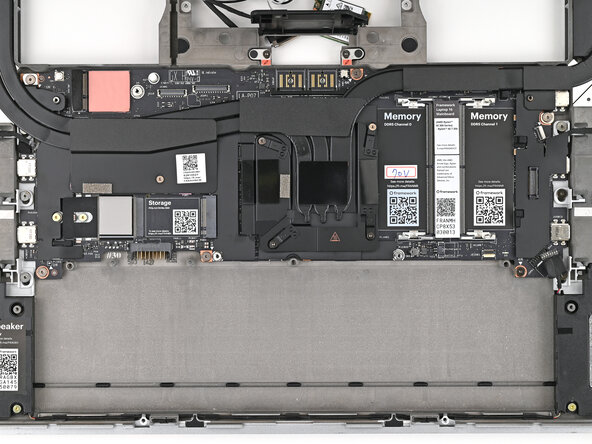
Use your Framework Screwdriver to install the six 2.0 mm‑long T5 Torx screws securing the Mainboard.
-
-
-
-
Route the display, webcam, and Wi-Fi module cables into their slots in the frame.
-
-
-
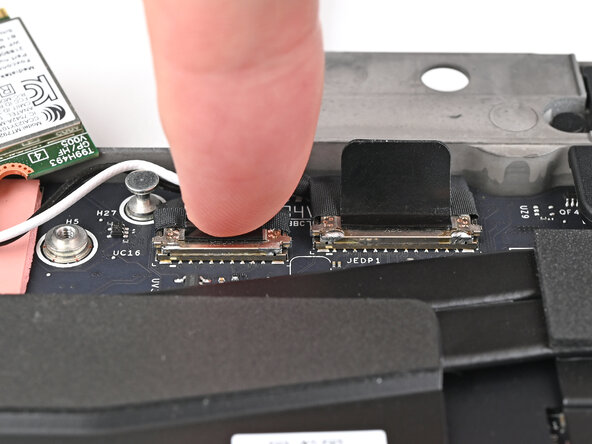
Press the two display connectors straight down into their sockets to connect them.
-
-
-
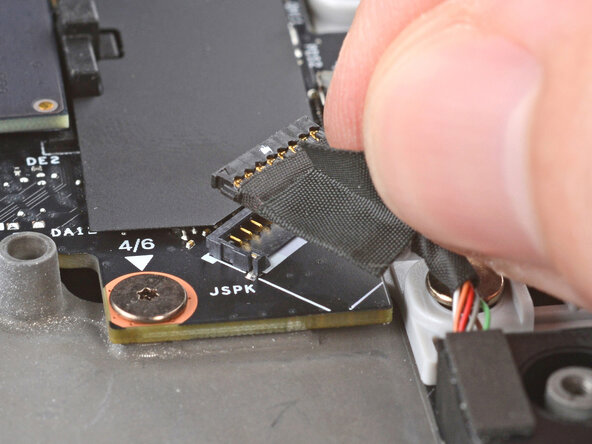
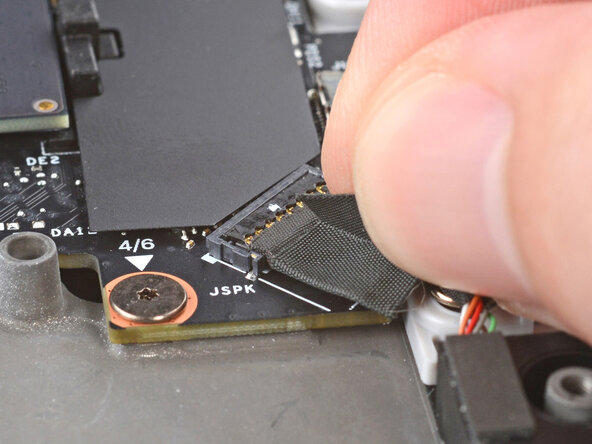
Press the speaker cable connector straight down into its socket to connect it.
-
-




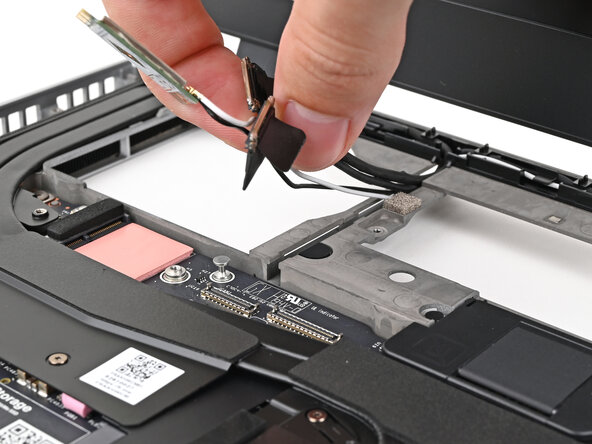
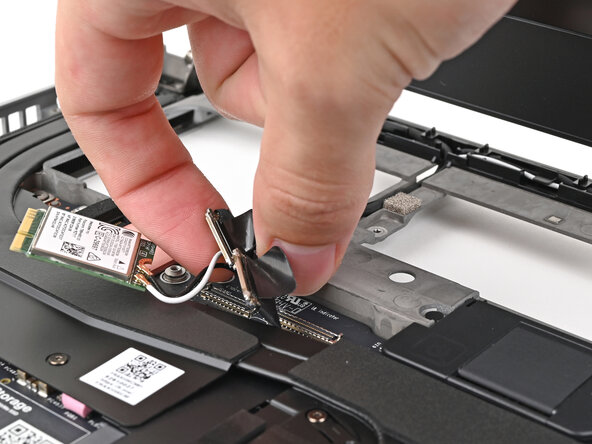


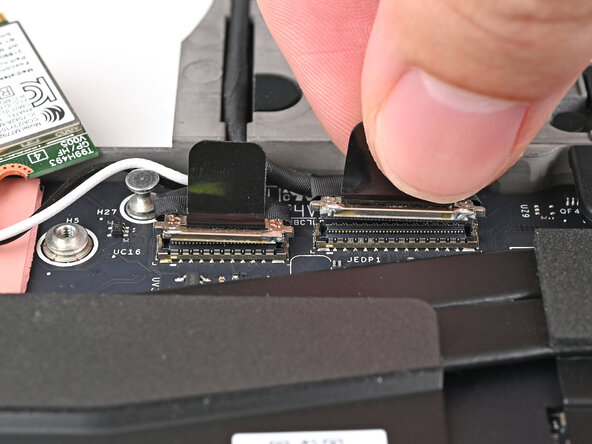
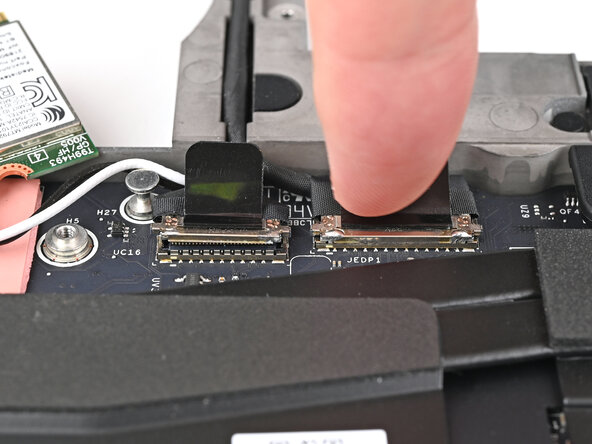




To reassemble your device, follow these instructions in reverse order.
Take your e-waste to an R2 or e-Stewards certified recycler.
Repair didn’t go as planned? Try some basic troubleshooting, or ask our Answers Community for help.

