Introduction
Use this guide to replace the Input Cover in your Framework 13 laptop.
What you need
-
-
-
Unplug all cables and fully shut down your laptop from the OS.
 Ask FixBot
-
-
-
-
-
Use your Framework Screwdriver to loosen the five captive T5 Torx screws securing the Input Cover.
-
-
-
Flip over your laptop and open it.
-
Use your fingers to lift the Input Cover up and release it from its magnets.
-
-
-
Flip the top of the Input Cover so the Keyboard is facing down.
-
Rest the Input Cover over the Battery, making sure the Touchpad Cable isn't being strained.
-
-
-
Insert your finger into the Touchpad Cable press connector loop.
-
Lift up to disconnect the Touchpad Cable from the Mainboard.
-
-
-
-
-
-
Congratulations on completing disassembly! The remaining steps will show how to reassemble your Framework Laptop.
-
-
-
-
-
Before continuing, check the Touchpad Cable's ZIF connector located on the back of the Touchpad:
-
Make sure the white line on the cable is parallel to and adjacent with the socket.
-
If the cable isn't inserted far enough, use the flat end of the Framework Screwdriver to flip up the black latch, reposition the cable, and lock the latch.
-
-
-
Position the Input Cover, Keyboard down, on top of the laptop so it just covers the battery.
-
-
-
Insert your finger into the Touchpad Cable press connector loop.
-
Align the press connector over its socket and press down with your finger.
-
-
-
Flip the Input Cover over the laptop and align the bottom edges.
-
-
-
Use your Framework Screwdriver to tighten the five captive T5 Torx screws securing the Input Cover.
-
-


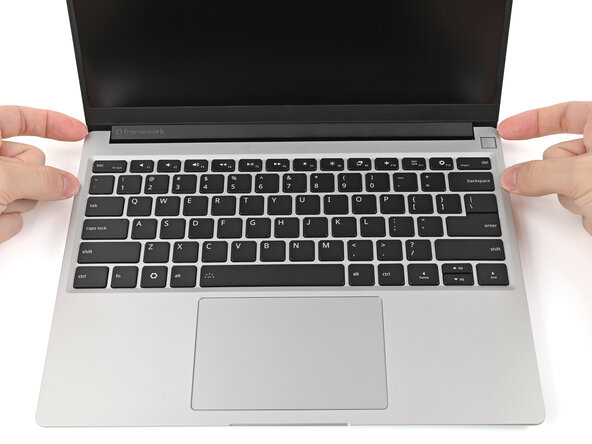


You finished fixing your Framework Laptop!
Take your e-waste to an R2 or e-Stewards certified recycler.
If you need help, contact Framework support.

