Free Shipping on Domestic Orders $75+

Framework Laptop 12 Webcam Cable Installation

Prerequisite Only
This is a prerequisite-only guide! This guide is part of another procedure and isn’t meant to be used alone.

What you need

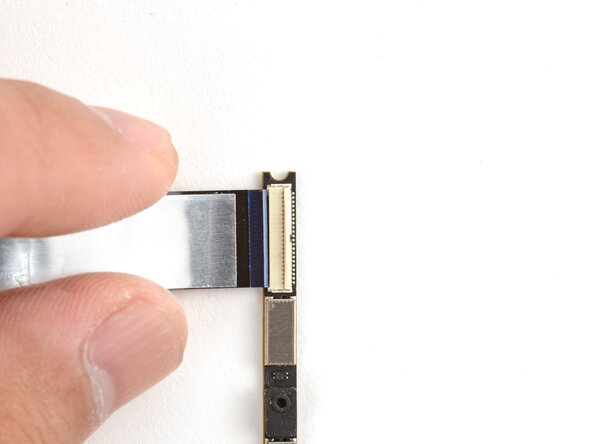
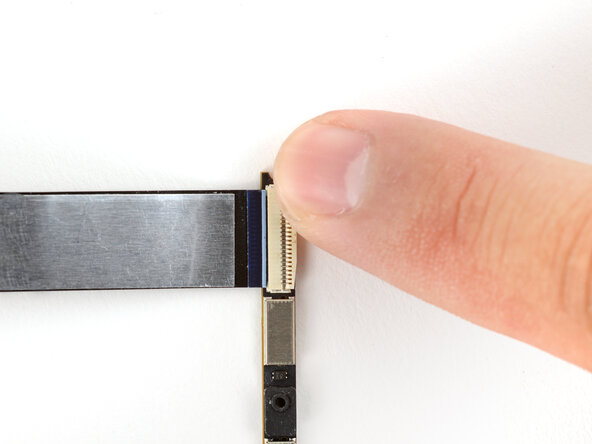
  1. Framework Laptop 12 Webcam Cable Installation, Attach the replacement webcam cable: step 1, image 1 of 3 Framework Laptop 12 Webcam Cable Installation, Attach the replacement webcam cable: step 1, image 2 of 3 Framework Laptop 12 Webcam Cable Installation, Attach the replacement webcam cable: step 1, image 3 of 3
    • To properly align the replacement webcam cable, you'll install the cable onto the webcam first, install the webcam, then attach the cable onto the display.

    • Hold the webcam cable with the shiny side facing up.

    • Slide the cable into the webcam module's ZIF connector, up to the printed line on the cable.

    • Use your finger to flip down and gently press the locking tab in place.

  2. Framework Laptop 12 Webcam Cable Installation: step 2, image 1 of 2 Framework Laptop 12 Webcam Cable Installation: step 2, image 2 of 2
    • Insert the webcam back into its display recess.

  3. Framework Laptop 12 Webcam Cable Installation: step 3, image 1 of 3 Framework Laptop 12 Webcam Cable Installation: step 3, image 2 of 3 Framework Laptop 12 Webcam Cable Installation: step 3, image 3 of 3
    • Use your fingers to align and lay the webcam bracket in place.

    • Make sure the tabs on the top edge of the webcam bracket sit in their slots on the top edge of the display.

  4. Framework Laptop 12 Webcam Cable Installation: step 4, image 1 of 2 Framework Laptop 12 Webcam Cable Installation: step 4, image 2 of 2
    • Use your Framework Screwdriver to install the two 3.3 mm‑long T5 Torx screws to secure the webcam bracket.

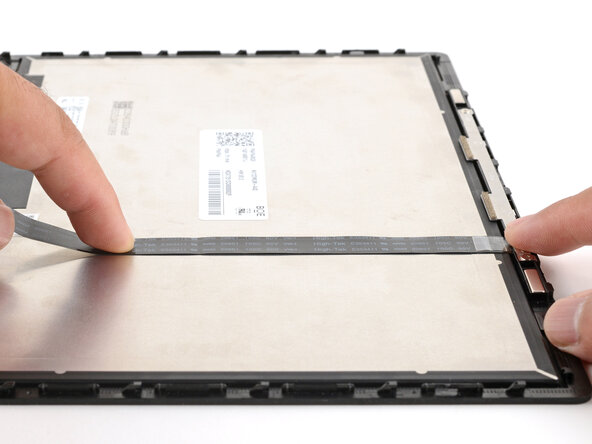
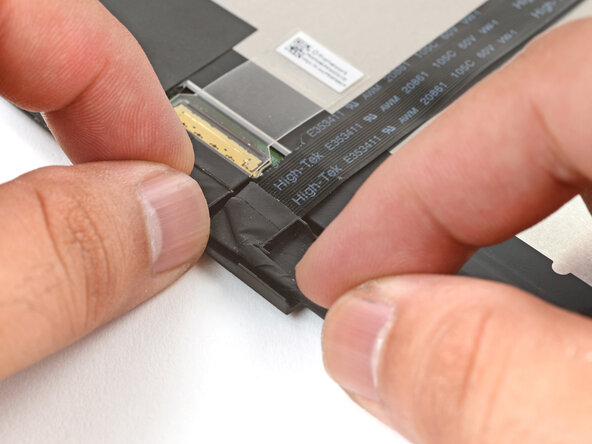
  5. Framework Laptop 12 Webcam Cable Installation: step 5, image 1 of 3 Framework Laptop 12 Webcam Cable Installation: step 5, image 2 of 3 Framework Laptop 12 Webcam Cable Installation: step 5, image 3 of 3
    • If the webcam cable has any plastic liners covering adhesives, peel them off to expose the adhesives. These liners should peel easily from the cable.

    • Use your fingers to press the cable onto the display.

    • Guide the cable bend into its channel on the display.

Finish Line

Arthur Shi

Member since: 01/03/18

327,584 Reputation

810 Guides authored

0 Guide Comments

Add Comment

View Statistics:

Past 24 Hours: 0

Past 7 Days: 1

Past 30 Days: 1

All Time: 37