Free Shipping on Domestic Orders $75+

Framework Laptop 12 Safety

Prerequisite Only
This is a prerequisite-only guide! This guide is part of another procedure and isn’t meant to be used alone.
  1. Framework Laptop 12 Safety, Power down your laptop: step 1, image 1 of 3 Framework Laptop 12 Safety, Power down your laptop: step 1, image 2 of 3 Framework Laptop 12 Safety, Power down your laptop: step 1, image 3 of 3
    • Before you begin repairs, unplug your laptop and shut it down from the operating system. This ensures that the laptop isn't in standby/suspend mode.

    • The indicator LEDs along the edges should be unlit. The laptop should be silent.

    • If you accidentally turn on the laptop during repair, hold the power button down for 10 seconds to shut it down.

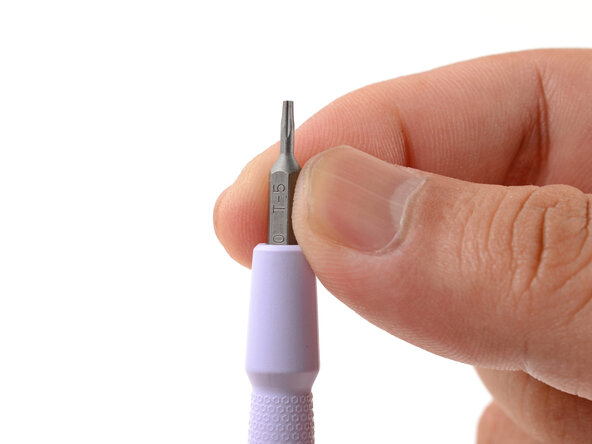
    • Make sure your Framework Screwdriver has the T5 Torx bit (labeled as T-5) facing outwards. If it's not, pull the bit out and flip it.

Finish Line

Arthur Shi

Member since: 01/03/18

326,087 Reputation

810 Guides authored

0 Guide Comments

Add Comment

View Statistics:

Past 24 Hours: 0

Past 7 Days: 0

Past 30 Days: 5

All Time: 62