Free Shipping on Domestic Orders $75+

Framework Laptop 12 Memory Module Removal

Prerequisite Only
This is a prerequisite-only guide! This guide is part of another procedure and isn’t meant to be used alone.

What you need

    1. Framework Laptop 12 Memory Module Removal, Power down your laptop: step 1, image 1 of 3 Framework Laptop 12 Memory Module Removal, Power down your laptop: step 1, image 2 of 3 Framework Laptop 12 Memory Module Removal, Power down your laptop: step 1, image 3 of 3
      • Before you begin repairs, unplug your laptop and shut it down from the operating system. This ensures that the laptop isn't in standby/suspend mode.

      • The indicator LEDs along the edges should be unlit. The laptop should be silent.

      • If you accidentally turn on the laptop during repair, hold the power button down for 10 seconds to shut it down.

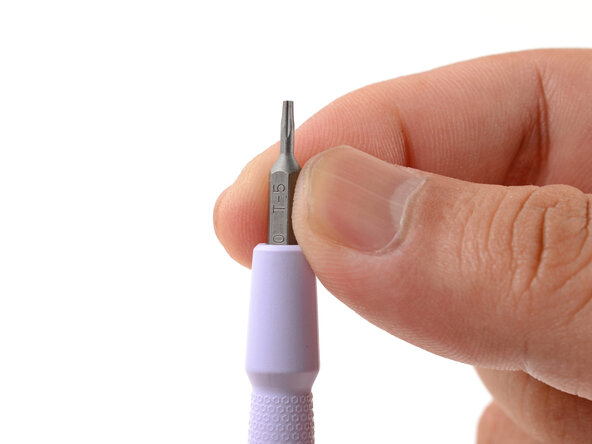
      • Make sure your Framework Screwdriver has the T5 Torx bit (labeled as T-5) facing outwards. If it's not, pull the bit out and flip it.

      Ask FixBot

      Add Comment

    1. Framework Laptop 12 Memory Module Removal, Set your laptop down: step 2, image 1 of 1
      • Set your Framework Laptop face-down on a clean work surface.

      Ask FixBot

      Add Comment

    2. Framework Laptop 12 Memory Module Removal, Loosen the bottom screws: step 3, image 1 of 2 Framework Laptop 12 Memory Module Removal, Loosen the bottom screws: step 3, image 2 of 2
      • Use your Framework Screwdriver to fully loosen the eight captive T5 Torx screws on the bottom of your laptop.

      • Most screws in your Framework Laptop (including these) are captive—they're designed to stay in place after you loosen them.

      Ask FixBot

      Add Comment

    3. Framework Laptop 12 Memory Module Removal, Flip your laptop over: step 4, image 1 of 1
      • Flip your laptop over so it's face-up on your work surface.

      Ask FixBot

      Add Comment

    4. Framework Laptop 12 Memory Module Removal, Open your laptop: step 5, image 1 of 2 Framework Laptop 12 Memory Module Removal, Open your laptop: step 5, image 2 of 2
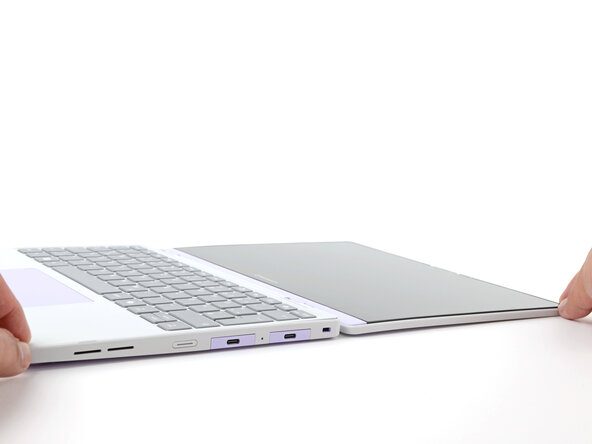
      • Open the laptop lid so that both the screen and the base lie flat on your work surface.

      Ask FixBot

      Add Comment

    5. Framework Laptop 12 Memory Module Removal, Remove the Input Cover: step 6, image 1 of 3 Framework Laptop 12 Memory Module Removal, Remove the Input Cover: step 6, image 2 of 3 Framework Laptop 12 Memory Module Removal, Remove the Input Cover: step 6, image 3 of 3
      • Use your fingers to grip the Input Cover in the hinge cutouts.

      • Lift upwards to swing the Input Cover up from the base of the laptop.

      • Magnets hold the Input Cover down, so you'll feel some resistance. If it feels stuck, check that you've fully loosened all the screws on the bottom of your laptop.

      • Remove the Input Cover.

      Ask FixBot

      Add Comment

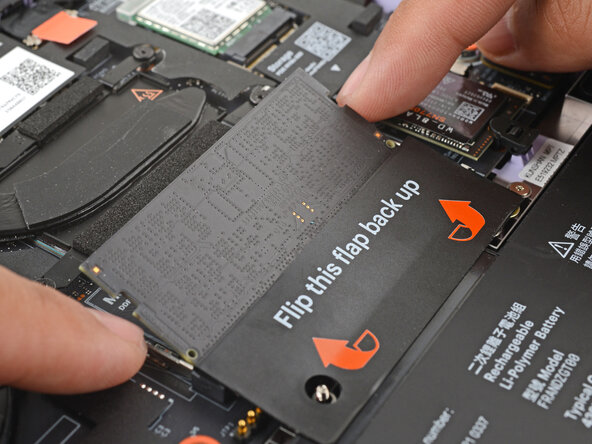
    1. Framework Laptop 12 Memory Module Removal, Open the memory flap: step 7, image 1 of 2 Framework Laptop 12 Memory Module Removal, Open the memory flap: step 7, image 2 of 2
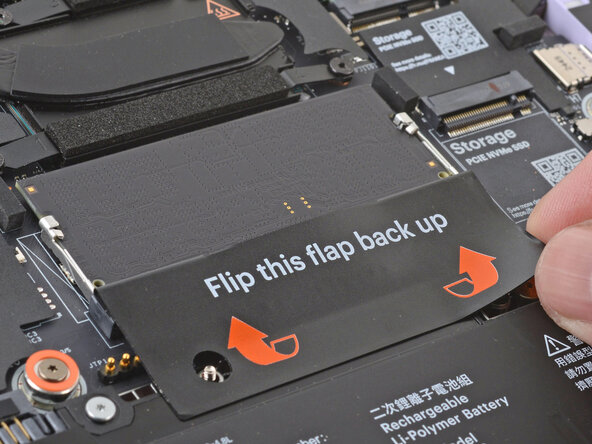
      • Use your fingers to flip open the memory flap.

      Ask FixBot

      Add Comment

    2. Framework Laptop 12 Memory Module Removal, Remove the memory module: step 8, image 1 of 2 Framework Laptop 12 Memory Module Removal, Remove the memory module: step 8, image 2 of 2
      • Use your fingers to spread the clips on both sides of the memory module apart to unclip the memory.

      • The memory module will pop up to an angle when it's unclipped.

      Ask FixBot

      Add Comment

    3. Framework Laptop 12 Memory Module Removal: step 9, image 1 of 2 Framework Laptop 12 Memory Module Removal: step 9, image 2 of 2
      • Use your fingers to grab the memory module by its edges.

      • Slide the memory module out of its socket and remove it.

      Ask FixBot

      Add Comment

Finish Line

Cancel: I did not complete this guide.

Arthur Shi

Member since: 01/03/18

350,744 Reputation

938 Guides authored

0 Guide Comments

Add Comment

View Statistics:

Past 24 Hours: 1

Past 7 Days: 2

Past 30 Days: 8

All Time: 120