Free Shipping on Domestic Orders $75+

Framework Laptop 12 Fan Installation

Prerequisite Only
This is a prerequisite-only guide! This guide is part of another procedure and isn’t meant to be used alone.

What you need

  1. Framework Laptop 12 Fan Installation, Install the fan: step 1, image 1 of 1
    • Lay the fan in the laptop.

  2. Framework Laptop 12 Fan Installation, Tighten the fan screws: step 2, image 1 of 1
    • Use your Framework Screwdriver to tighten the two captive T5 Torx screws to secure the fan.

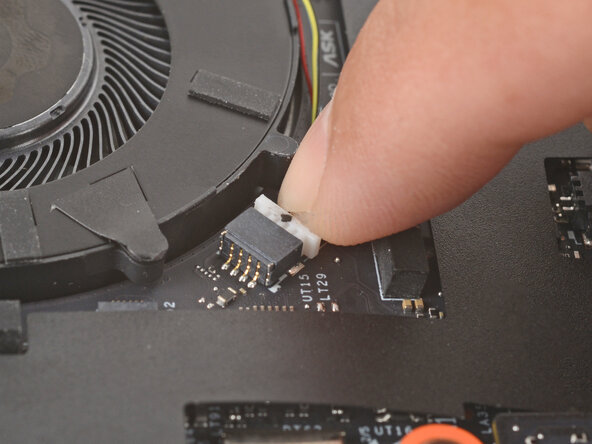
  3. Framework Laptop 12 Fan Installation: step 3, image 1 of 2 Framework Laptop 12 Fan Installation: step 3, image 2 of 2
    • Use your fingers to gently push the fan connector back into its socket.

    • Don't push too hard, or you may break the socket. If you're having trouble, wiggle the connector slightly to help it slide into the socket.

Finish Line

Arthur Shi

Member since: 01/03/18

324,261 Reputation

802 Guides authored

0 Guide Comments

Add Comment

View Statistics:

Past 24 Hours: 0

Past 7 Days: 0

Past 30 Days: 1

All Time: 26