Introduction
Display installation prereq guide
What you need
-
-
-
Inspect the replacement display and carefully peel off any protective liners.
-
Use your Framework Screwdriver to remove the two 3.3 mm‑long T5 Torx screws securing the webcam bracket on the replacement display.
-
Remove the webcam bracket.
-
Remove any protective liners that may be in the webcam recess. The liners are normally clear or colored plastic films that easily detach.
 Ask FixBot
-
-
-
Carefully lay the display screen-side down on top of the Input Cover. The edge with the webcam should lay near the touchpad edge.
-
Use your fingers to slide the display off the Input Cover magnets towards the hinge edge so that the display cable can reach its connector.
-
-
-
Use your fingers to grab the display cable by the clear tab and the locking bar.
-
Align the display cable with its connector and slide it in until it's fully seated.
-
-
-
-
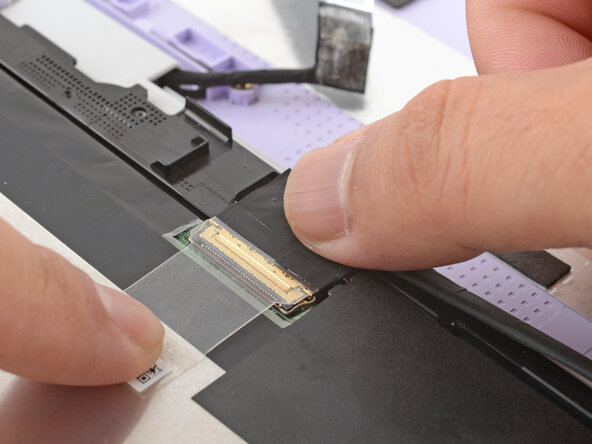
Swing the locking bar down over the connector.
-
Lay the clear tab over the connector and press it onto the display.
-
-
-
Slide the touch control cable into the ZIF connector up to the printed line on the cable.
-
Use your finger to flip down and gently press the locking tab in place.
-
-
-
Use your finger to press the display cable grounding tape onto the metal back of the display.
-
Use your fingers to press the display cable onto the display.
-
-