Free Shipping on Domestic Orders $75+

Framework Laptop 12 Audio Board Installation

Prerequisite Only
This is a prerequisite-only guide! This guide is part of another procedure and isn’t meant to be used alone.

What you need

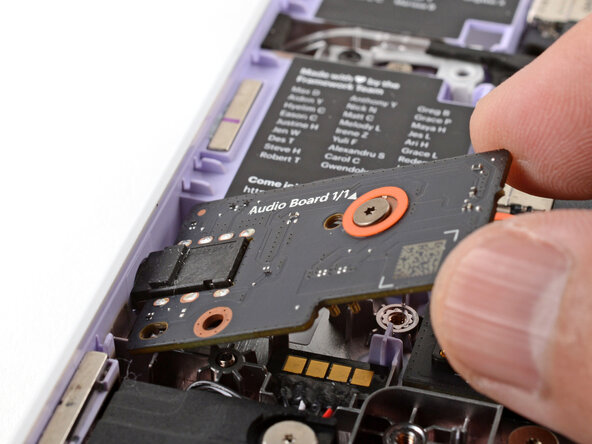
    1. Framework Laptop 12 Audio Board Installation, Install the Audio Board: step 1, image 1 of 3 Framework Laptop 12 Audio Board Installation, Install the Audio Board: step 1, image 2 of 3 Framework Laptop 12 Audio Board Installation, Install the Audio Board: step 1, image 3 of 3
      • Insert the Audio Board into the laptop at an angle to help align the headphone jack.

      • Use the two plastic alignment pins on the laptop to help with final alignment.

      Ask FixBot

      Add Comment

    2. Framework Laptop 12 Audio Board Installation: step 2, image 1 of 1
      • Use your Framework Screwdriver to tighten the captive T5 Torx screw to secure the Audio Board.

      • Tighten the screw until it's snug. Don't over-tighten it, or you may strip the screw.

      Ask FixBot

      Add Comment

Finish Line

Cancel: I did not complete this guide.

Arthur Shi

Member since: 01/03/18

350,803 Reputation

938 Guides authored

0 Guide Comments

Add Comment

View Statistics:

Past 24 Hours: 0

Past 7 Days: 4

Past 30 Days: 15

All Time: 119