
Flydigi Apex 5 Battery Replacement

Benjamin Tapp and 4 other contributors
Last updated on May 28, 2026
Views: 728
View statistics:
- Past 24 Hours:
- 8
- Past 7 Days:
- 53
- Past 30 Days:
- 200
- All Time:
- 728
Comments: 0
No one has left comments on this guide. Will you be first?
Go to guide commentsCompleted: 1 2
1 person has marked this guide "completed." Will you be next?
2 people have marked this guide "completed." Including you — great job!
Favorites: 0 1
No one has favorited (and subscribed to) this guide. Will you be the first?
1 person has favorited (and subscribed to) this guide — and that's you!
Featured Student Guide
This guide has been the hard work of our awesome students and is found to be exceptionally cool by the iFixit staff.
Introduction
Go to step 1 ↓If your Flydigi Apex 5 controller fails to turn on or loses power sooner than expected, the cause may be a failing battery. Batteries fail overtime as they are repeatedly charged and discharged from use. Follow this guide to replace the battery.
Before starting, consult the Flydigi Apex 5 Not Charging troubleshooting page to confirm that the battery is your controller's issue.
Warning: Lithium-Ion batteries can be a fire hazard. If the controller battery appears swollen, follow iFixit's guide on What to do with a swollen battery.
What you need
Tools
-
Spudger4.9
-
-
-
-
Precision Dispensing BottlesOptional


-
-
-
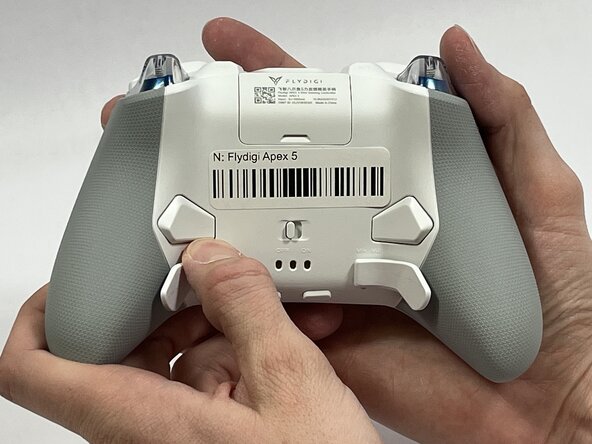
Orient the controller so that its back is facing you.
-
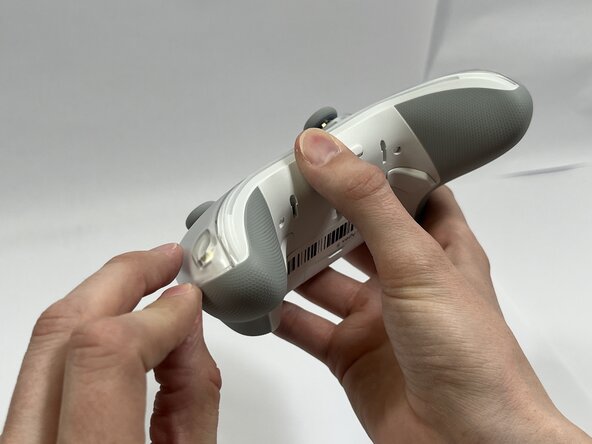
Apply firm downward pressure to remove both the M3 and M4 back paddles.
 Ask FixBot
-
-
-
Turn the controller over so its front faces you.
-
Remove the D-pad by firmly pulling it away from the body of the controller.
-
-
-
Remove the clear, magnetically-adhered faceplate of the controller by firmly pulling it away from the body of the controller starting from the edge of the faceplate.
-
-
-
-
Remove the small cover from the rear of the controller by pushing it upward.
-
Remove the two 5.8mm screws behind the battery cover using a Phillips #0 screwdriver.
-
-
-
Turn the controller over so its front faces you.
-
Remove the six 10mm long screws from the front of the controller using a Torx T6 screwdriver.
-
-
-
Insert the plastic opening tool between the top and bottom plastic controller molds, then pry until the two pieces separate.
-
-
-
Carefully remove the back paddle ribbon cable with the angled tweezers or spudger.
-
-
-
Press a prong of each side of the angled tweezers under the lip of the power supply cable connector and pull the plastic connector out of its terminal.
-
Pull the power supply cable through the plastic cable guides.
-
-




To reassemble your device, follow these instructions in reverse order.
Cancel: I did not complete this guide.
One other person completed this guide.

Team

Idaho State University, Team 1-3, Watkins Spring 2026 Member of Idaho State University, Team 1-3, Watkins Spring 2026
ISU-WATKINS-S26S1G3
4 Members
60 Guides authored
