Introduction
When the CPU fan is no longer working, a computer is in danger of overheating. This can cause serious permanent damage to the motherboard among other internal issues. This guide will demonstrate the process of removing and replacing a CPU fan.
What you need
-
-
-
Use a Phillips #1 screwdriver to remove the eight screws securing the bottom case.
 Ask FixBot
-
-
-
Insert a plastic opening tool into the space between the bottom and top case beginning near the hinge.
-
Slide the opening tool around the perimeter to release the clips that attach the bottom case to the device.
-
Remove the bottom casing from the laptop.
-
-
-
-
Lift straight up with the built-in pull-tab to disconnect the battery connector from the socket on the motherboard.
-
-
-
Use the point of a spudger to push on alternating sides of the fan connector to "walk" it out of its socket.
-
-


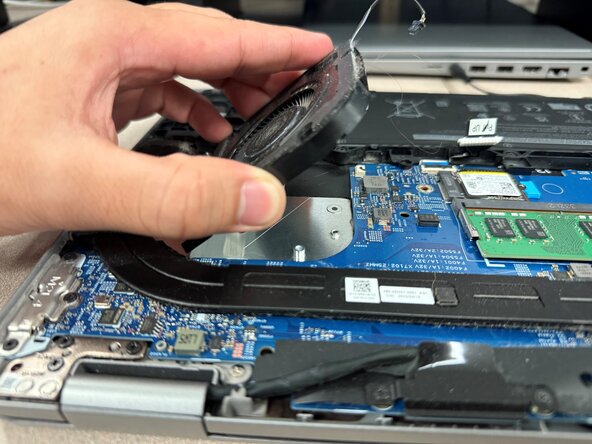
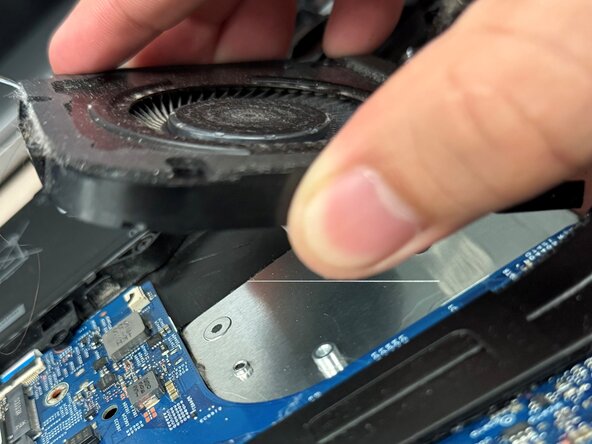


To reassemble your device, follow these instructions in reverse order. Apply new adhesive where necessary after cleaning the relevant areas with isopropyl alcohol (>90%). Take your e-waste to an R2 or e-Stewards certified recycler.

Team

Austin Community College, Team 59-6, Kapoor Fall 2025 Member of Austin Community College, Team 59-6, Kapoor Fall 2025
AUSTINCC-KAPOOR-F25S59G6
1 Member
24 Guides authored
