DJI Phantom 2 Vision DJI Phantom 2 Vision Motor Replacement Replacement

What you need

  1. DJI Phantom 2 Vision DJI Phantom 2 Vision Motor Replacement Replacement, Battery: step 1, image 1 of 1
    • The battery is located on the backside of the drone. You will see a large rectangular indent protruding outward.

    • The "battery" shown in the image is for illustrative purposes only. Since the original battery was missing, we constructed this one to demonstrate the repair process. The actual battery will not stick out this much.

  2. DJI Phantom 2 Vision DJI Phantom 2 Vision Motor Replacement Replacement: step 2, image 1 of 2 DJI Phantom 2 Vision DJI Phantom 2 Vision Motor Replacement Replacement: step 2, image 2 of 2
    • Remove the battery from the compartment by pinching the top and bottom pressure points near the center and pulling the battery towards you.

  3. DJI Phantom 2 Vision DJI Phantom 2 Vision Motor Replacement Replacement: step 3, image 1 of 1
    • Clean the battery compartment using cotton swabs and isopropyl alcohol or pressurized air to remove any debris or dust inside.

    • Repeat these steps after every battery replacement to prevent damage to the drone’s internal components.

  4. DJI Phantom 2 Vision DJI Phantom 2 Vision Motor Replacement Replacement, DJI Phantom 2 Vision Motor Replacement: step 4, image 1 of 1
  5. DJI Phantom 2 Vision DJI Phantom 2 Vision Motor Replacement Replacement: step 5, image 1 of 3 DJI Phantom 2 Vision DJI Phantom 2 Vision Motor Replacement Replacement: step 5, image 2 of 3 DJI Phantom 2 Vision DJI Phantom 2 Vision Motor Replacement Replacement: step 5, image 3 of 3
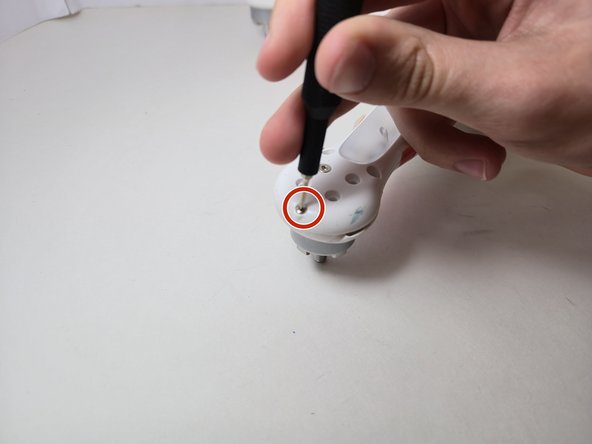
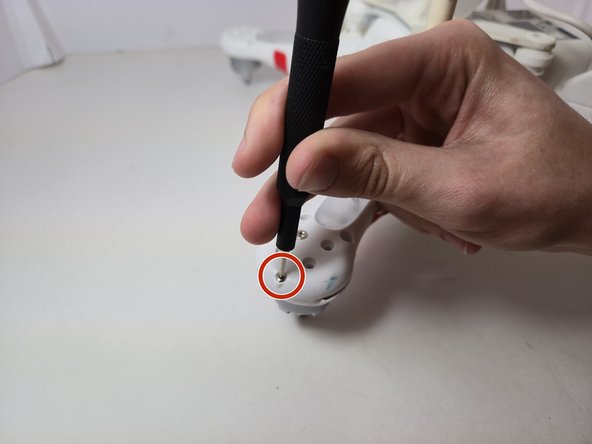
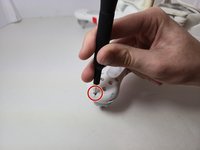
    • Remove the 4 hex screws(9mm) using a #2 Allen head bit, under the motor on each arm of the drone, then the 2 hex screws (6mm) next to those previous 4.

    • Remove the final hex screw(9mm) using #2 located next to the landing gear legs, then use a screwdriver to remove the 1 Philips head screw(9mm) on each arm using a 00 Philips Bit head.

    • The total number of screws should be 28

  6. DJI Phantom 2 Vision DJI Phantom 2 Vision Motor Replacement Replacement: step 6, image 1 of 2 DJI Phantom 2 Vision DJI Phantom 2 Vision Motor Replacement Replacement: step 6, image 2 of 2
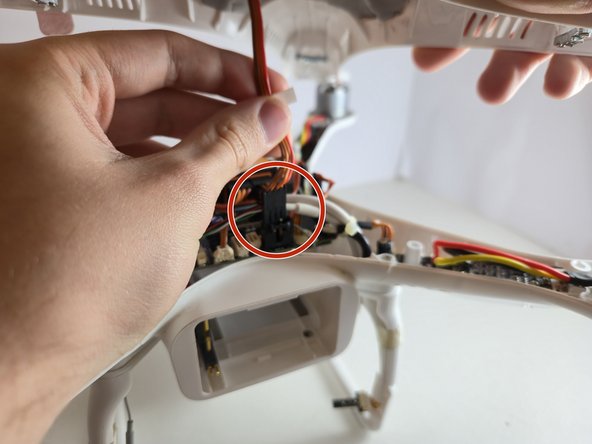
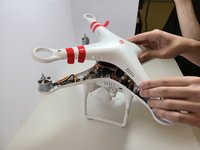
    • Remove the top cover of the Phantom Vision drone.

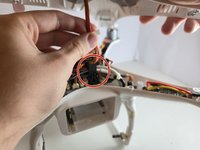
    • Disconnect the GPS wire from the motherboard. It should easily disconnect with little force.

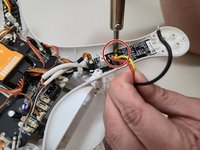
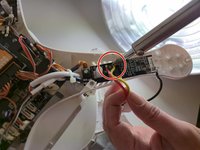
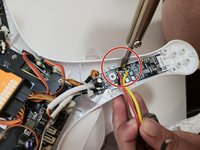
  7. DJI Phantom 2 Vision DJI Phantom 2 Vision Motor Replacement Replacement: step 7, image 1 of 3 DJI Phantom 2 Vision DJI Phantom 2 Vision Motor Replacement Replacement: step 7, image 2 of 3 DJI Phantom 2 Vision DJI Phantom 2 Vision Motor Replacement Replacement: step 7, image 3 of 3
    • Use a soldering iron to remove the solder wire from the old motor off of the board.

    • Be careful not to melt the the shell of the device by pulling away when soldering.

Conclusion

To reassemble your device, follow these instructions in reverse order.

David Rios

Member since: 09/15/24

310 Reputation

1 Guide authored

0 Guide Comments

Add Comment

View Statistics:

Past 24 Hours: 1

Past 7 Days: 2

Past 30 Days: 10

All Time: 141