Free Shipping on Domestic Orders $75+

This guide has more recent changes. Switch to the latest unverified version.

PlayStation 5 Fan Replacement

Views: 372K

View statistics:

Past 24 Hours:
210
Past 7 Days:
1,332
Past 30 Days:
6,176
All Time:
372,363
Comments: 47

35 comments on steps, 12 guide comments.

Go to guide comments
Completed: 58

58 people have marked this guide "completed." Will you be next?

Favorites: 8

8 people have favorited (and subscribed to) this guide. Will you be next?

Time Required: 10 - 30 minutes
Difficulty: Moderate
Featured Guide

This guide has been found to be exceptionally cool by the iFixit staff.

PlayStation 5 Fan Replacement

Introduction

Go to step 1 ↓

Follow this guide to replace a faulty cooling fan in a PlayStation 5. You can also follow this guide to remove a dusty or dirty fan to clean it out.

Before you begin, completely power down and unplug all cables from your console. Remember to follow general electrostatic discharge (ESD) safety procedures while repairing the console.

What you need

Fix Kit

This kit contains all the parts and tools needed to complete this guide.

Parts

  • PlayStation 5 Fan
    4.8

Tools

Video Overview

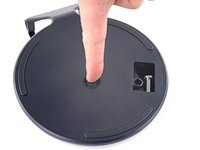
    1. PlayStation 5 Fan Replacement, Remove the stand screw: step 1, image 1 of 1
      • If your PlayStation 5 is in its vertical orientation, flip it upside down so the stand is facing up.

      • If your PlayStation 5 is in its horizontal orientation, skip to Step 6.

      • Work on a flat surface to prevent your PlayStation from falling over.

      • Use a coin or a flathead screwdriver to remove the 26.5 mm-long stand screw.

      Ask FixBot

      Add Comment

    2. PlayStation 5 Fan Replacement, Remove the vertical stand: step 2, image 1 of 2 PlayStation 5 Fan Replacement, Remove the vertical stand: step 2, image 2 of 2
      • Lift straight up to remove the stand.

      Ask FixBot

      Add Comment

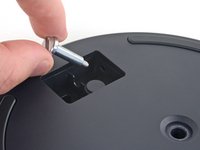
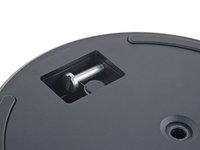
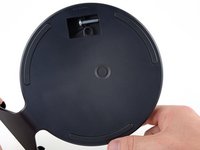
    3. PlayStation 5 Fan Replacement, Store the stand screw: step 3, image 1 of 2 PlayStation 5 Fan Replacement, Store the stand screw: step 3, image 2 of 2
      • Insert the screw into the cubby on the bottom of the stand.

      Ask FixBot

      Add Comment

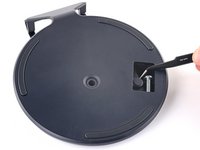
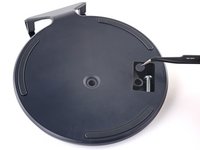
    4. PlayStation 5 Fan Replacement, Cap the screw hole: step 4, image 1 of 3 PlayStation 5 Fan Replacement, Cap the screw hole: step 4, image 2 of 3 PlayStation 5 Fan Replacement, Cap the screw hole: step 4, image 3 of 3
      Tool used on this step:
      Tweezers
      $4.99
      Buy
      • Use a pair of tweezers or your fingernail to remove the cap from the cubby.

      • Use your finger to press the cap into the screw hole.

      Ask FixBot

      Add Comment

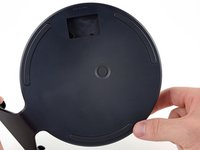
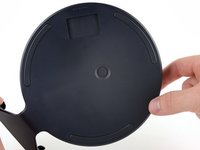
    5. PlayStation 5 Fan Replacement, Close the cubby: step 5, image 1 of 3 PlayStation 5 Fan Replacement, Close the cubby: step 5, image 2 of 3 PlayStation 5 Fan Replacement, Close the cubby: step 5, image 3 of 3
      • Twist the stand counterclockwise to close the cubby.

      Ask FixBot

      Add Comment

    6. PlayStation 5 Fan Replacement, Remove the horizontal stand: step 6, image 1 of 2 PlayStation 5 Fan Replacement, Remove the horizontal stand: step 6, image 2 of 2
      • If your PlayStation 5 is in its horizontal orientation, rest it on its face with the charging port facing up.

      • Lift the stand straight up to remove it.

      Ask FixBot

      Add Comment

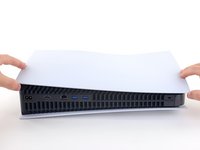
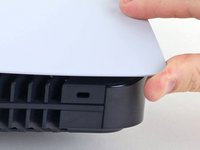
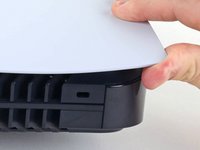
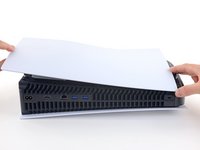
    1. PlayStation 5 Fan Replacement, Remove the right faceplate: step 7, image 1 of 3 PlayStation 5 Fan Replacement, Remove the right faceplate: step 7, image 2 of 3 PlayStation 5 Fan Replacement, Remove the right faceplate: step 7, image 3 of 3
      • Flip the device over so that the USB and ethernet ports are on the left side from your perspective.

      • Lift up the corner of the faceplate to unclip it from the case.

      Ask FixBot

      Add Comment

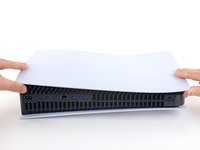
    2. PlayStation 5 Fan Replacement: step 8, image 1 of 2 PlayStation 5 Fan Replacement: step 8, image 2 of 2
      • While lifting up the corner, slide the faceplate towards the bottom of the device.

      • Remove the right faceplate.

      Ask FixBot

      Add Comment

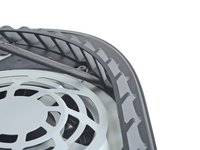
    3. PlayStation 5 Fan Replacement, Pry up the grille: step 9, image 1 of 3 PlayStation 5 Fan Replacement, Pry up the grille: step 9, image 2 of 3 PlayStation 5 Fan Replacement, Pry up the grille: step 9, image 3 of 3
      • Insert the flat end of a spudger underneath the grille and into the gap above the fan.

      • Lift up with the spudger to pry the grille away from the case.

      Ask FixBot

      Add Comment

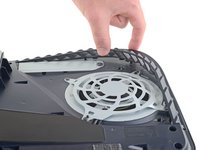
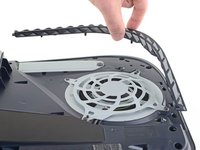
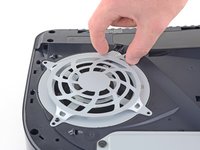
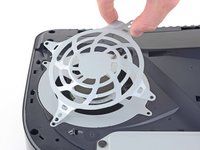
    4. PlayStation 5 Fan Replacement, Remove the grille: step 10, image 1 of 2 PlayStation 5 Fan Replacement, Remove the grille: step 10, image 2 of 2
      • Lift the grille away from the case to remove it.

      Ask FixBot

      Add Comment

    5. PlayStation 5 Fan Replacement, Remove the fan shroud screws: step 11, image 1 of 1
      Tool used on this step:
      Magnetic Project Mat
      $19.95
      Buy
      • Use a TR9 Torx Security driver to remove the four screws securing the fan shroud to the case:

      • Two 23.3 mm-long screws

      • One 11.4 mm-long screw

      • One 31 mm-long screw

      • Throughout this repair, keep track of each screw and make sure it goes back exactly where it came from to avoid damaging your console.

      Ask FixBot

      Add Comment

    6. PlayStation 5 Fan Replacement, Remove the fan shroud: step 12, image 1 of 2 PlayStation 5 Fan Replacement, Remove the fan shroud: step 12, image 2 of 2
      • Lift the fan shroud straight up to remove it.

      Ask FixBot

      Add Comment

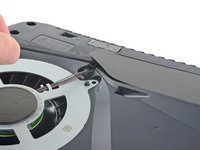
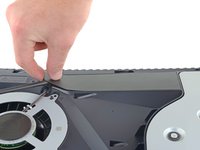
    7. PlayStation 5 Fan Replacement, Remove the wire cover: step 13, image 1 of 3 PlayStation 5 Fan Replacement, Remove the wire cover: step 13, image 2 of 3 PlayStation 5 Fan Replacement, Remove the wire cover: step 13, image 3 of 3
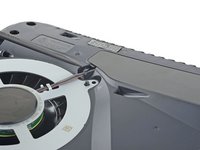
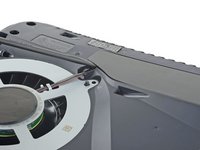
      • Insert the flat end of a spudger beneath the black wire cover and into the gap above the fan wires.

      • Pry only on the wire cover, not on the fan wires themselves.

      • Use the spudger to peel up the wire cover until you can grip it with your fingers.

      Ask FixBot

      Add Comment

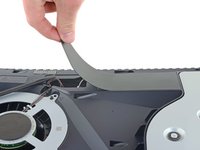
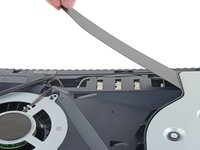
    8. PlayStation 5 Fan Replacement: step 14, image 1 of 3 PlayStation 5 Fan Replacement: step 14, image 2 of 3 PlayStation 5 Fan Replacement: step 14, image 3 of 3
      • Use your fingers to peel off the wire cover.

      Ask FixBot

      Add Comment

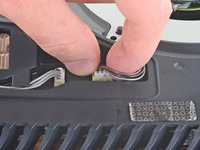
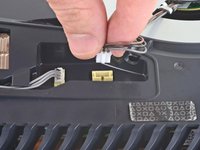
    9. PlayStation 5 Fan Replacement, Disconnect the fan: step 15, image 1 of 2 PlayStation 5 Fan Replacement, Disconnect the fan: step 15, image 2 of 2
      • Use your fingers to grip the edges of the fan cable connector, and pull up to disconnect it from the motherboard.

      • Always pull cables by their connectors and not the wires themselves.

      Ask FixBot

      Add Comment

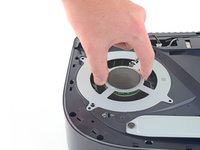
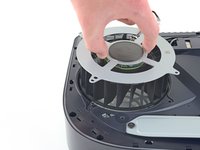
    10. PlayStation 5 Fan Replacement, Remove the fan: step 16, image 1 of 3 PlayStation 5 Fan Replacement, Remove the fan: step 16, image 2 of 3 PlayStation 5 Fan Replacement, Remove the fan: step 16, image 3 of 3
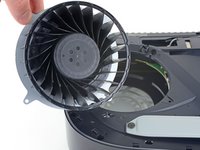
      • Lift the fan up and out of the case to remove it.

      Ask FixBot

      Add Comment

Conclusion

To reassemble your device, follow these instructions in reverse order.

Take your e-waste to an R2 or e-Stewards certified recycler.
Repair didn’t go as planned? Try some basic troubleshooting, or ask our PlayStation 5 Answers community for help.

Cancel: I did not complete this guide.

58 other people completed this guide.

Robert Boyd

Member since: 02/01/21

33,819 Reputation

94 Guides authored

12 Guide Comments

Hello, I followed tronix fixs and he used pliers then I used it as well and the yellow part came off and the fan lines broke I don't know what to do since I have been saving up since it came out

Emran - Reply Share

Can I put a 23 blade fan in a system that came with the 1.9a 17 blade fan?

wgeclipse - Reply Share
Did you find out?

Popes - Reply Share

I just did exactly that for a customer (technically it was a 23 blade 2.15A fan) it works great, the fan connector leads are just barely long enough to fit in the channel in a CFI-1215A model though, so careful not to tug too hard after plugging the fan connector and seating the fan in place.

just chris... - Reply Share

Would a fan going bad prevent the PS 5 from turning on?

Frank Garcia - Reply Share

Add Comment

View Statistics:

Past 24 Hours: 210

Past 7 Days: 1,332

Past 30 Days: 6,176

All Time: 372,363