Azpen A1050 Back Cover Replacement

What you need

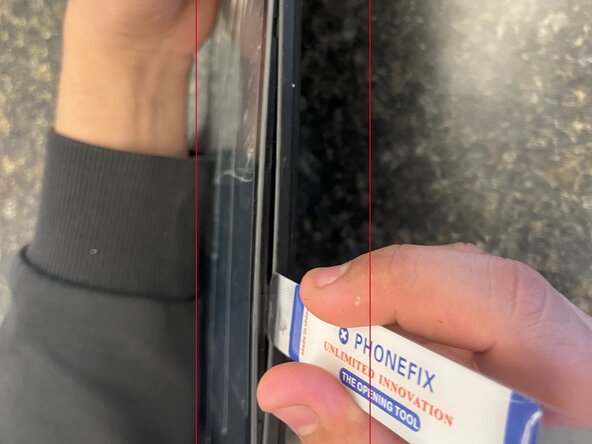
  1. Azpen A1050 Back Cover Replacement, Back Cover: step 1, image 1 of 2 Azpen A1050 Back Cover Replacement, Back Cover: step 1, image 2 of 2
    • Power off the tablet by holding the side button for five seconds.

    • Insert an opening tool into one of the sides and lift until the screen comes off.

    • This tablet is secured by clips on the sides; no adhesive is used.

Conclusion

To reassemble your device, follow these instructions in reverse order.

Kristen Gismondi

Member since: 11/12/14

101,221 Reputation

262 Guides authored

0 Guide Comments

Add Comment

View Statistics:

Past 24 Hours: 1

Past 7 Days: 5

Past 30 Days: 7

All Time: 71