Free Shipping on Domestic Orders $75+

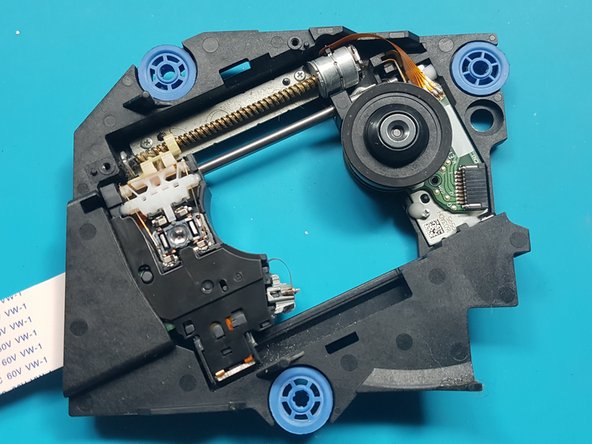
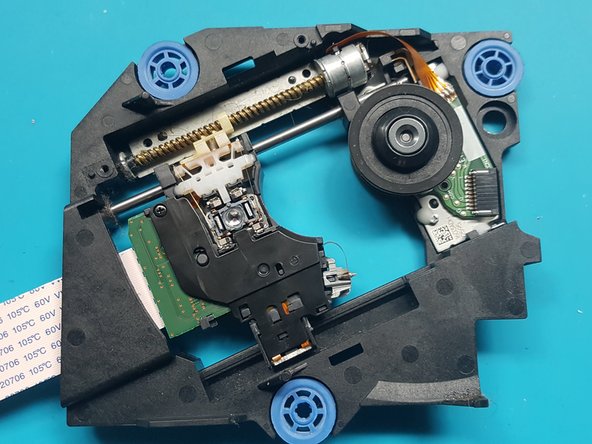
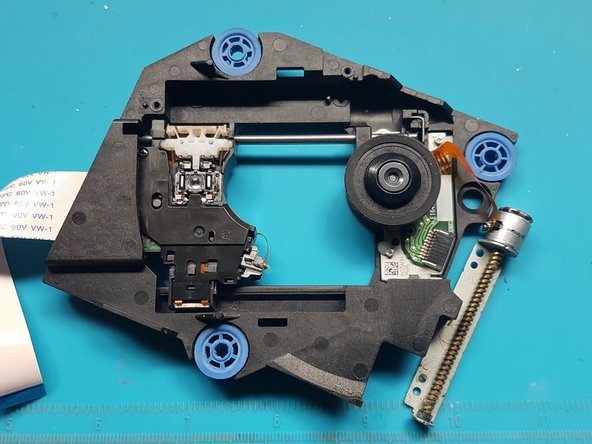
PlayStation 5 Optical Drive Laser Replacement

What you need

  1. PlayStation 5 Optical Drive Laser Replacement, Remove the stand screw: step 1, image 1 of 1
    • If your PlayStation 5 is in its vertical orientation, flip it upside down so the stand is facing up.

    • If your PlayStation 5 is in its horizontal orientation, skip to Step 6.

    • Work on a flat surface to prevent your PlayStation from falling over.

    • Use a coin or a flathead screwdriver to remove the 26.5 mm-long stand screw.

    Ask FixBot

    Add Comment

  2. PlayStation 5 Optical Drive Laser Replacement, Remove the vertical stand: step 2, image 1 of 2 PlayStation 5 Optical Drive Laser Replacement, Remove the vertical stand: step 2, image 2 of 2
    • Lift straight up to remove the stand.

    Ask FixBot

    Add Comment

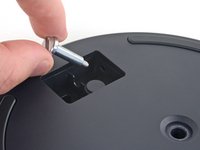
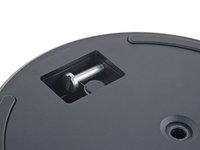
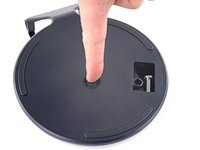
  3. PlayStation 5 Optical Drive Laser Replacement, Store the stand screw: step 3, image 1 of 2 PlayStation 5 Optical Drive Laser Replacement, Store the stand screw: step 3, image 2 of 2
    • Insert the screw into the cubby on the bottom of the stand.

    Ask FixBot

    Add Comment

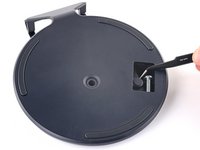
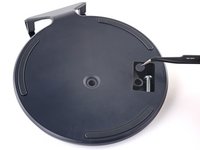
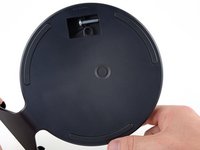
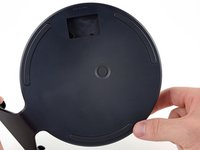
  4. PlayStation 5 Optical Drive Laser Replacement, Cap the screw hole: step 4, image 1 of 3 PlayStation 5 Optical Drive Laser Replacement, Cap the screw hole: step 4, image 2 of 3 PlayStation 5 Optical Drive Laser Replacement, Cap the screw hole: step 4, image 3 of 3
    Tool used on this step:
    Tweezers
    $4.99
    Buy
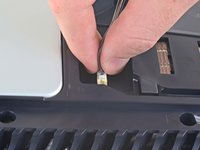
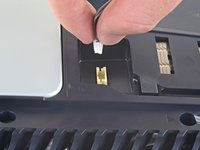
    • Use a pair of tweezers or your fingernail to remove the cap from the cubby.

    • Use your finger to press the cap into the screw hole.

    Ask FixBot

    Add Comment

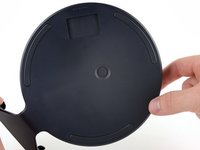
  5. PlayStation 5 Optical Drive Laser Replacement, Close the cubby: step 5, image 1 of 3 PlayStation 5 Optical Drive Laser Replacement, Close the cubby: step 5, image 2 of 3 PlayStation 5 Optical Drive Laser Replacement, Close the cubby: step 5, image 3 of 3
    • Twist the stand counterclockwise to close the cubby.

    Ask FixBot

    Add Comment

  6. PlayStation 5 Optical Drive Laser Replacement, Remove the horizontal stand: step 6, image 1 of 2 PlayStation 5 Optical Drive Laser Replacement, Remove the horizontal stand: step 6, image 2 of 2
    • If your PlayStation 5 is in its horizontal orientation, rest it on its face with the charging port facing up.

    • Lift the stand straight up to remove it.

    Ask FixBot

    Add Comment

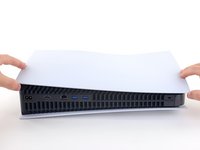
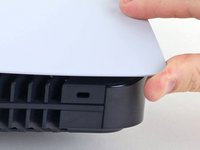
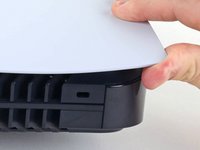
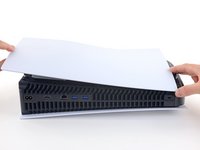
  7. PlayStation 5 Optical Drive Laser Replacement, Remove the right faceplate: step 7, image 1 of 3 PlayStation 5 Optical Drive Laser Replacement, Remove the right faceplate: step 7, image 2 of 3 PlayStation 5 Optical Drive Laser Replacement, Remove the right faceplate: step 7, image 3 of 3
    • Flip the device over so that the USB and ethernet ports are on the left side from your perspective.

    • Lift up the corner of the faceplate to unclip it from the case.

    Ask FixBot

    Add Comment

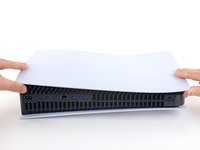
  8. PlayStation 5 Optical Drive Laser Replacement: step 8, image 1 of 2 PlayStation 5 Optical Drive Laser Replacement: step 8, image 2 of 2
    • While lifting up the corner, slide the faceplate towards the bottom of the device.

    • Remove the right faceplate.

    Ask FixBot

    Add Comment

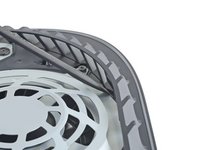
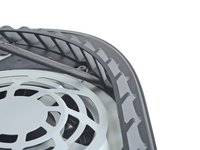
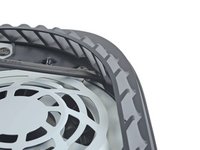
  9. PlayStation 5 Optical Drive Laser Replacement, Pry up the grille: step 9, image 1 of 3 PlayStation 5 Optical Drive Laser Replacement, Pry up the grille: step 9, image 2 of 3 PlayStation 5 Optical Drive Laser Replacement, Pry up the grille: step 9, image 3 of 3
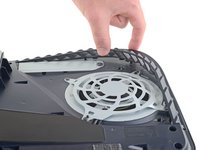
    • Insert the flat end of a spudger underneath the grille and into the gap above the fan.

    • Lift up with the spudger to pry the grille away from the case.

    Ask FixBot

    Add Comment

  10. PlayStation 5 Optical Drive Laser Replacement, Remove the grille: step 10, image 1 of 2 PlayStation 5 Optical Drive Laser Replacement, Remove the grille: step 10, image 2 of 2
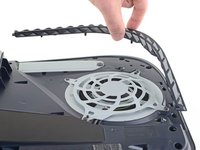
    • Lift the grille away from the case to remove it.

    Ask FixBot

    Add Comment

  11. PlayStation 5 Optical Drive Laser Replacement, Remove the fan shroud screws: step 11, image 1 of 1
    Tool used on this step:
    Magnetic Project Mat
    $19.95
    Buy
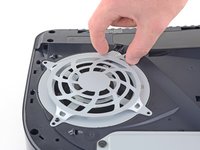
    • Use a TR9 Torx Security driver to remove the four screws securing the fan shroud to the case:

    • Two 23.3 mm-long screws

    • One 11.4 mm-long screw

    • One 31 mm-long screw

    • Throughout this repair, keep track of each screw and make sure it goes back exactly where it came from to avoid damaging your console.

    Ask FixBot

    Add Comment

  12. PlayStation 5 Optical Drive Laser Replacement, Remove the fan shroud: step 12, image 1 of 2 PlayStation 5 Optical Drive Laser Replacement, Remove the fan shroud: step 12, image 2 of 2
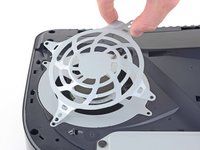
    • Lift the fan shroud straight up to remove it.

    Ask FixBot

    Add Comment

  13. PlayStation 5 Optical Drive Laser Replacement, Remove the wire cover: step 13, image 1 of 3 PlayStation 5 Optical Drive Laser Replacement, Remove the wire cover: step 13, image 2 of 3 PlayStation 5 Optical Drive Laser Replacement, Remove the wire cover: step 13, image 3 of 3
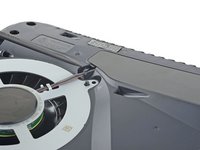
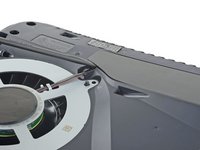
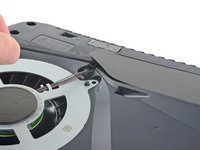
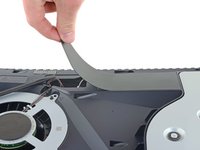
    • Insert the flat end of a spudger beneath the black wire cover and into the gap above the fan wires.

    • Pry only on the wire cover, not on the fan wires themselves.

    • Use the spudger to peel up the wire cover until you can grip it with your fingers.

    Ask FixBot

    Add Comment

  14. PlayStation 5 Optical Drive Laser Replacement: step 14, image 1 of 3 PlayStation 5 Optical Drive Laser Replacement: step 14, image 2 of 3 PlayStation 5 Optical Drive Laser Replacement: step 14, image 3 of 3
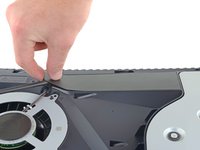
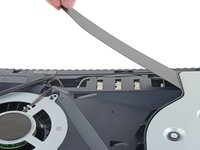
    • Use your fingers to peel off the wire cover.

    Ask FixBot

    Add Comment

  15. PlayStation 5 Optical Drive Laser Replacement, Disconnect the fan: step 15, image 1 of 2 PlayStation 5 Optical Drive Laser Replacement, Disconnect the fan: step 15, image 2 of 2
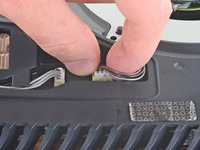
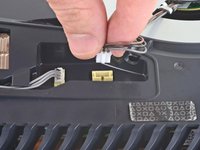
    • Use your fingers to grip the edges of the fan cable connector, and pull up to disconnect it from the motherboard.

    • Always pull cables by their connectors and not the wires themselves.

    Ask FixBot

    Add Comment

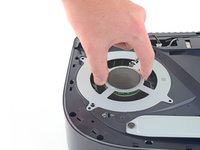
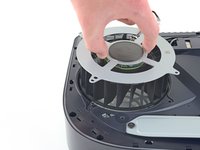
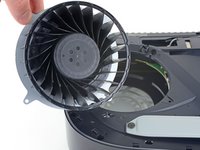
  16. PlayStation 5 Optical Drive Laser Replacement, Remove the fan: step 16, image 1 of 3 PlayStation 5 Optical Drive Laser Replacement, Remove the fan: step 16, image 2 of 3 PlayStation 5 Optical Drive Laser Replacement, Remove the fan: step 16, image 3 of 3
    • Lift the fan up and out of the case to remove it.

    Ask FixBot

    Add Comment

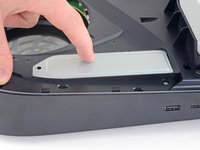
  17. PlayStation 5 Optical Drive Laser Replacement, Remove the SSD cover: step 17, image 1 of 1
    • Use a Phillips screwdriver to remove the 17 mm-long SSD cover screw.

    Ask FixBot

    Add Comment

  18. PlayStation 5 Optical Drive Laser Replacement: step 18, image 1 of 3 PlayStation 5 Optical Drive Laser Replacement: step 18, image 2 of 3 PlayStation 5 Optical Drive Laser Replacement: step 18, image 3 of 3
    • Use your finger to slide the SSD cover towards the top of the device to unclip it from the case.

    • Remove the SSD cover.

    Ask FixBot

    Add Comment

  19. PlayStation 5 Optical Drive Laser Replacement, Remove the optical drive wire: step 19, image 1 of 2 PlayStation 5 Optical Drive Laser Replacement, Remove the optical drive wire: step 19, image 2 of 2
    • Use your fingers to grip the edges of the optical drive cable connector, and pull up to disconnect it from the motherboard.

    • Always pull cables by their connectors and not the wires themselves.

    Ask FixBot

    Add Comment

  20. PlayStation 5 Optical Drive Laser Replacement: step 20, image 1 of 2 PlayStation 5 Optical Drive Laser Replacement: step 20, image 2 of 2
    • Use your fingers to grip the edges of the optical drive cable connector, and pull up to disconnect it from the optical drive.

    Ask FixBot

    Add Comment

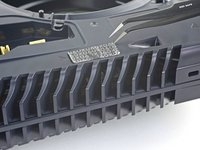
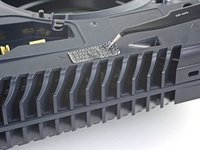
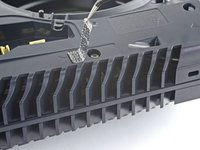
  21. PlayStation 5 Optical Drive Laser Replacement, Remove the tamper-evident sticker: step 21, image 1 of 3 PlayStation 5 Optical Drive Laser Replacement, Remove the tamper-evident sticker: step 21, image 2 of 3 PlayStation 5 Optical Drive Laser Replacement, Remove the tamper-evident sticker: step 21, image 3 of 3
    Tool used on this step:
    Tweezers
    $4.99
    Buy
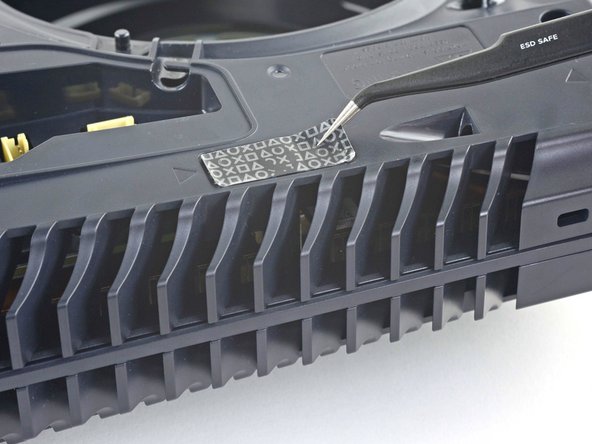
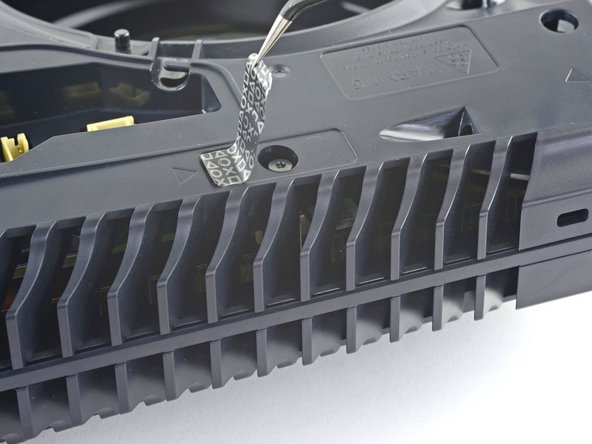
    • Use a pair of tweezers to remove the tamper-evident sticker covering the remaining case screw.

    • If your PlayStation 5 hasn't been opened before, this sticker will be completely black. The pattern will appear after you remove it.

    • Technically, these are tamper-evident stickers—but don't worry—Sony can't legally void your warranty, as long as you don't damage anything. Have fun!

    Ask FixBot

    Add Comment

  22. PlayStation 5 Optical Drive Laser Replacement, Remove the case screws: step 22, image 1 of 1
    • Use a TR8 Torx Security driver to remove the eleven screws securing the case:

    • Six 18.6 mm-long screws

    • Two 23.3 mm-long screws

    • Two 43.2 mm-long screws

    • One 7.3 mm-long screw

    Ask FixBot

    Add Comment

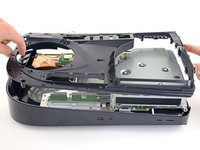
  23. PlayStation 5 Optical Drive Laser Replacement, Remove the case: step 23, image 1 of 2 PlayStation 5 Optical Drive Laser Replacement, Remove the case: step 23, image 2 of 2
    • Lift the case straight up to remove it.

    Ask FixBot

    Add Comment

  24. PlayStation 5 Optical Drive Laser Replacement, Remove the optical drive ribbon cable: step 24, image 1 of 3 PlayStation 5 Optical Drive Laser Replacement, Remove the optical drive ribbon cable: step 24, image 2 of 3 PlayStation 5 Optical Drive Laser Replacement, Remove the optical drive ribbon cable: step 24, image 3 of 3
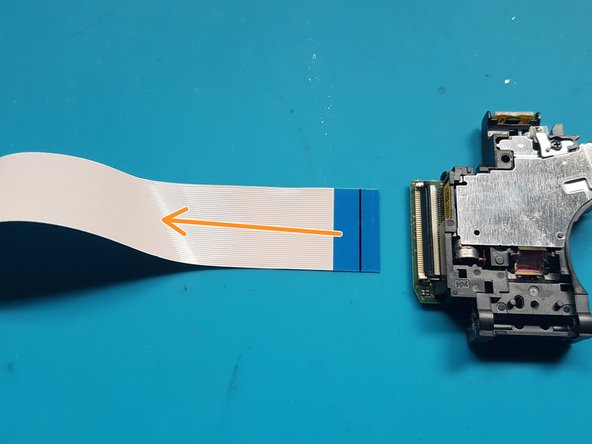
    • Use the flat end of a spudger to press down on the optical drive connector's metal locking tab.

    • With the metal tab depressed, use a pair of tweezers to pull the blue pull tab directly away from the connector to disconnect the cable from the optical drive.

    • Pull only on the pull tab, not the cable itself.

    Ask FixBot

    Add Comment

  25. PlayStation 5 Optical Drive Laser Replacement, Remove the optical drive: step 25, image 1 of 2 PlayStation 5 Optical Drive Laser Replacement, Remove the optical drive: step 25, image 2 of 2
    • Lift the optical drive away from the device to remove it.

    Ask FixBot

    Add Comment

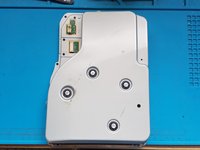
  26. PlayStation 5 Optical Drive Laser Replacement, Remove screws from top cover: step 26, image 1 of 1
    • silver screws: 4x M1.6 X 3.7mm, with 6.5mm head.

    • black screws: 9x M1.6 x 3.8mm.

    • Remove screws with Phillips #1 screwdriver.

    Ask FixBot

    Add Comment

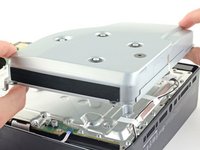
  27. PlayStation 5 Optical Drive Laser Replacement, Remove top cover: step 27, image 1 of 2 PlayStation 5 Optical Drive Laser Replacement, Remove top cover: step 27, image 2 of 2
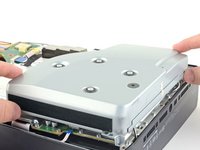
    • Lift off the top cover.

    Ask FixBot

    Add Comment

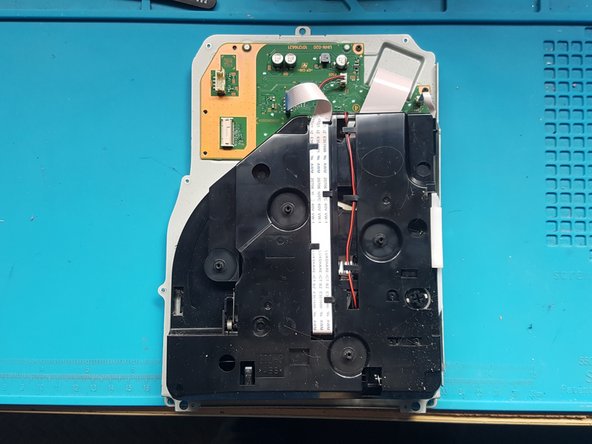
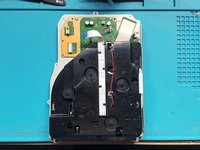
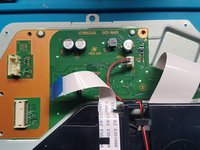
  28. PlayStation 5 Optical Drive Laser Replacement, disconnect FFC cables and 2 wire lead: step 28, image 1 of 3 PlayStation 5 Optical Drive Laser Replacement, disconnect FFC cables and 2 wire lead: step 28, image 2 of 3 PlayStation 5 Optical Drive Laser Replacement, disconnect FFC cables and 2 wire lead: step 28, image 3 of 3
    Tool used on this step:
    Tweezers
    $4.99
    Buy
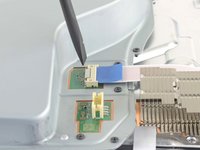
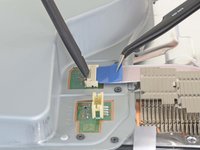
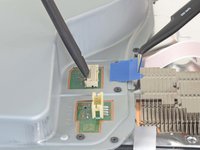
    • Gently pull the medium and narrow FFC flexes and the 2-wire lead from their sockets. Suitable tweezers (bent with points or straight blunt end) can be used to aid removal.

    Ask FixBot

    Add Comment

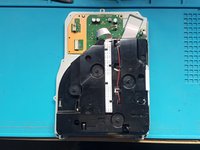
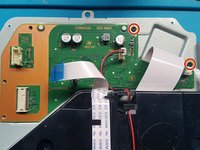
  29. PlayStation 5 Optical Drive Laser Replacement, Remove screws from the PCB.: step 29, image 1 of 2 PlayStation 5 Optical Drive Laser Replacement, Remove screws from the PCB.: step 29, image 2 of 2
    • Remove screws with Phillips #1 screwdriver.

    • black screws: 2x M1.6 x 3.8mm

    Ask FixBot

    Add Comment

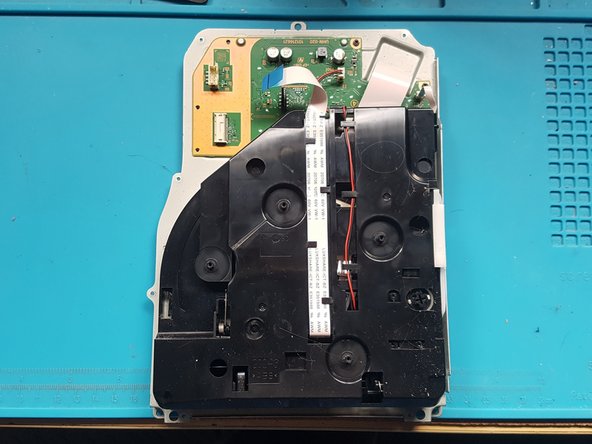
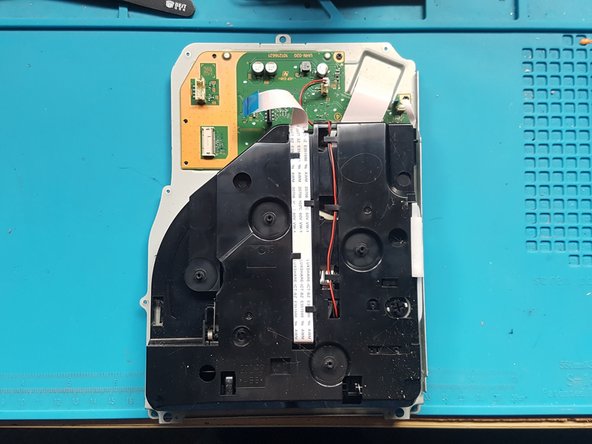
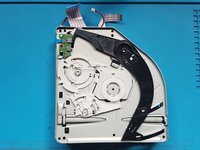
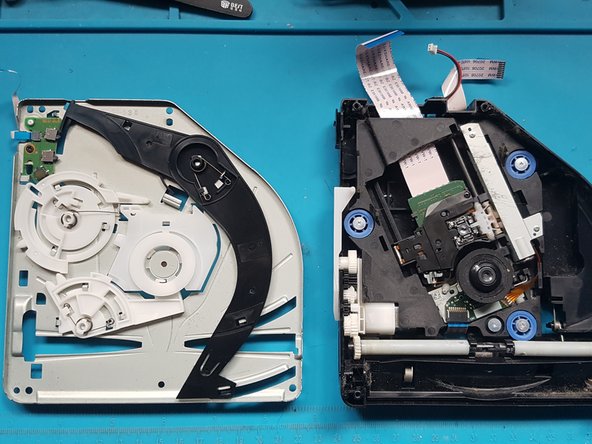
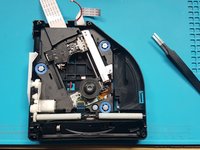
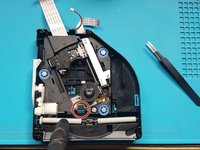
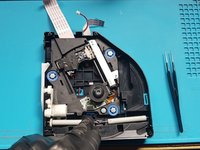
  30. PlayStation 5 Optical Drive Laser Replacement, Remove base plate: step 30, image 1 of 1
    • Lift off the PCB and attached assembly from the metal plate.

    Ask FixBot

    Add Comment

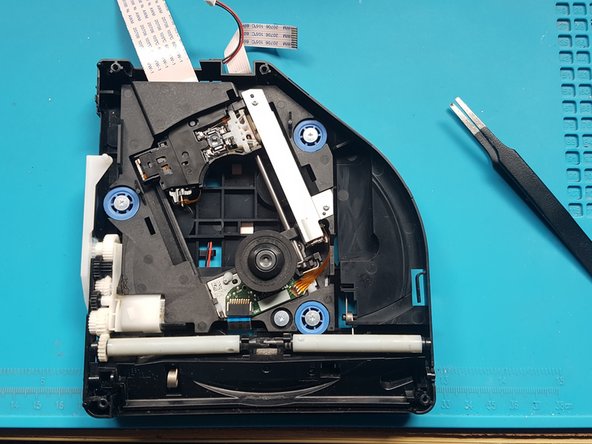
  31. PlayStation 5 Optical Drive Laser Replacement, Flip over: step 31, image 1 of 1
    • Turn over the PCB and attached assembly.

    Ask FixBot

    Add Comment

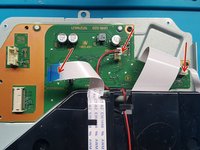
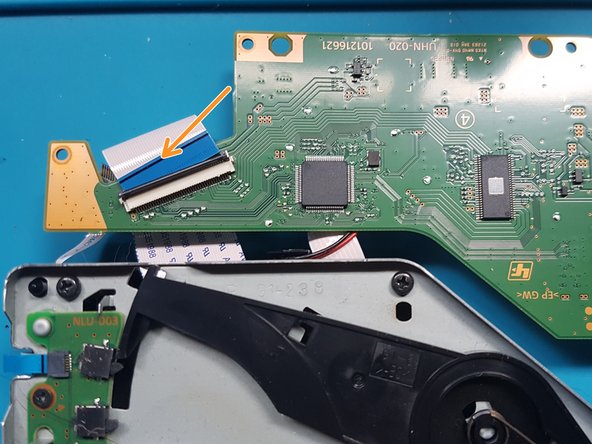
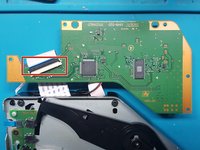
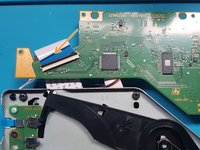
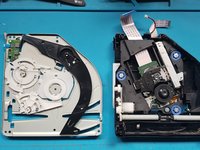
  32. PlayStation 5 Optical Drive Laser Replacement, Disconnect FFC cable and remove the PCB.: step 32, image 1 of 2 PlayStation 5 Optical Drive Laser Replacement, Disconnect FFC cable and remove the PCB.: step 32, image 2 of 2
    • Unlatch the wide FFC socket.

    • Gently remove the wide FFC cable from the socket and set aside the PCB.

    Ask FixBot

    Add Comment

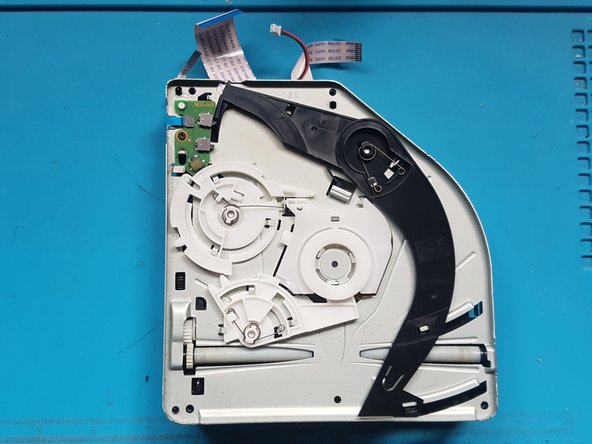
  33. PlayStation 5 Optical Drive Laser Replacement, flip over the assembly: step 33, image 1 of 1
    • Flip over the assembly.

    Ask FixBot

    Add Comment

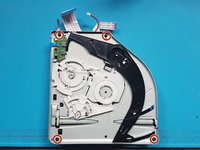
  34. PlayStation 5 Optical Drive Laser Replacement, Remove the screws from mechanism plate: step 34, image 1 of 2 PlayStation 5 Optical Drive Laser Replacement, Remove the screws from mechanism plate: step 34, image 2 of 2
    • Use a Phillips #1 screwdriver to remove the screws.

    • black screws: 4x M1.6 x 3.8mm.

    Ask FixBot

    Add Comment

  35. PlayStation 5 Optical Drive Laser Replacement, Remove the mechanism plate: step 35, image 1 of 3 PlayStation 5 Optical Drive Laser Replacement, Remove the mechanism plate: step 35, image 2 of 3 PlayStation 5 Optical Drive Laser Replacement, Remove the mechanism plate: step 35, image 3 of 3
    • Remove the mechanism plate and set aside.

    Ask FixBot

    Add Comment

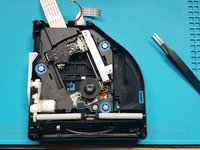
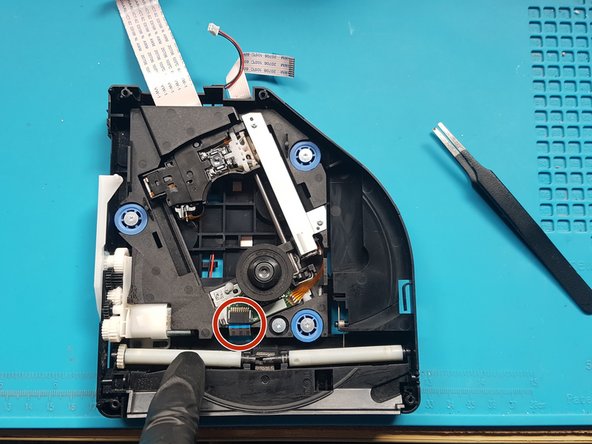
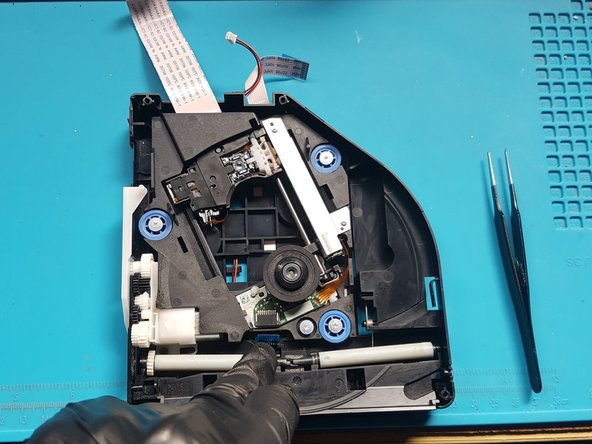
  36. PlayStation 5 Optical Drive Laser Replacement, Remove the FFC cable from laser deck: step 36, image 1 of 3 PlayStation 5 Optical Drive Laser Replacement, Remove the FFC cable from laser deck: step 36, image 2 of 3 PlayStation 5 Optical Drive Laser Replacement, Remove the FFC cable from laser deck: step 36, image 3 of 3
    • Push down on the roller mech and remove the FFC cable from laser deck (near roller mech).

    • Blunt end straight tweezers can be used to aide removal of the FFC flex. To remove the flex from the socket, pull the flex towards the rollers.

    Ask FixBot

    Add Comment

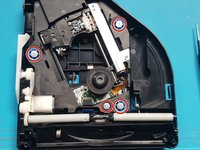
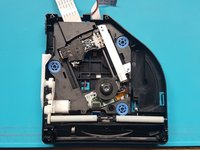
  37. PlayStation 5 Optical Drive Laser Replacement, Remove the screws holding the laser deck: step 37, image 1 of 2 PlayStation 5 Optical Drive Laser Replacement, Remove the screws holding the laser deck: step 37, image 2 of 2
    • Remove the screws using a Phillips #1 screw driver.

    • silver screws: 4x M1.6 X 3.7mm 6.5mm head

    Ask FixBot

    Add Comment

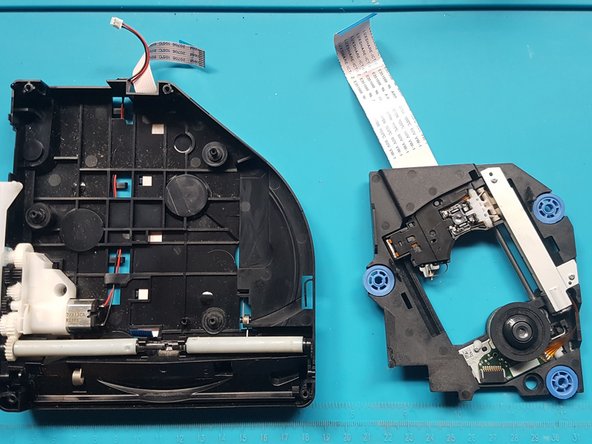
  38. PlayStation 5 Optical Drive Laser Replacement, Remove the laser deck: step 38, image 1 of 2 PlayStation 5 Optical Drive Laser Replacement, Remove the laser deck: step 38, image 2 of 2
    • Remove the laser deck.

    Ask FixBot

    Add Comment

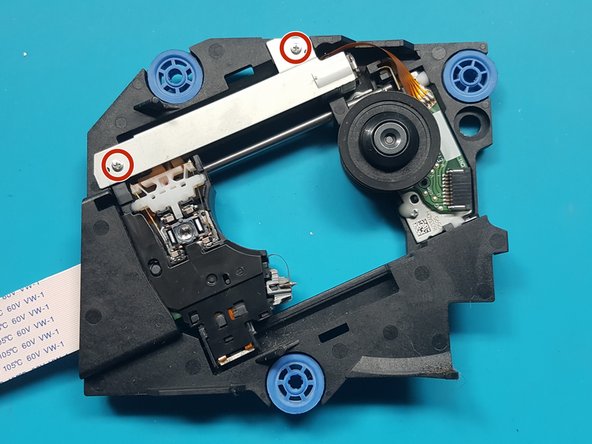
  39. PlayStation 5 Optical Drive Laser Replacement, Remove the screws from metal plate over laser motor: step 39, image 1 of 2 PlayStation 5 Optical Drive Laser Replacement, Remove the screws from metal plate over laser motor: step 39, image 2 of 2
    • Remove the screws from metal plate over laser motor.

    • Use a Phillips PH0 screwdriver to remove the screws.

    • silver screws: 2x M1.7 X 3.8mm

    Ask FixBot

    Add Comment

  40. PlayStation 5 Optical Drive Laser Replacement, Remove the metal plate over the laser motor: step 40, image 1 of 2 PlayStation 5 Optical Drive Laser Replacement, Remove the metal plate over the laser motor: step 40, image 2 of 2
    • Remove the metal plate covering the laser motor.

    Ask FixBot

    Add Comment

  41. PlayStation 5 Optical Drive Laser Replacement, Remove the screws holding the laser motor to the drive deck: step 41, image 1 of 2 PlayStation 5 Optical Drive Laser Replacement, Remove the screws holding the laser motor to the drive deck: step 41, image 2 of 2
    • Remove the screws holding the laser motor to the drive deck.

    • Use a Phillips PH0 screwdriver to remove the screws.

    • silver screws: 2x M1.7 X 3.8mm

    Ask FixBot

    Add Comment

  42. PlayStation 5 Optical Drive Laser Replacement, Flip over and remove the screw from the white plastic bracket.: step 42, image 1 of 3 PlayStation 5 Optical Drive Laser Replacement, Flip over and remove the screw from the white plastic bracket.: step 42, image 2 of 3 PlayStation 5 Optical Drive Laser Replacement, Flip over and remove the screw from the white plastic bracket.: step 42, image 3 of 3
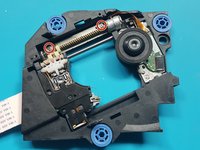
    • flip over and remove a single black screw from white plastic bracket.

    • Note: laser motor will be loose, so be careful when you flip over the deck for the next step.

    • Remove the screw with a Phillips PH0 screwdriver.

    • black screw: 1x M1.4 x 3.9mm

    • Remove the white bracket and set aside.

    Ask FixBot

    Add Comment

  43. PlayStation 5 Optical Drive Laser Replacement, Flip over the laser deck and move the laser motor to the side: step 43, image 1 of 2 PlayStation 5 Optical Drive Laser Replacement, Flip over the laser deck and move the laser motor to the side: step 43, image 2 of 2
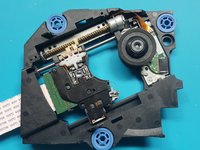
    • Flip over the laser deck and move the laser motor to the side

    Ask FixBot

    Add Comment

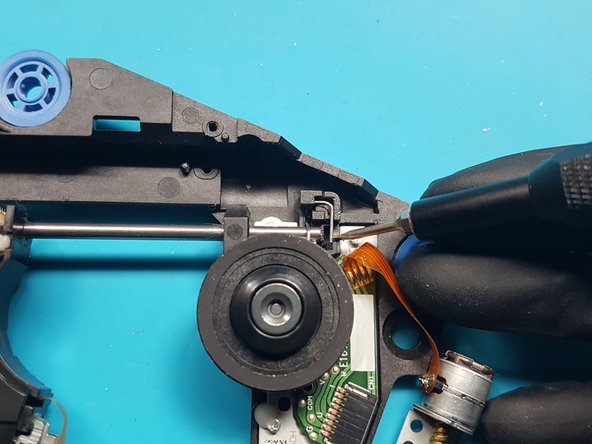
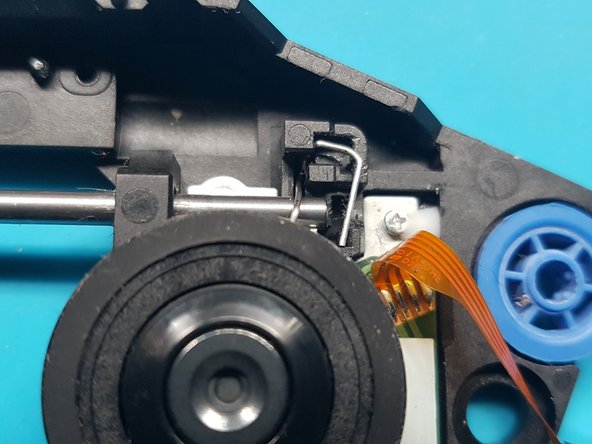
  44. PlayStation 5 Optical Drive Laser Replacement, Remove the rod retention clip.: step 44, image 1 of 3 PlayStation 5 Optical Drive Laser Replacement, Remove the rod retention clip.: step 44, image 2 of 3 PlayStation 5 Optical Drive Laser Replacement, Remove the rod retention clip.: step 44, image 3 of 3
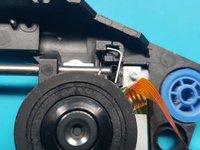
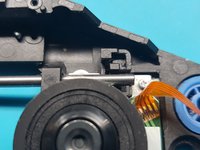
    • remove the clip that stops the rod from being removed.

    • a) Use a 1.5mm slotted screwdriver to push the lower end of the clip to the left, to unhook it from the retaining hook.

    • b) The clip should pop up.

    • c) lift out the clip.

    Ask FixBot

    Add Comment

  45. PlayStation 5 Optical Drive Laser Replacement, Slide out the rod from the laser module.: step 45, image 1 of 3 PlayStation 5 Optical Drive Laser Replacement, Slide out the rod from the laser module.: step 45, image 2 of 3 PlayStation 5 Optical Drive Laser Replacement, Slide out the rod from the laser module.: step 45, image 3 of 3
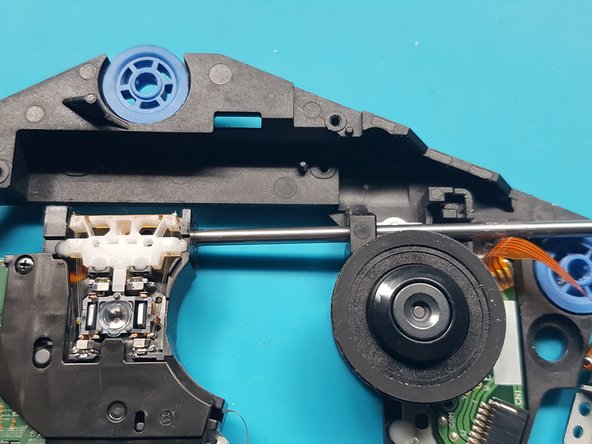
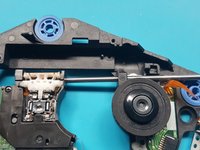
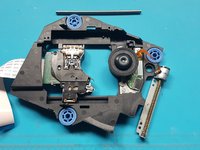
    • slide out the rod from the laser module.

    Ask FixBot

    Add Comment

  46. PlayStation 5 Optical Drive Laser Replacement, Remove the laser module: step 46, image 1 of 2 PlayStation 5 Optical Drive Laser Replacement, Remove the laser module: step 46, image 2 of 2
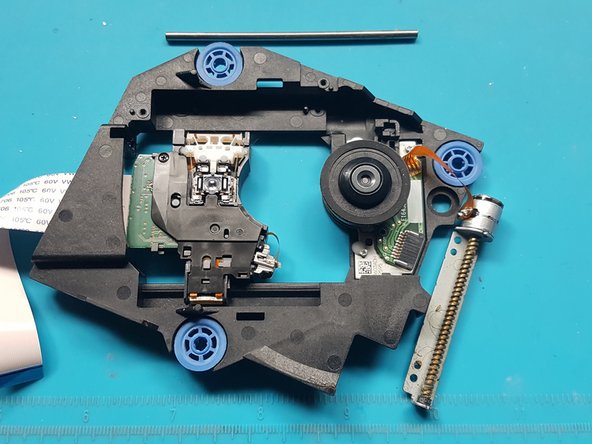
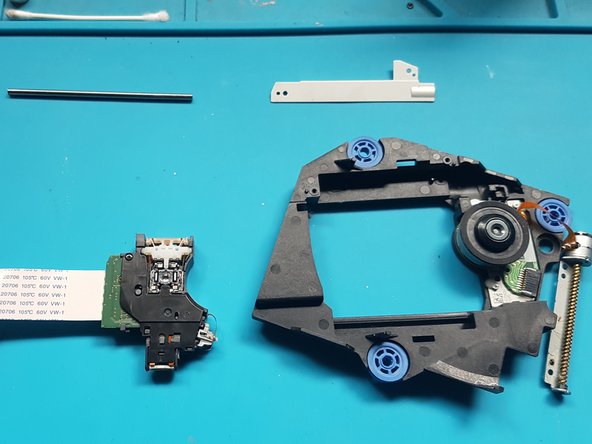
    • Remove the laser module

    Ask FixBot

    Add Comment

  47. PlayStation 5 Optical Drive Laser Replacement, Flip over the laser module: step 47, image 1 of 2 PlayStation 5 Optical Drive Laser Replacement, Flip over the laser module: step 47, image 2 of 2
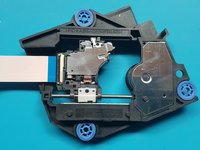
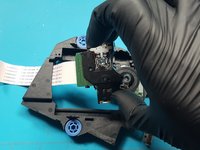
    • Flip over the laser module.

    Ask FixBot

    Add Comment

  48. PlayStation 5 Optical Drive Laser Replacement, unlatch the FFC connector and remove the FFC flex from the laser.: step 48, image 1 of 2 PlayStation 5 Optical Drive Laser Replacement, unlatch the FFC connector and remove the FFC flex from the laser.: step 48, image 2 of 2
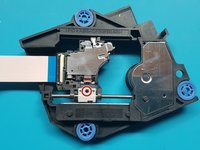
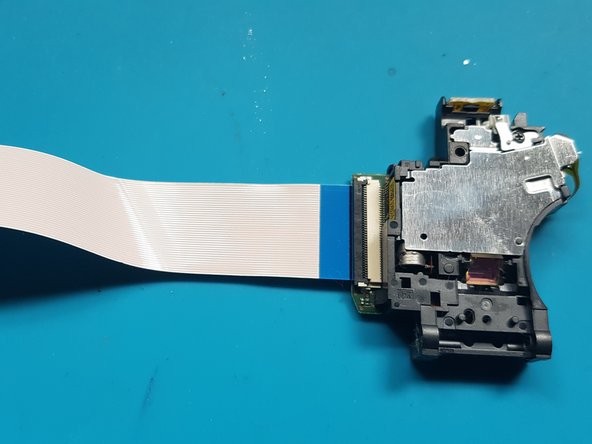
    • unlatch the FFC connector.

    • Remove the FFC flex from the laser.

    Ask FixBot

    Add Comment

Conclusion

To reassemble your device, follow these instructions in reverse order.

Take your e-waste to an R2 or e-Stewards certified recycler.
Repair didn’t go as planned? Try some basic troubleshooting, or ask our PlayStation 5 Answers community for help.

Cancel: I did not complete this guide.

18 other people completed this guide.

David Fear

Member since: 06/10/17

417 Reputation

1 Guide authored

6 Guide Comments

Danke für die tolle und ausführliche Anleitung!

Discs werden wieder gelesen *freu*

Jan Bäumler - Reply Share

where do we get the replacement laser?

canegosh - Reply Share

Muchísimas gracias por la guía, me ha resultado imprescindible para hacer el cambio con éxito!

Pepe Paco - Reply Share

whats the name of the ribbon data cable that goes from this drive to the ps. The one taken off at the start before tearing down the bluray playe. Thanks

L2D2 - Reply Share
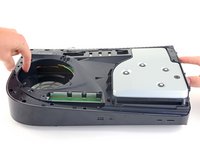
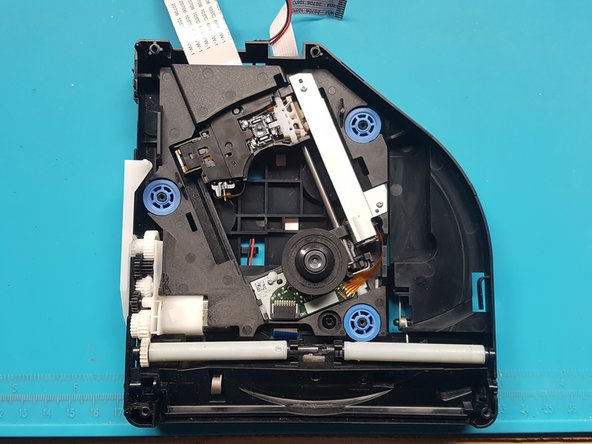
Please be advised: during Optical Drive reassembly, it is crucial that a notch/peg be fitted into its corresponding groove seen in Step33. In the image the notch and groove can be seen in the upper most circular white piece and at the 11 o'clock position. This must be done for the drive to work appropriately. -ljr

LJ Rhodes - Reply Share

Add Comment

View Statistics:

Past 24 Hours: 45

Past 7 Days: 389

Past 30 Days: 1,659

All Time: 51,420