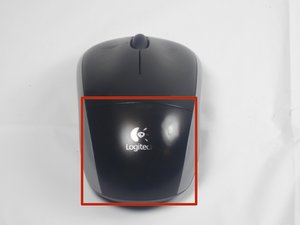
Battery
|
5 Answers 12 Score |
Mouse will not scroll |
|
2 Answers 2 Score |
Why won't my mouse turn on? |
|
1 Answer 0 Score |
Lost the USB tongle |
|
1 Answer 0 Score |
What is the dpi on the Logitech M215? |
These are some common tools used to work on this device. You might not need every tool for every procedure.
See the Logitech M215 Troubleshooting guide for information on troubleshooting.
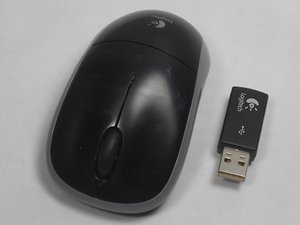
The Logitech M215 wireless, optical mouse transmits to the USB dongle using the 2.5 GHz band. It can be plugged in and used on almost any device, as it uses generic mouse device drivers. It is compatible with the following operating systems: Windows XP/Vista/7, Mac OS X 10.4 or later, and Linux kernel 2.6 or later. The mouse has intelligent battery management which switches the device into sleep mode automatically and activates a low battery alert light when power levels are low. The device requires one AA battery to operate.
The model number (M/N: M-R0013) for this device can be found on the product label that is located to the right of the battery compartment.
Logitech Wireless Combo MK360 Getting Started Guide
Logitech Wireless Combo MK320 Getting Started Guide
Logitech Wireless Mouse M215 Quick Start Guide (EN, ES, FR, PT)
Logitech Wireless Combo MK330 Getting Started Guide (EN, IT, ES, PT, EL)
Logitech MK330 Wireless Combo Getting Started Guide (EN, FR, NL, EL, TR, AR)
Logitech Wireless Mouse M215 Quick Start Guide (EN, ZH, KO)
Logitech Wireless Combo MK330 Getting Started Guide (EN, DE, FR, IT)
USFT-WATKINS-W15S1G1
4 Members
84 Guides authored
Past 24 Hours: 4
Past 7 Days: 35
Past 30 Days: 158
All Time: 36,376


