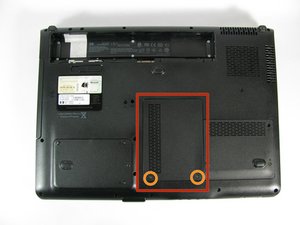
Battery

|
21 Answers 4 Score |
What is the cause of multiple hard drive failures? |
|
3 Answers 1 Score |
While turning on my computer it freezes at a black screen? |
|
1 Answer 0 Score |
Need new power cord |
|
2 Answers 2 Score |
Overheated Motherboard by reflowing videochip |
These are some common tools used to work on this device. You might not need every tool for every procedure.
Many issues that arise may be resolved at the HP Pavilion dv9000 Troubleshooting page.
The laptops in the HP Pavilion dv9000 series are all 17 inch laptops. This can be identified by looking to the right of the webcam under the computer screen lid. You also can verify this through right-clicking on "My Computer" and then selecting "Properties."
By looking at the white sticker at the bottom of the computer next to the DVD drive, you might notice that the product series of the computer is not exactly "dv9000." This is because there are many variations of this laptop, but the hardware construction is all the same.
The HP Pavilion dv9000 series was later replaced in 2008 by the HP Pavilion dv7 series, which featured faster microprocessors, expanded RAM, and increased hard drive capacities.
Maintenance and Service Guide HP Pavilion dv9000 Notebook PC
HP Pavilion dv9000 Notebook PC Maintenance and Service Guide
HP xb3000 Notebook Expansion Base Maintenance and Service Guide
Quanta AT8 Atlantis/Apollo 15.4–17-inch Motherboard Schematic Rev 1A
Quanta AT1 NB5/RD2/HW1 Schematic
HP Pavilion dv9000 Notebook PC Maintenance and Service Guide
HP Pavilion dv9000 Entertainment PC Maintenance and Service Guide
HP xb3000 Notebook Expansion Base Datasheet
HP Pavilion dv9000 and dv9200 Notebook PC: Maintenance and Service Guide
HP xb3000 Notebook Expansion Base Maintenance and Service Guide
Past 24 Hours: 1
Past 7 Days: 14
Past 30 Days: 64
All Time: 80,945