Base Cover

There are no questions. Be the first to ask a question!
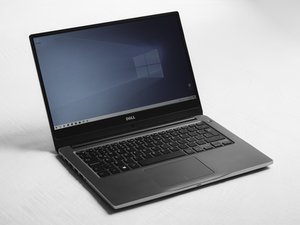
The Dell Vostro 3300 is a business friendly laptop introduced by Dell in 2010; it falls under the Vostro series, which the company developed for small and medium-sized businesses. This model has a 13.3-inch widescreen display with a lightweight and professional look that features an aluminum and plastic chassis.
Inside, the Vostro 3300 offers Intel Core i3 and i5 processor options, DDR3 RAM support, and integrated Intel HD graphics. For inputs and outputs, it has USB 2.0 ports, HDMI and VGA outputs, an SD card slot, and an Ethernet jack. The laptop is equipped with a spill-resistant keyboard and a multi-touch trackpad.
The Vostro 3300 was designed more for business users, with its compact form factor and the focus on essential productivity features. It also includes a number of replaceable components, including the hard drive, RAM, and battery, which are accessible for repair or upgrade. No longer in production, the Vostro 3300 remains in use by individuals and organizations who want to extend the life of their devices by repairing them or upgrading.
Solution: Upgrading to an SSD and increasing the RAM can significantly improve speed.
The Dell Vostro 3300 is easily recognized by its slim profile, brushed aluminum finish, and compact 13.3-inch screen. It includes:
Processor: Intel Core i3 or i5
Memory (RAM): Up to 8GB DDR3
Storage: HDD options starting at 250GB
Graphics: Integrated Intel HD Graphics
Display: 13.3-inch (1366x768 resolution)
Battery: 4-6 hours with a 6-cell battery
Connectivity: Wi-Fi, Ethernet, Bluetooth
Ports: USB 2.0, HDMI, VGA, SD card reader
This combination of specs ensures reliable performance for everyday productivity but may require upgrades for intensive tasks.
Dell Vostro 3300 Service Manual
Dell Vostro 3300/3400/3500/3700 Asennus- ja ominaisuustiedot
Dell Vostro 3300/3400/3500/3700 Informasjon om konfigurasjon og funksjoner
Dell Vostro 3300/3400/3500/3700 Informazioni sulla configurazione e sulle funzionalità
Dell Vostro 3300/3400/3500/3700 Oplysninger om opsætning og funktioner
Dell Vostro 3300/3400/3500/3700 Informationen zur Einrichtung und zu Funktionen
Dell Vostro 3300/3400/3500/3700 Informácie o nastavení a funkciách
Guide de maintenance Dell Vostro 3300
Dell Vostro 3300/3400/3500/3700 セットアップと機能情報
Dell Vostro 3300/3400/3500/3700 Setup and Features Information
Dell Vostro 3300/3400/3500/3700 Informatie over configurare și caracteristici
Dell Vostro 3300 -huoltokäsikirja
Dell Vostro 3300/3400/3500/3700 Kurulum ve Özellikler ile İlgili Bilgiler
Dell Vostro 3300 Servicehåndbog
Instrukcja serwisowa komputera Dell Vostro 3300
Dell Vostro 3300/3400/3500/3700 Informacije o postavljanju i značajkama
Dell Vostro 3300/3400/3500/3700 Informatie over installatie en functies
Dell Vostro 3300/3400/3500/3700 Information om installation och funktioner
Dell Vostro 3300/3400/3500/3700 — Informações de configuração e funcionalidades
Dell Vostro 3300/3400/3500/3700 Informace o instalaci a funkcích
Dell Vostro 3300/3400/3500/3700 Informacije o nastavitvi in funkcijah
Руководство по обслуживанию Dell Vostro 3300
Dell Vostro 3300 Onderhoudshandleiding
Manual de service pentru Dell Vostro 3300
คู่มือการบริการ Dell Vostro 3300
Past 24 Hours: 5
Past 7 Days: 14
Past 30 Days: 61
All Time: 1,493