


|
1 Answer 0 Score |
How do I replace the keyboard? |
|
No Answers 0 Score |
How do I replace the type-c connector? |
Background
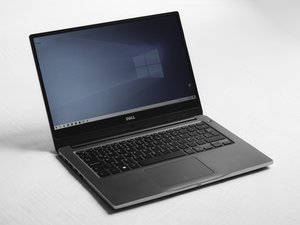
The Dell Latitude 7300 was released in 2019 as part of Dell's Latitude 7000 series of business laptops. It features a 13.3-inch display and a chassis constructed from carbon fiber and magnesium alloy. The device is equipped with 8th Generation Intel Core i5 or i7 processors, supports up to 32 GB of DDR4 RAM across two SODIMM slots, and uses M.2 PCIe NVMe solid state drives for storage. Connectivity options include Thunderbolt 3 (USB Type-C), USB 3.1, HDMI, and a microSD card reader. The laptop is available with either a 3-cell or 4-cell lithium-ion battery with ExpressCharge capability.
Dell issued a safety recall for the power adapter, as the adapter casing can detach or break, exposing internal metal components and creating a shock hazard.
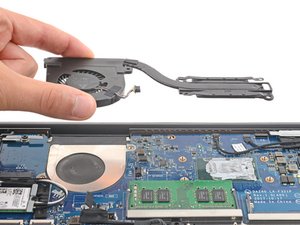
Common issues reported by users include battery swelling over time due to age or heat, keyboard malfunctions, and cooling fan clogging or failure.
Identification
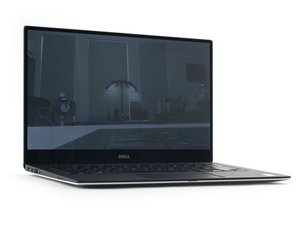
To check if this is your device, look at the bottom corners of the screen bezel where "Latitude 7300" is usually printed. If it's not there, flip the laptop over and look for a black sticker or text on the base that lists the model name and a "Service Tag." If you are already logged into Windows, you can press the Windows Key + R, type msinfo32 and hit enter to look for the System Model line, which will specifically say 'Latitude 7300.'
Technical Specifications
- Processor: 8th Generation Intel Core i5 or i7.
- Memory (RAM): 2 slots supporting up to 32GB DDR4 (2400 MHz).
- Storage: M.2 PCIe NVMe Solid State Drive (SSD).
- Display: 13.3-inch Anti-Glare screen
- Graphics: Integrated Intel UHD Graphics.
- Battery: 3-cell or 4-cell ExpressCharge capable.
- Ports: 1x Thunderbolt 3 (USB Type-C)
- 2x USB 3.1
- 1x HDMI
- 1x microSD Card Reader
- 1x Audio Jack