
5 pins Magsafe connector and cable
|
2 Answers 4 Score |
Can I make MagSafe2 to MagSafe1 converter? |
|
14 Answers 16 Score |
Not charging, blinking green/orange light |
|
1 Answer 3 Score |
Is it normal to have white paste inside charger or something leaked? |
|
3 Answers 0 Score |
Tips needed on how to crack open my AC Adapters |
These are some common tools used to work on this device. You might not need every tool for every procedure.
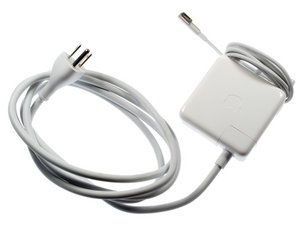
Apple's MacBook laptop charger is easily recognizable by its square shape and MagSafe magnetic charger end. The MagSafe apparatus is designed to prevent damage to the laptop if the cord is stepped on, in which case the charger simply unplugs from the laptop, rather than taking the computer with it.
All MacBooks and MacBook Pro models can charge on any of the 60 watt or 85 watt AC adapters. The MacBook Air, though, has a recessed charging port on its side that requires a special AC adapter that Apple released with a 90 degree bend in it.
Past 24 Hours: 5
Past 7 Days: 60
Past 30 Days: 355
All Time: 562,001


