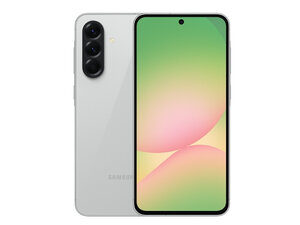

How to replace damaged screen?
My screen has been damage, and i got an LCD OLED replacement , How do i fit it in, i need a step by step guide.
Is this a good question?
Score
0
My screen has been damage, and i got an LCD OLED replacement , How do i fit it in, i need a step by step guide.
Is this a good question?
Rep: 101.5k
 160
160
 89
89
 156
156
Hi Kevin,
There are two ways to replace the screen on the majority of Android phones; the recommended way is to purchase the screen already attached to the midframe, then you remove all of the components from the original phone and transfer them to the new screen+frame assembly. This is the method you would use if, for instance, you bought a genuine replacement screen from Samsung, as that's the only way they sell them.
This guide shows you step by step how to do the screen+frame replacement. Note that it's in the French language, but if you use it with a browser that does translation like Chrome, you won't have any trouble following it.
Galaxy A56 Screen Repair - Free Guide - SOSav.fr
If, as I suspect, you have the screen alone without the frame, then you need a completely different set of instructions as the procedure is not the same. Instead of removing all of the interior components, you'll open the back and take apart enough to get to the display connector. Once that's unplugged, you then turn the phone over and remove the screen. Afterward, you will have to clean the old adhesive off and add either precut adhesive or something like B7000 glue to hold the replacement screen.
I wasn't able to locate any written guides to that particular repair, but there is a YouTube video that looks like it is fairly thorough. I don't speak the language used in the video, but I think you can get by fine just by watching; everything they do is fairly straight-forward.
Samsung Galaxy A56 5G Screen Replacement – Step-by-Step Repair Guide - YouTube
Sorry that iFixit doesn't have a guide to either repair for you, but keep in mind that much of its content is community-added, so as you work, take lots of pictures and once you're done you can fill in that gap by creating your very own iFixit Samsung Galaxy A56 5G Screen Replacement guide. It's easy, fun, and will earn the appreciation of the repair community, especially those who come after you with the same problem.
Good luck, and be sure to come on back and let us know how it all turns out!
Was this answer helpful?
Past 24 Hours: 2
Past 7 Days: 12
Past 30 Days: 91
All Time: 783

