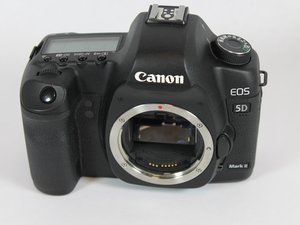

How to fix error 06
self-cleaning sensor unit malfunction
Is this a good question?
Score
0
Rep: 7.8k
 5
5
 6
6
 1
1
Canon EOS 5D Mark II
Error 06indicates a malfunction with the Self-Cleaning Sensor Unit, meaning the automatic sensor cleaning process failed, often due to a stuck sensor or mechanical issue with the cleaning mechanism. Basic troubleshooting involves turning the camera off and on, removing/reinserting the battery, and sometimes gently tapping the camera, but if the error persists, it likely needs servicing by a professional Canon repair center.
Troubleshooting Steps (Try in Order):
#
This video demonstrates the basic troubleshooting steps for a Canon DSLR camera:
Was this answer helpful?
Note that no official Canon repair center will repair the camera as the service life of the Canon EOS 5D Mark II has ended. Repairs can only be made by third party repair shops.
Past 24 Hours: 1
Past 7 Days: 16
Past 30 Days: 47
All Time: 435

