How to identify ip torx
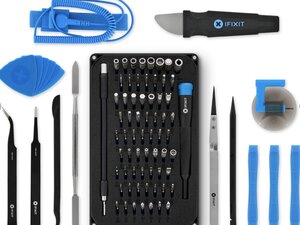
Does my pro tech kit have ip torx how can I tell
Is this a good question?
Score
0

Rep: 49
 2
2
Does my pro tech kit have ip torx how can I tell
Is this a good question?

Rep: 98.6k
419
 298
298
 158
158
The base kit doesn’t ship with them. You have to buy them separately.
Was this answer helpful?

Rep: 496.1k
35
338
974
The IP Torx bits are only available within the larger sizes. So depending on your needs the standard bits will work in the smaller sizes without any problem.
Here's what I have for my car.

9 pc of Impact Torx Plus 6 point Socket Bit Set Kits: IP-20, IP-25, IP-30, IP-40, IP-45, IP-50, IP-55, IP-60, IP-70
Computers, phones and small appliances use the older Standard Torx.
Was this answer helpful?
Rep: 71
4
1
No, if you mean internal torx plus, the kit probably won't have it in it. I have the Manta kit, which has all the bits in the Mako and Mahi kits, and I believe the Pro Tech kit has the Mako in it. My kit has no internal torx bits, so I'd say your best option is to either use an internal hex or just find a drill and stick a screw in the chuck, although that could possibly damage the drill and/or the screw.
Was this answer helpful?
Past 24 Hours: 24
Past 7 Days: 24
Past 30 Days: 24
All Time: 24

FYI - IP Torx refers to Internal Plus (IP), a type of Torx Plus fastener and driver system designed for higher torque and reduced wear, featuring more rounded lobes than standard Torx, with tools labeled "IP" (e.g., IP20, IP27) for internal drive, making them distinct from regular Torx (TX) and External Plus (EP) drives, as they offer a larger contact area for demanding industrial applications.
by DanJ