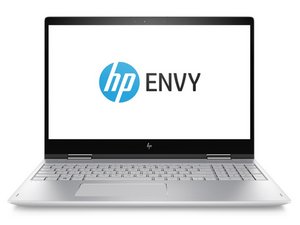

HP Envy x360 is a line of laptops made by the company since 2014. They feature a touchscreen and a fully rotating display.

Replace the CMOS battery

The laptop isn't charging. I've been told the CMOS battery may need to be replaced but I can't find it on the mother board. Is this one of the cases where the CMOS is replaced by the main battery?

Answer this question I have this problem too

Is this a good question?

Score 0
Add a comment

1 Answer

Hi.

Regarding the cmos battery, according to this HP Support post this laptop does indeed not have a cmos battery.

Regarding that the laptop is not charging. This can be caused by multiple failures. Have you ever gotten the laptop wet, or spilled liquid on it?

If the laptop is not charging above e.g. 80%, then it may be a software issue. A lot of laptops has battery settings that prevents the laptop from charging to 100% in order to preserve battery health. If this is the case, please check you HP software for battery settings.

If you cannot charge the laptop at all, please check that:

  1. The charger is working with another device. This is to determine whether the charger or the laptop is faulty.
    • Do also check that the charging port / connector is clean and free from debris. And that there is no visual faults, like burns or corrosion.
    • Do note, that if a battery is very ''''discharged you may need to leave the unit charging for a long time.
  2. Perform a hard reset on your laptop. This involves turning it off, disconnecting the charger, and holding the power button for 15-20 seconds.
  3. If you have access to the BIOS (and have any battery power left). Then restore BIOS to default settings. See these instructions from the laptop manual on how to factory restore BIOS settings.
  4. By this point it is most likely to be a hardware failure. Open up your laptop (follow these instructions to remove the bottom cover). Remove power cable before opening the computer (and all other attached cables too for that matter)!
    1. You can visually scan if you see any burned, scorched or corroded components or if the battery looks swollen. Then those components may be at fault and likely needs replacing.
    2. If all looks good, you may use a multi-meter to check the battery voltage and amperage (voltage and amperage is stated on the battery) by the internal battery connector.
      • Note that the voltage and amperage may be low if the battery is discharged.
      • If these voltage or amperage values seem off, then it is likely that the battery has gone bad. (If values looks good, then it does not rule out a bad battery!)
    3. If no faults are found, then I cannot determine what the cause is. It is not unlikely that the battery is faulty, but I cannot guarantee that either.
    4. If the battery is faulty you have to replace the battery, see battery replacement instructions here.

Was this answer helpful?

Score 0

1 Comment:

Here is also a general HP Laptop Not Charging guide

by

Add a comment

Add your answer

Red will be eternally grateful.
View Statistics:

Past 24 Hours: 10

Past 7 Days: 27

Past 30 Days: 27

All Time: 27
