
 1
1 Right joycon only works with bloothooth and not without
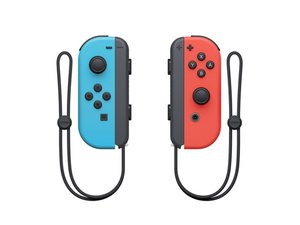
Can this part of the Switch JoyCon cause the JoyCon's motherboard to stop working? The A, B, X, and Y buttons no longer work. I swapped them with one from a defective JoyCon and then swapped them back. But since then, the JoyCon that was already working fine hasn't worked either. I now suspect that both motherboards have developed a defect since I swapped them.

https://youtube.com/shorts/84F1gIaOENs?f...
Update (12/12/25)
Hi, im afraid that there is not anything wrong with the connector or how its Connected. But that there is a deeper meaning to this.
I have tried to put the switch off flight mode then suddenly the joycon works but if i put it in flight mode again the joycon doesnt work anymore
https://youtu.be/wtZxREn_leM?feature=sha...


Is this a good question?
Score
0

 16
16  28
28 
4 Comments
Hi, im afraid that there is not anything wrong with the connector or how its Connected. But that there is a deeper meaning to this.
I have tried to put the switch off flight mode then suddenly the joycon works but if i put it in flight mode again the joycon doesnt work anymore
https://youtu.be/wtZxREn_leM?feature=sha...
[image|3911068]
[image|3911065]
[image|3911066]
[image|3911057]
by omer bereket
Unfortunately, you might just be better off getting new joy-cons. The design of these things alone seems to be enough to hinder repair, not to mention the fact that they're just terrible to begin with. I would say put a new motherboard in, but at that point you may as well be buying a new controller, because the motherboards actually cost about the same amount as a brand new joy-con. We've seen that Nintendo is perfectly capable of building durable controllers (If you want an example, look for a GameCube controller. Those things last forever!), so they shouldn't have an excuse not to (Hint, hint, Nintendo!). If anyone happens to know Nintendo's contact information, please forward this message to them.
by Fixer of Stuff
All the controllers that are out there have their weaknesses. Even Gamecube and Joy-Con controllers. A new motherboard for the Joy-Con can be found for 15-30$. And a new one (only 1 side) could be 40$, so you will save some money for just replacing the motherboard. I think replacing the motherboard is a easy job. It will take time and you need to be carefull. But if you can find one for 15$, it sure is worth it.
Anyway, the Joy-Con is a nice controller, but has some downsides regarding the “L” and “R” buttons which are litterly breaking. And for “R” it’s even worse as it does come off the board together with the traces on it which require a motherboard repair. The LED ribbon cables are bad and can be damaged easily without touching the cable. And don’t forget the buckle lock that are made from plastic and are made to break with long time use (that is why they sell metal ones). And oh yeah, almost forgot the joy sticks it self…
It is a nice controller tho, but there is room for improvement in durability.
by koppie007
Okay, I'll admit that they do have their strengths. But clearly, strength is not one of them... ironically. The R buttons on my Joy-cons just stopped working after maybe 3 years of normal use. When I opened them up (as any sensible tinkerer would), the internal switch literally fell apart in my fingers. Literally. And then there's the drifty-ness. These controllers probably drift more than any other controller on the face of the earth! Sure, maybe there are some downsides with the GameCube controller, like the cable that's way too short, but 3 out of 4 of mine still work like new, even after 20 some odd years of intense use. And you know what? There's not even a little drift in those joy-sticks! How? I have absolutely no clue. My best guess is that because the potentiometers re-calibrate themselves every time you plug the controller in or power on the console, whatever changes in resistance that may happen over time are mitigated, or at the very least, lessened.
by Fixer of Stuff