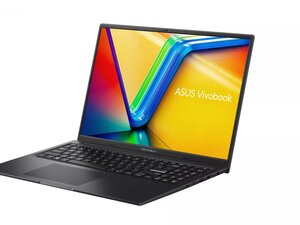
How to fix asus vivobook 16 charging jack problem
My asus vivobook 16 charging jack is not working properly sometimes it charges my laptop and sometimes not
Is this a good question?
Score
0

My asus vivobook 16 charging jack is not working properly sometimes it charges my laptop and sometimes not
Is this a good question?

Rep: 521.2k
 11
11
 398
398
 1.5k
1.5k
Hi @sweemek ,
Have you checked that the laptop charger cable is OK and that it is not fractured internally?
Plug in the charger as per normal and check if the laptop start to charge. If it doesn't try holding the charger case and gently flexing the output cable that connects between the charger and the laptop where it leaves the case to see if the laptop now starts charging. If it still doesn't charge then try firmly holding the cable plug where it enters the charging jack and flexing the cable where it enters the cable plug and check if the laptop charges. Try not to move the plug in the jack when doing this.
The above can also be tried if the laptop indicates that it is charging, the idea is to see if you can stop it charging by simply flexing the cable at both points.
If the charger cable is OK then it seems as though the charging jack (aka DC-In jack) is either loose from the motherboard and needs to be re-soldered onto the motherboard or it is faulty and needs to be replaced.
In either case the motherboard will need to be removed from the laptop's case so this can be done.
Here's a video that shows how to remove the motherboard from the laptop, that may help.
Search online for Asus Vivobook 16 DC-In jack to find suppliers that suit you best. Here's an example only to show what the jack looks like.
You will need soldering skills and tools to do the repair.
If doing this seems too daunting, contact a professional laptop repair service and ask for a quote to replace the DC-In jack.
Was this answer helpful?
Past 24 Hours: 2
Past 7 Days: 8
Past 30 Days: 31
All Time: 31
